Meta Revolutionizes Horizon OS: A Deep Dive into v2.7’s Gamepad Emulation and 240Hz Breakthrough

In the rapidly evolving landscape of spatial computing, Meta continues to push the boundaries of its hardware through aggressive software iteration. The latest release of Meta Horizon OS, version 2.7, marks a significant milestone for the Quest ecosystem. By introducing sophisticated gamepad emulation, unprecedented display refresh rates, and a streamlined approach to external connectivity, Meta is signaling a shift from a purely VR-centric platform to a versatile computing environment capable of bridging the gap between traditional gaming and immersive experiences.
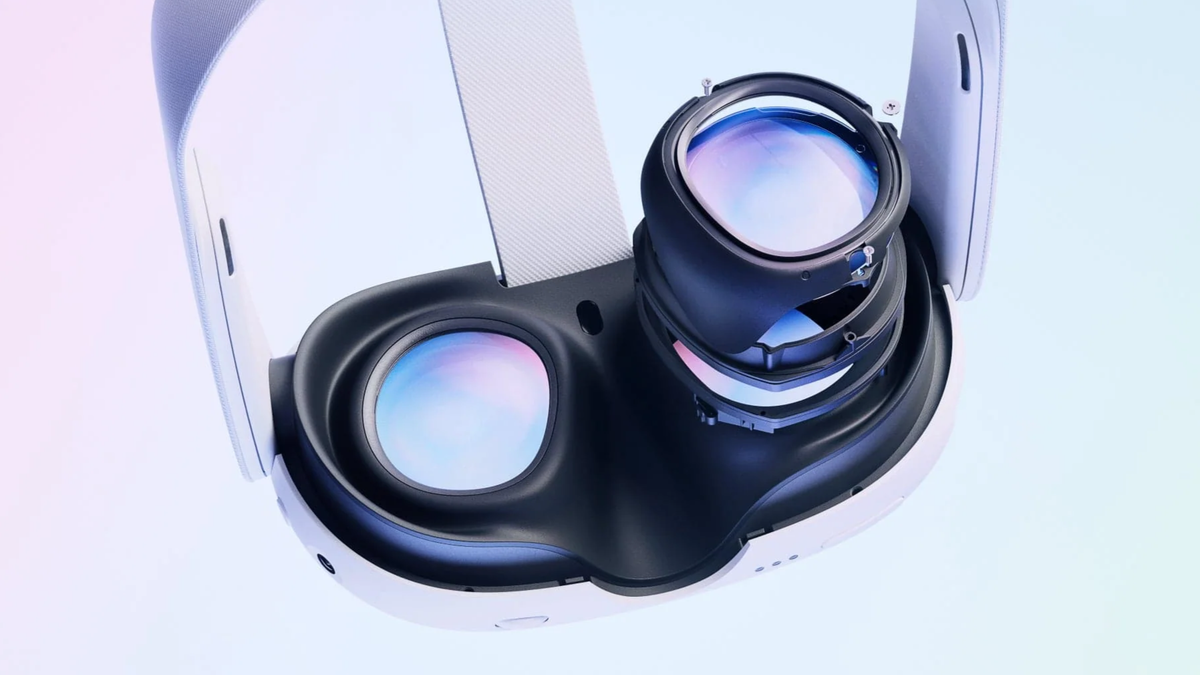
This update focuses heavily on the Meta Quest 3, leveraging its advanced chipset to unlock performance tiers previously thought impossible for a standalone mobile headset. As Meta prepares to license Horizon OS to third-party manufacturers like ASUS and Lenovo, v2.7 serves as a blueprint for the future of high-performance spatial operating systems.
1. Main Facts: The Core Pillars of Horizon OS 2.7
The v2.7 update is characterized by four primary technological advancements designed to enhance user agency and hardware longevity:
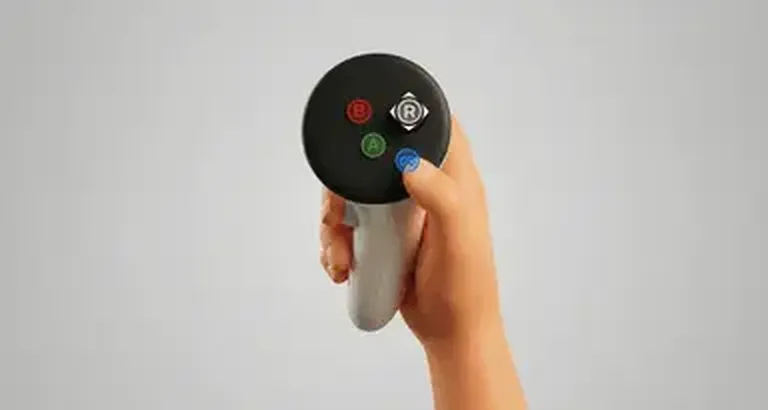
- Gamepad Emulation Mode: A software-based solution that allows the standard Touch Plus controllers to mimic the input of a full Xbox Wireless Controller. This feature is aimed at "flat-screen" gaming via cloud services and remote play.
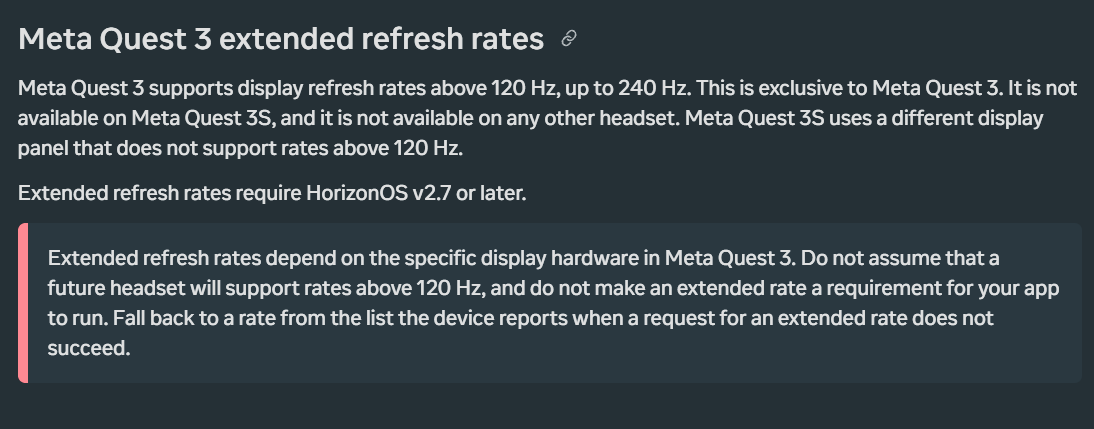
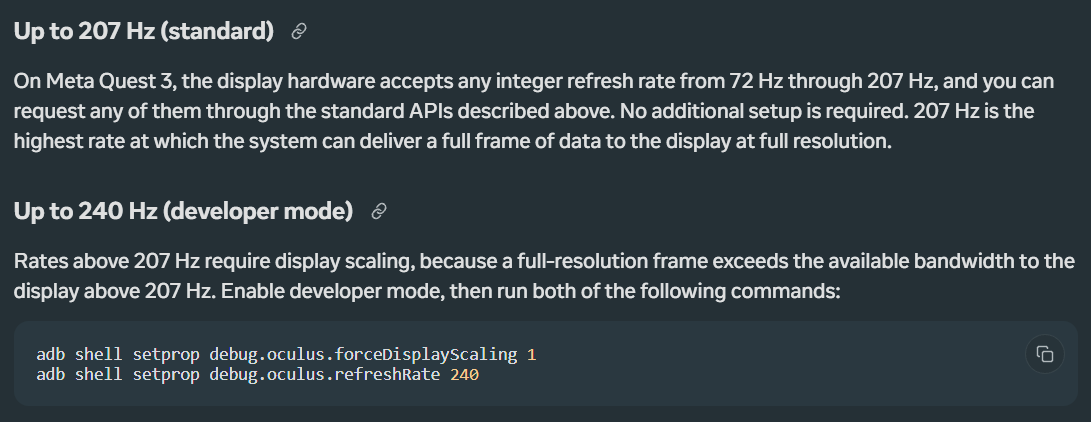
- Extended Refresh Rates: For the first time, the Meta Quest 3 can natively support refresh rates up to 207Hz through standard APIs, with a "Developer Mode" capability reaching a staggering 240Hz.
- Unified Virtual Display: Meta has consolidated its "Remote Desktop" and "HDMI Link" applications into a single, cohesive "Virtual Display" app. This streamlines the process of mirroring external screens, whether via Wi-Fi or physical capture cards.
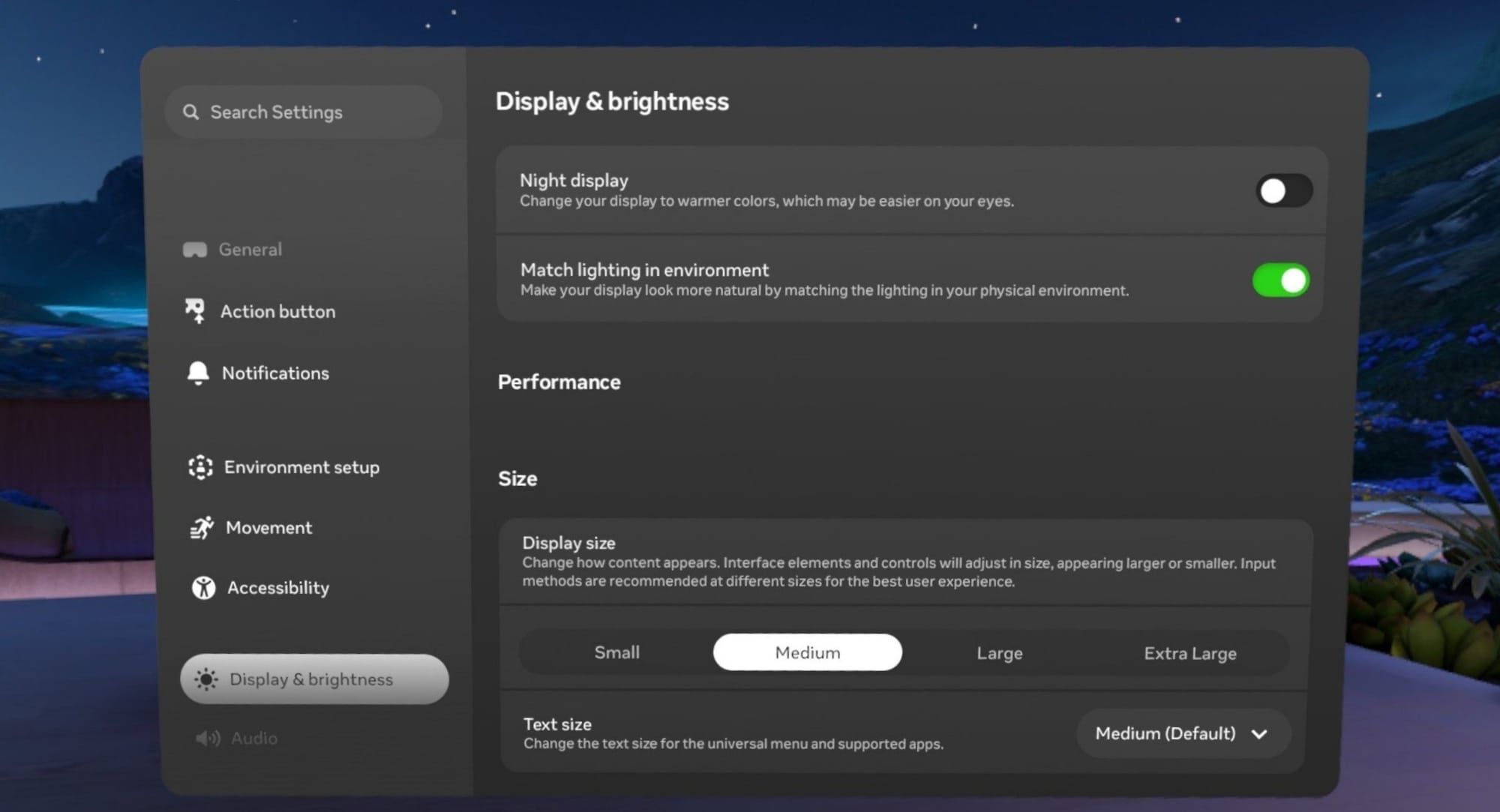
- System-Wide UI Scaling: A new "Size" section in the display settings allows users to scale all interface elements, significantly improving accessibility and productivity for those using the headset as a multi-monitor workstation.
2. Chronology: The Evolution of Meta’s Software Strategy
To understand the weight of v2.7, one must look at the trajectory of Meta’s software development over the last 18 months.
The Quest 3 Launch (Late 2023): At launch, the Quest 3 was marketed primarily on its Mixed Reality (MR) capabilities and its 120Hz display. At this stage, software updates were focused on stabilizing the passthrough quality and improving hand-tracking latency.
The Rebranding of Horizon OS (Early 2024): Meta rebranded its "Quest OS" to "Meta Horizon OS," signaling its intent to become the "Android of XR." This move was followed by updates that added support for experimental features like "Lying Down Mode" and improved window management.
The "Flat-to-VR" Push (Mid-2024): Recognizing the popularity of Xbox Cloud Gaming and Steam Link on the platform, Meta began prioritizing features that allowed users to consume non-VR content. This led to the release of the HDMI Link app and, eventually, the v2.7 update, which optimizes these workflows into a professional-grade suite.
The v2.7 Release (August 2026 Context): As of the current rollout, v2.7 represents the most technically ambitious update for the Quest 3, specifically targeting power users and developers who demand desktop-class performance from a mobile form factor.
3. Supporting Data: Technical Deep Dive
Gamepad Emulation: Bridging the Input Gap
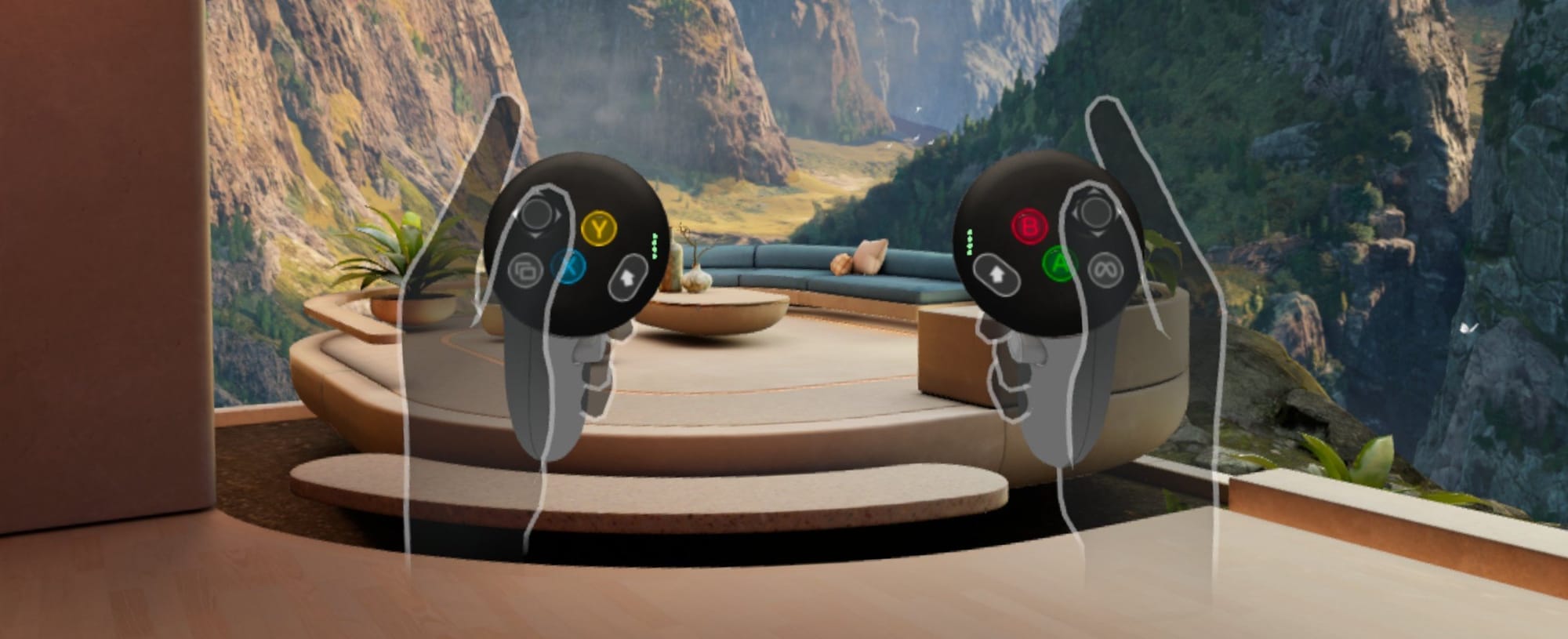
The new Gamepad Mode, located within Settings > Devices > Controllers, addresses a long-standing friction point for Quest users: the lack of a physical D-pad and additional shoulder buttons on Touch Plus controllers.
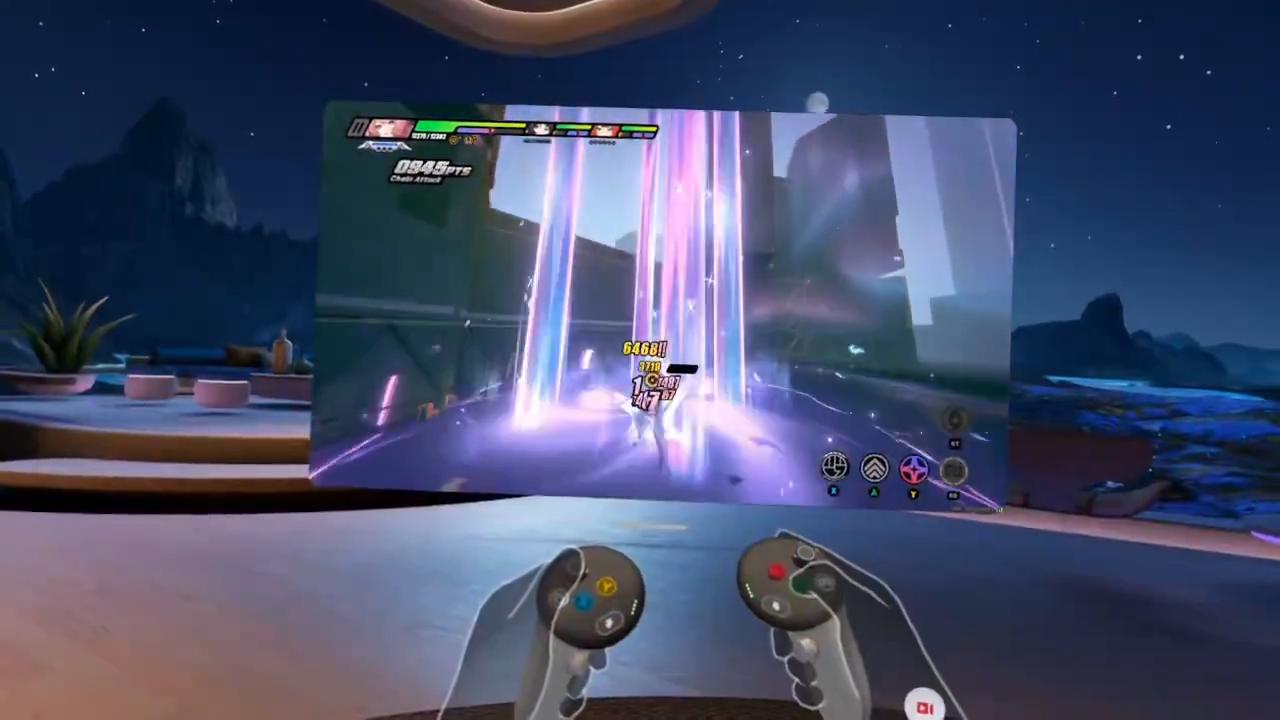
Meta’s solution utilizes the Grip button and the Thumbrest as "modifier keys." Much like the "Shift" or "Alt" keys on a keyboard, holding these modifiers rebinds the existing buttons to secondary functions. In testing with high-intensity titles like Zenless Zone Zero via Steam Link, the system proved surprisingly robust for casual and medium-paced action. However, Meta’s internal documentation still maintains that for competitive gaming, a physical Bluetooth controller remains the gold standard.
The 240Hz Frontier
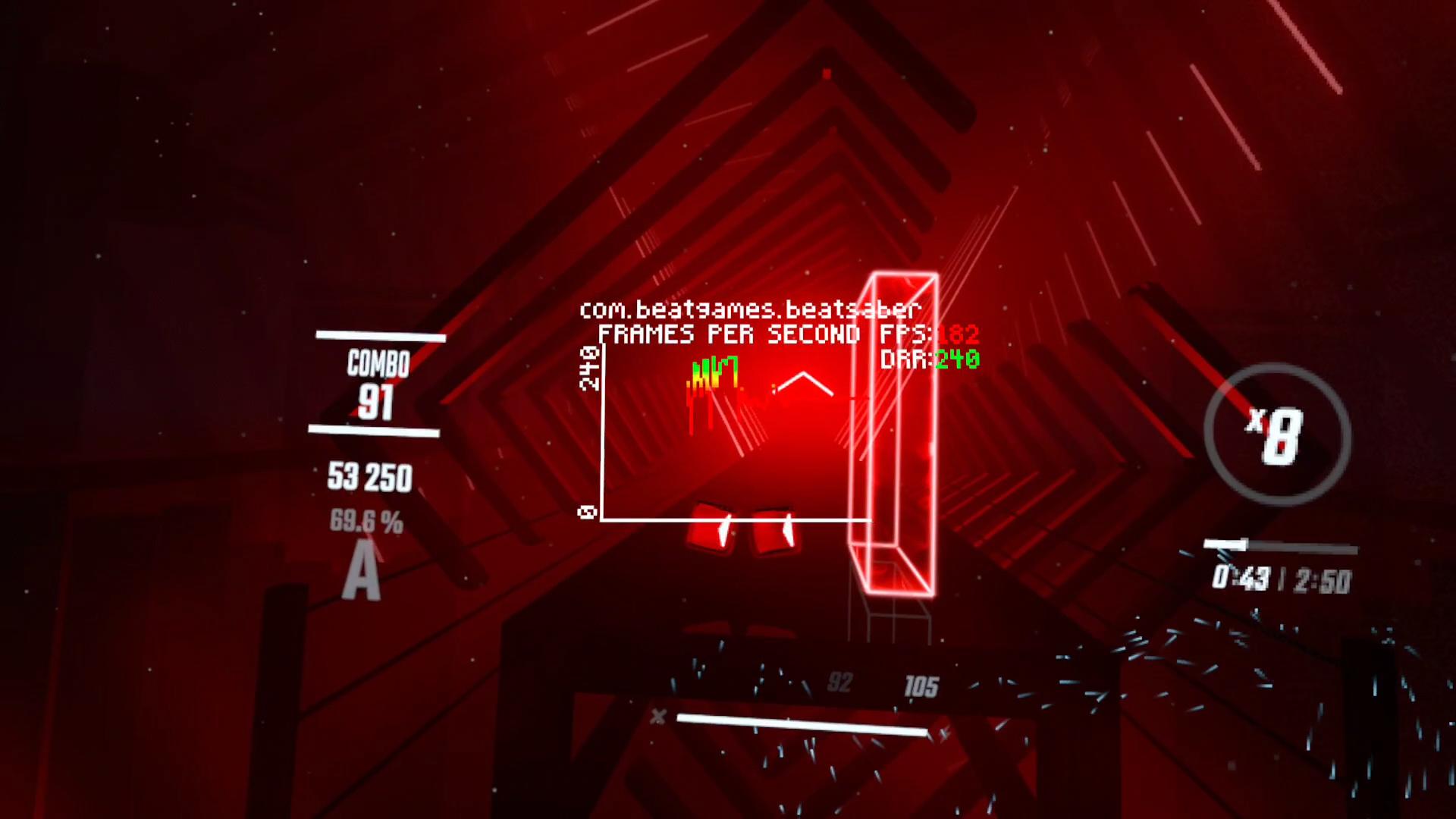
The most striking technical data point in v2.7 is the "Extended Refresh Rate" feature. While the Quest 3 previously topped out at 120Hz, Meta has unlocked a new tier of fluidity.
| Refresh Rate | Availability | Requirements |
|---|---|---|
| 72Hz – 120Hz | Standard | Native OS Support |
| 144Hz | App-Specific | Virtual Desktop / Quest Games Optimizer |
| 207Hz | Standard API | Quest 3 Exclusive |
| 240Hz | Developer Mode | ADB Commands + Display Scaling |
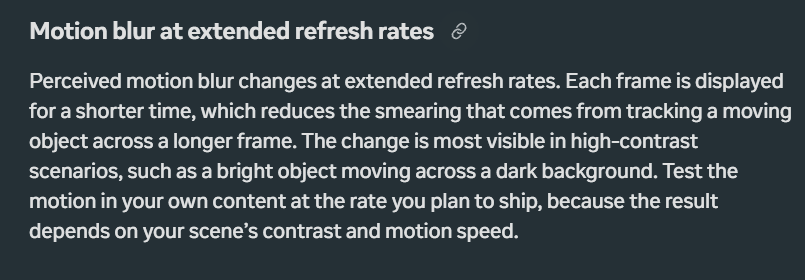
To achieve 240Hz, Meta employs "Display Scaling." This technique renders frames at a lower internal resolution and utilizes the display hardware to upscale them to the panel’s native resolution. This reduces the bandwidth required for the mobile processor to push pixels at such high frequencies. The trade-off is a slight loss in visual clarity, particularly noticeable in fine text and thin geometric lines. Furthermore, Meta warns that motion blur profiles change at these extreme rates, with the most optimal "fluidity-to-clarity" ratio currently sitting at the 144Hz mark.
4. Official Responses and Strategic Context
Meta’s leadership has been vocal about the company’s hardware philosophy. Andrew Bosworth, Meta’s Chief Technology Officer, recently addressed the community regarding the potential for new controller designs. Bosworth suggested that major hardware revisions for controllers are not currently on the roadmap.
This statement provides the "why" behind the Gamepad Emulation feature. Rather than releasing a "Pro" controller with more buttons or a split-gamepad design—similar to the rumored Valve "Steam Frame"—Meta is doubling down on software flexibility. By emulating missing hardware via Horizon OS, Meta can support a wider array of content without forcing users to purchase new peripherals.
Furthermore, the consolidation of the "Virtual Display" app reflects Meta’s desire to simplify the user experience. By merging HDMI Link (physical) and Remote Desktop (wireless), Meta is positioning the Quest as a universal receiver for any video signal, effectively turning the headset into a portable, high-fidelity monitor for laptops, consoles, and even cameras.
5. Implications: The Future of Spatial Computing
The v2.7 update has far-reaching implications for the XR industry and Meta’s competitive standing.
The Productivity Play
By introducing UI scaling and unified virtual displays, Meta is directly challenging the Apple Vision Pro’s narrative of being the ultimate "spatial workstation." The ability to scale windows to "Extra Large" sizes makes the Quest 3 a more viable tool for users with visual impairments or those who require large, legible text for coding and writing in a virtual environment.
The Competitive Gaming Edge
The jump to 144Hz and 207Hz is a direct play for the "hardcore" gaming market. Low latency is the holy grail of VR, and higher refresh rates are the primary method for reducing motion sickness and increasing immersion. By enabling 144Hz support in popular third-party apps like Virtual Desktop, Meta is allowing its ecosystem to compete with high-end tethered PCVR headsets like the Valve Index.
Ecosystem Fragmentation?
One potential risk highlighted by v2.7 is the growing gap between the Quest 3 and its more affordable counterparts. Meta explicitly stated that the extended refresh rates are "exclusive to Meta Quest 3" and will not be available on the Quest 3S or older models. While this rewards early adopters of the premium hardware, it creates a tiered experience within Horizon OS that developers must now navigate.
Conclusion: A Mature Operating System
Meta Horizon OS v2.7 signifies the maturation of the platform. It is no longer just an interface to launch VR games; it is a sophisticated OS that manages complex input mapping, handles high-bandwidth display protocols, and offers deep accessibility customization.
As Meta moves toward a future where its software runs on hardware from various manufacturers, v2.7 proves that Horizon OS is capable of extracting every ounce of performance from its silicon. For the end-user, the message is clear: the headset on your face today will continue to become more capable, more fluid, and more essential to your digital life through the power of software iteration.