Acer Nitro V 16 AI: A Powerhouse with a Critical Flaw for Creatives
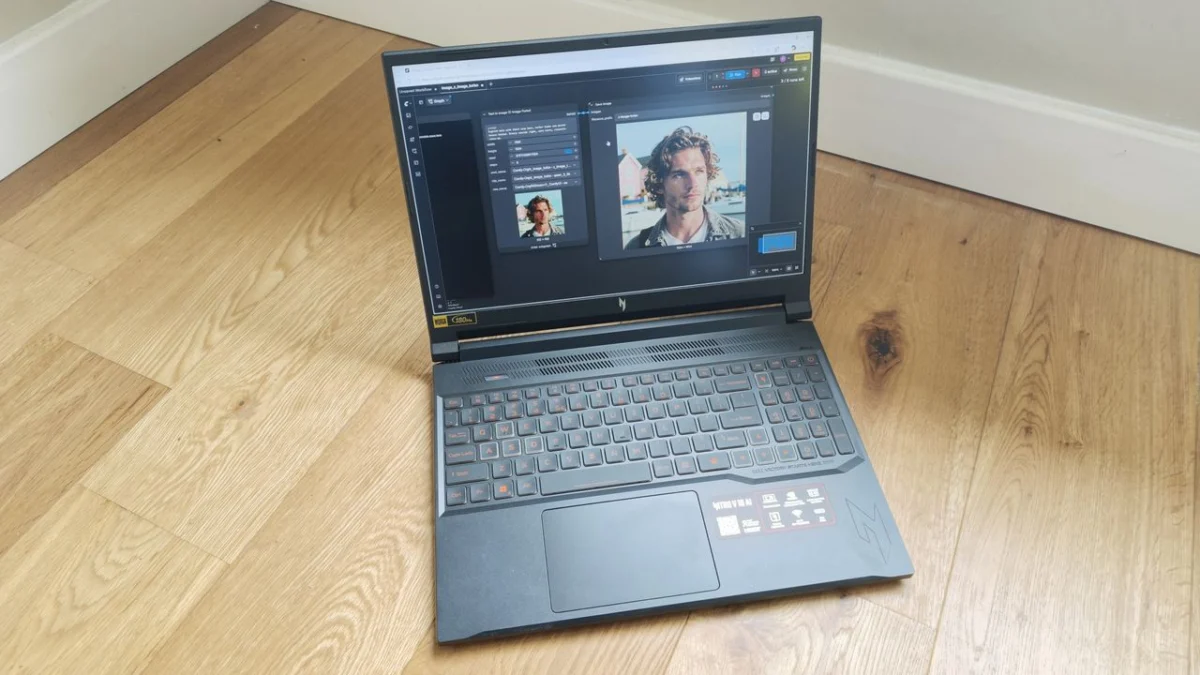
Acer’s latest foray into the AI-accelerated laptop market, the Nitro V 16 AI, presents a compelling, albeit imperfect, package for creative professionals. Boasting cutting-edge hardware and a stunning display, it promises to elevate workflows. However, a significant Achilles’ heel in its battery performance casts a long shadow over its otherwise impressive capabilities.
The Acer Nitro V 16 AI arrives at a time when artificial intelligence is rapidly reshaping the creative landscape. With powerful GPUs and CPUs designed to harness AI’s potential, laptops like the Nitro V 16 are poised to become indispensable tools for artists, designers, and content creators. This review delves into whether Acer has truly delivered on this promise, examining its performance, design, features, and overall value proposition.
Main Facts: A Blend of Power and Compromise
At its core, the Acer Nitro V 16 AI is a machine built for demanding tasks. It features a top-tier AMD Ryzen AI 7 CPU and the formidable NVIDIA GeForce RTX 5070 GPU, a combination that theoretically sets it apart for AI-intensive applications. The 16-inch display is a standout feature, offering a crisp 2560 x 1600 resolution, a buttery-smooth 180Hz refresh rate, and a vibrant 100% DCI-P3 color gamut, making it a joy for visual work.
However, the initial excitement surrounding its powerful internals is quickly tempered by a glaring deficiency: battery life. In rigorous testing, the Nitro V 16 AI managed a mere 95 minutes before succumbing to a drained battery, a figure that severely limits its portability and practical use away from a power source. This stark contrast between its raw processing power and its limited endurance is the defining characteristic of this device.
Chronology of Innovation: Acer’s Pursuit of the AI Laptop
Acer’s journey into the AI-optimized laptop space is an evolutionary one, with the Nitro V 16 AI representing a significant step forward in their Nitro V series. While the company has a long-standing reputation for gaming laptops, their recent focus has broadened to encompass the burgeoning needs of creative professionals who are increasingly leveraging AI tools.
The Nitro V 16 AI is one of five models in the current Nitro V lineup, distinguished by its larger 16-inch display compared to its smaller siblings, and positioned below the even larger 17.3-inch Nitro V 17. This specific iteration is engineered with both gamers and creators in mind, integrating the latest advancements in AMD’s Ryzen AI processors and NVIDIA’s powerful GeForce RTX graphics. The inclusion of an NPU capable of up to 50 TOPS underscores Acer’s commitment to AI acceleration, aiming to provide tangible benefits for tasks such as image generation, video editing, and content upscaling.
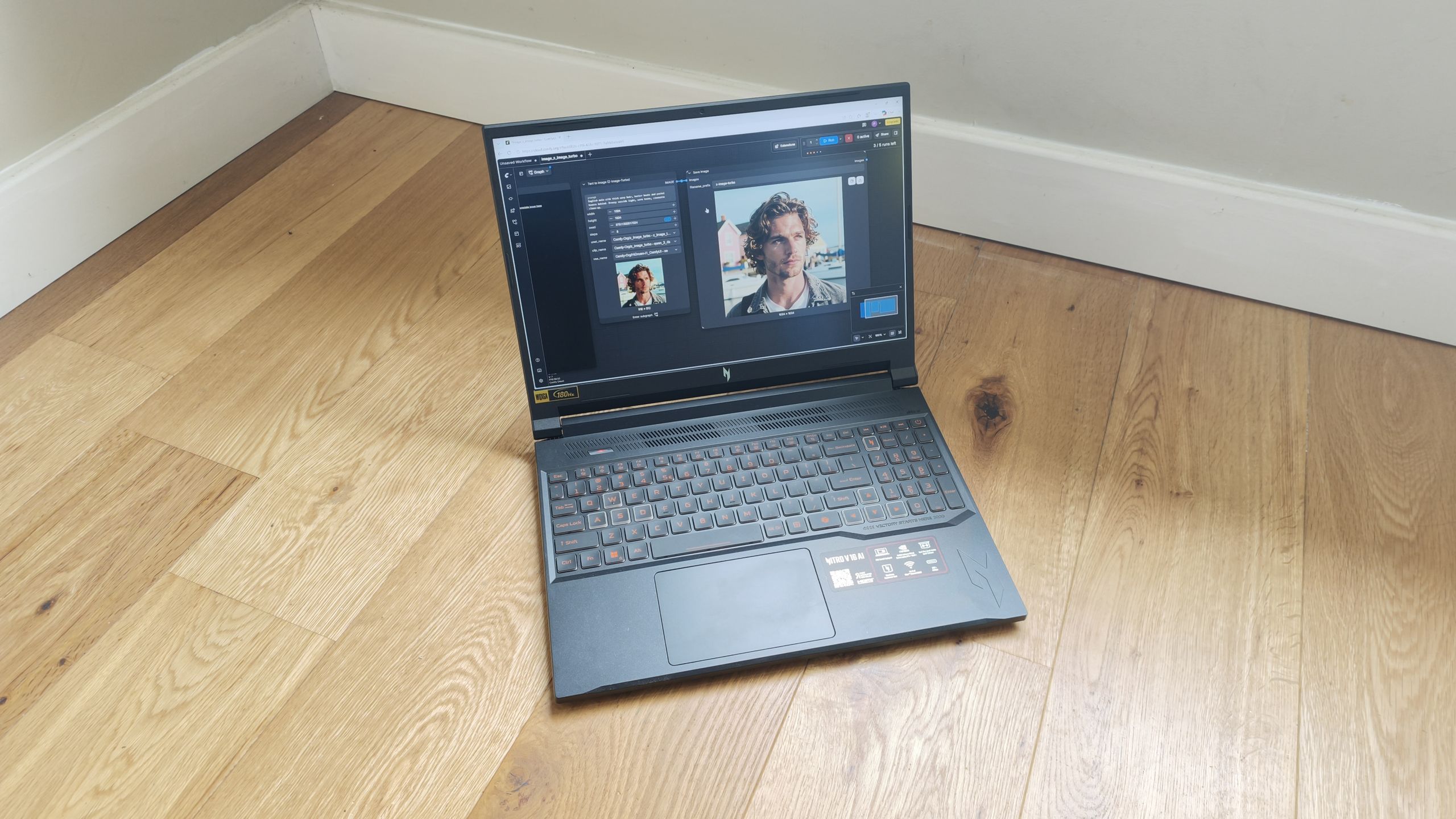
The development of such machines is a response to a market demand for hardware that can efficiently handle the computational load of modern creative software, much of which now incorporates AI-driven features. From intelligent upscaling in photo and video editors to generative AI art platforms, the need for specialized hardware has never been greater. Acer’s strategic placement of the Nitro V 16 AI, equipped with an RTX 5070 and a dedicated AI engine, signals their intent to capture a significant share of this evolving market.
Design, Build, and Display: Form Follows Function, With a Beautiful Exception
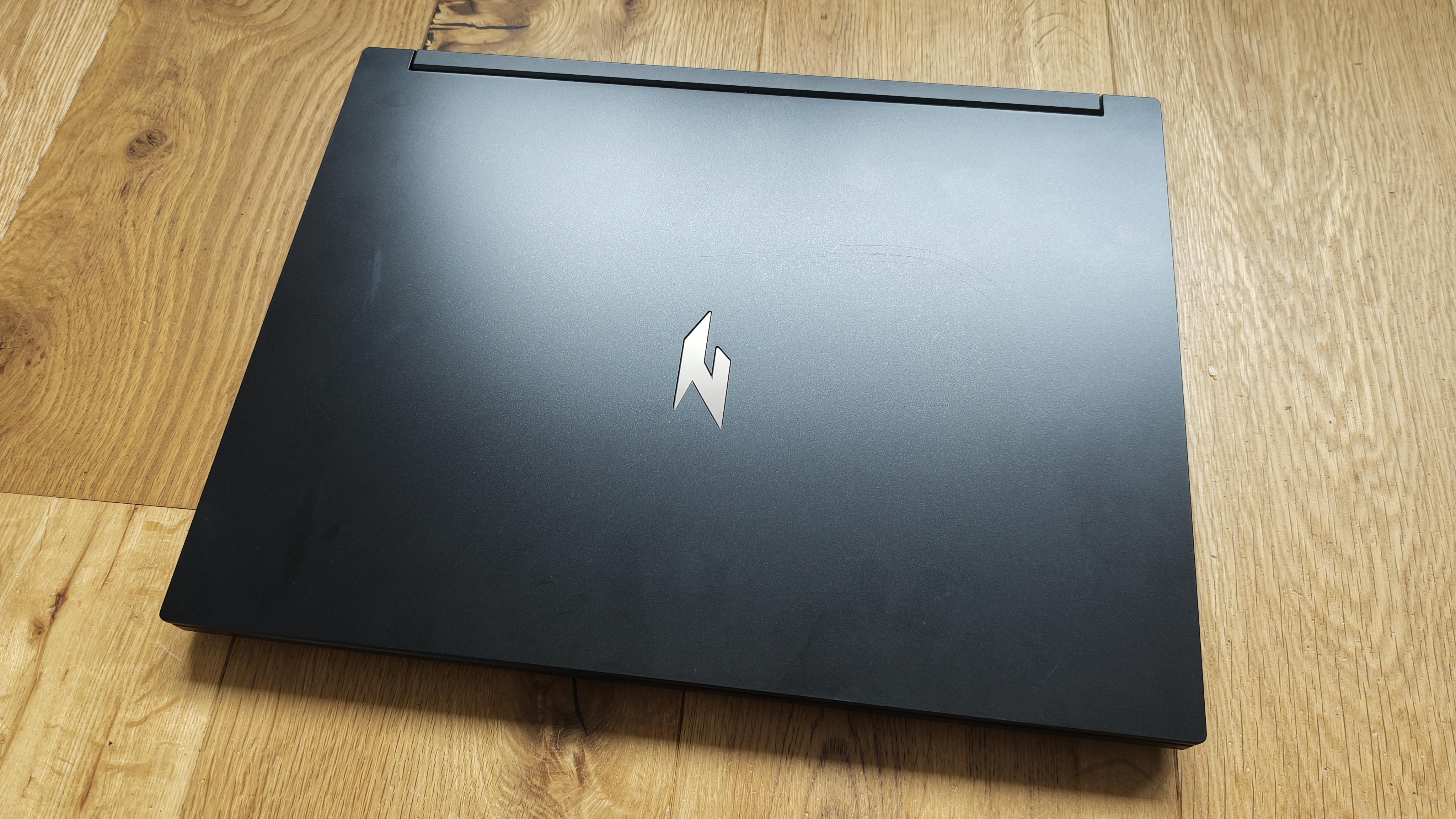
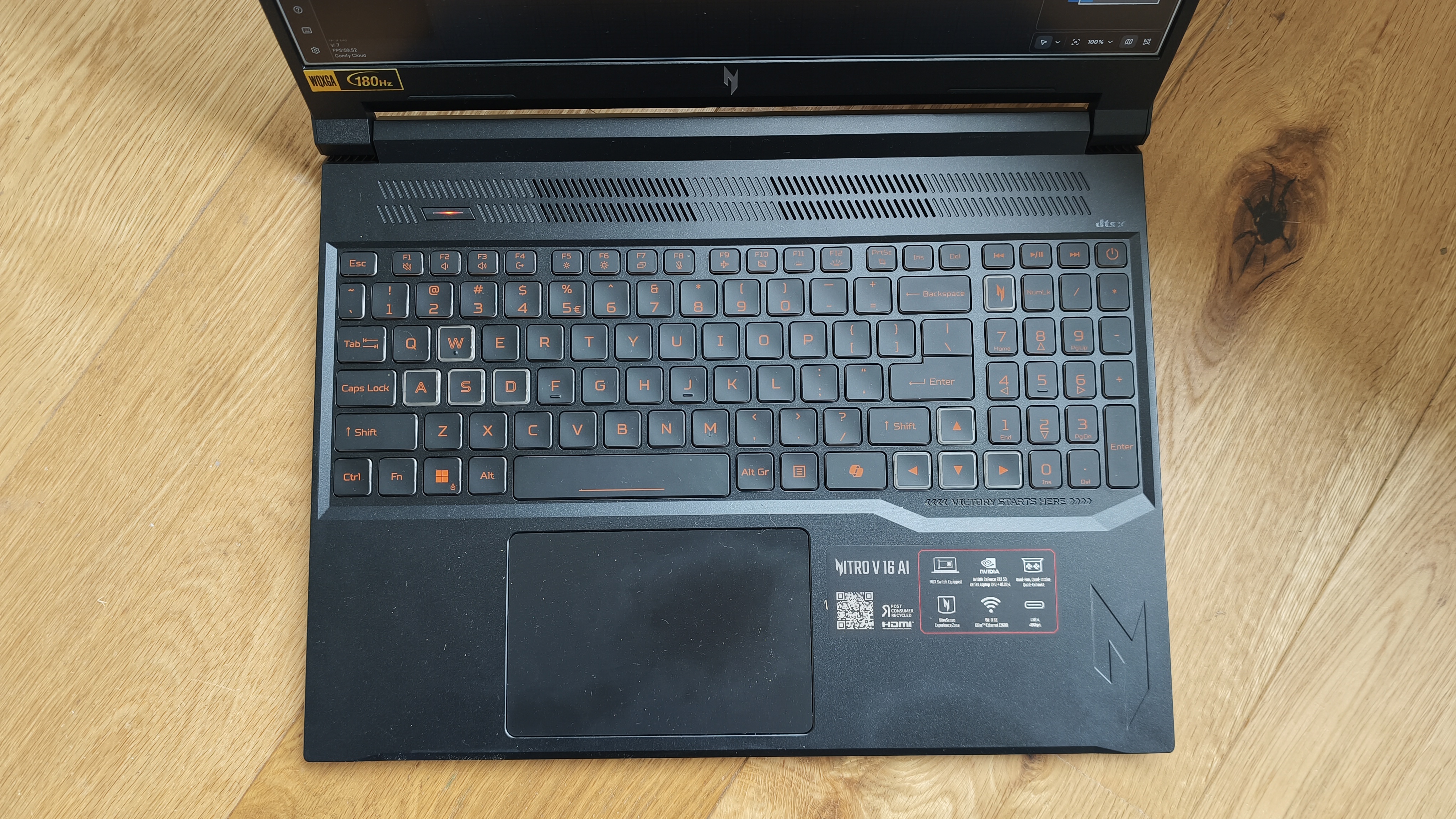
The design of the Acer Nitro V 16 AI leans heavily towards functionality, a characteristic that is both its strength and its weakness. The chassis, while solidly constructed with a robust hinge that suggests longevity, is decidedly uninspired. It adheres to a familiar gaming laptop aesthetic, characterized by sharp angles and an RGB-illuminated keyboard. While this may appeal to gamers, it fails to convey a sense of premium craftsmanship that might be expected from a device positioned for professional creative work. The utilitarian approach, prioritizing durability and cooling over visual flair, results in a laptop that is unlikely to turn heads in a professional setting.
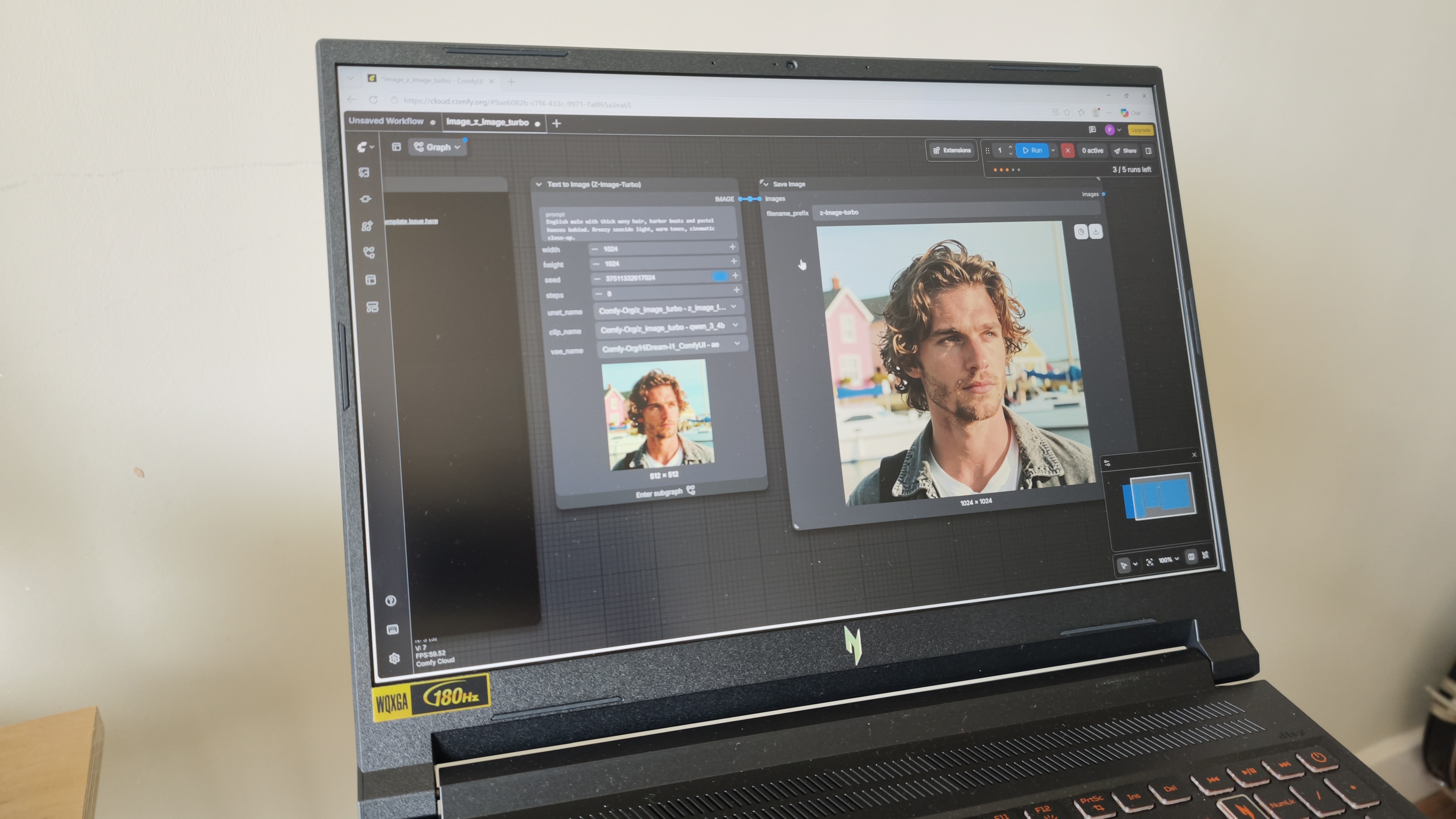
However, the narrative shifts dramatically when one turns their attention to the display. The 16-inch IPS panel is nothing short of gorgeous. Its 2560 x 1600 resolution provides exceptional clarity and detail, while the 180Hz refresh rate offers unparalleled smoothness, a boon for both animation and gaming. The 100% DCI-P3 color gamut coverage ensures that colors are rendered with remarkable accuracy and vibrancy, a critical factor for photographers, videographers, and graphic designers. With a peak brightness of 400 nits, it is also sufficiently luminous for most indoor environments, although direct sunlight may still pose a challenge.
Acer has clearly invested heavily in the display technology, and it stands as the most visually arresting component of the laptop. The extra vertical real estate afforded by the 16-inch, 16:10 aspect ratio is also a welcome addition, providing more workspace for timelines, toolbars, and canvases.
The emphasis on function extends to the laptop’s cooling system. A large grille above the keyboard is a testament to Acer’s focus on thermal management, crucial for sustained performance during demanding creative tasks. The dual-fan, dual-intake, and dual-exhaust system is engineered to maintain consistent temperatures, preventing thermal throttling and ensuring reliable operation.
Connectivity is another area where the Nitro V 16 AI excels. It offers a comprehensive array of ports, including multiple USB-C and USB-A ports, HDMI 2.1, RJ-45 Ethernet, a MicroSD card reader (a welcome inclusion for photographers), and a 3.5mm audio jack. The inclusion of Wi-Fi 6E and Killer Ethernet E2600 ensures high-speed wireless and wired network connectivity, vital for large file transfers and online collaboration.
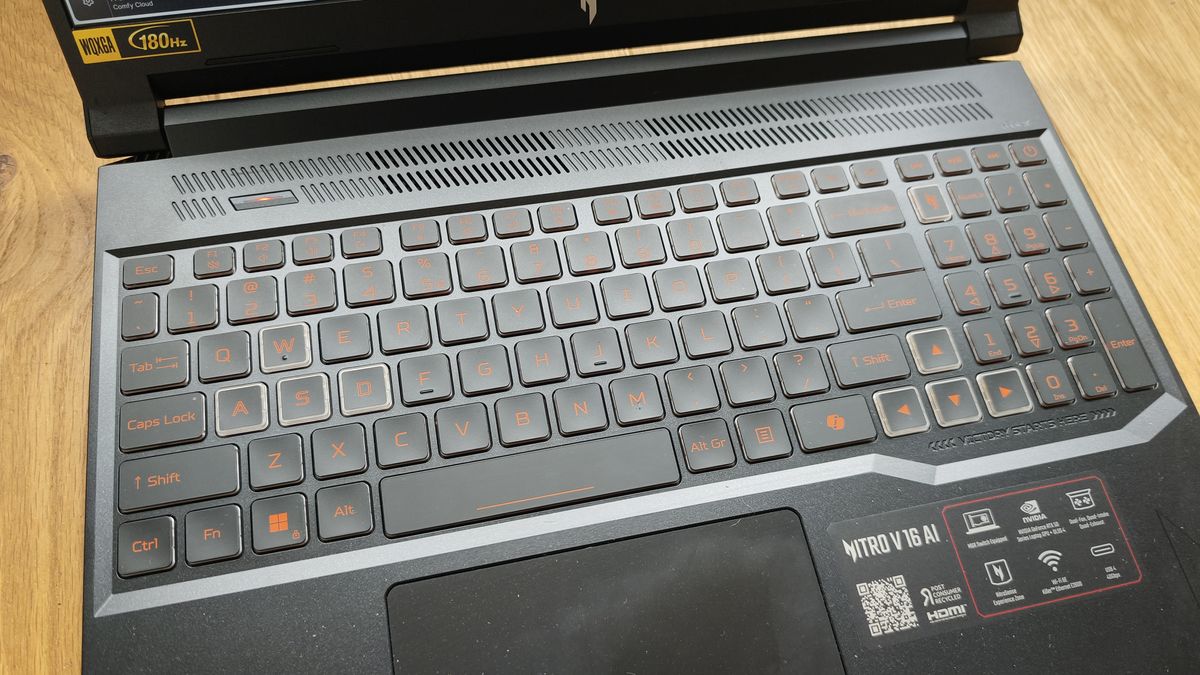
Despite the uninspired exterior, the internal components and the display coalesce to form a powerful creative tool. The design, while not groundbreaking, is functional and robust, but it’s the display that truly elevates the visual experience.
Key Specifications: A Deep Dive into the Hardware
The Acer Nitro V 16 AI is equipped with a specification sheet that reads like a wish list for many demanding users. At its heart lies the AMD Ryzen AI 7 processor, a chip specifically designed to accelerate artificial intelligence workloads. This processor is complemented by an integrated NPU (Neural Processing Unit) capable of delivering up to 50 TOPS (Trillions of Operations Per Second), a significant figure that indicates the laptop’s potential for AI-driven tasks.
For graphics processing, Acer has integrated the NVIDIA GeForce RTX 5070 Ti GPU. This is a high-end graphics card that not only excels in gaming but also provides substantial horsepower for AI computations, 3D rendering, video editing, and other graphically intensive creative applications. The presence of the RTX 5070 Ti signifies a commitment to providing serious graphical power.
The laptop comes with a generous 32GB of RAM, a crucial component for multitasking and handling large datasets, especially in creative software. Storage is handled by a 1TB SSD, offering ample space for applications, project files, and operating systems, with the speed of an SSD ensuring quick boot times and rapid data access.
The display is a key selling point, measuring 16 inches diagonally. It utilizes an IPS panel for wide viewing angles and color accuracy, with a native resolution of 2560 x 1600 pixels. The 180Hz refresh rate is exceptionally high for a creative laptop, offering fluid motion for dynamic content. Crucially, it boasts 100% DCI-P3 color gamut coverage, which is essential for professional color grading and visual work. The display achieves 400 nits of peak brightness.
In terms of connectivity, the Nitro V 16 AI offers a robust selection: 2x USB-C ports, 3x USB-A ports, 1x HDMI 2.1, 1x RJ-45, 1x MicroSD Card Reader, and 1x 3.5mm Combo Audio Jack. Wireless capabilities include Wi-Fi and Bluetooth.
The dimensions of the laptop are 20.99mm (H) x 356.78mm (W) x 275.50mm (D), and it weighs 2.18 kg, making it a relatively substantial but manageable device for its size and power.
Features: Harnessing the Power of AI and NVIDIA
The Acer Nitro V 16 AI is positioned as a device that leverages the latest advancements in AI and graphics technology to enhance creative workflows. The centerpiece of its feature set is undoubtedly the NVIDIA GeForce RTX 5070 Ti GPU, which is at the forefront of AI acceleration. This GPU supports technologies such as NVIDIA DLSS 4.5 with Dynamic Multi Frame Generation, promising significant performance boosts in compatible applications and games. Advanced path tracing capabilities also contribute to more realistic visuals.
Beyond raw performance, the NVIDIA GPU unlocks access to the NVIDIA Studio ecosystem. This suite of tools and software is specifically designed for creators, offering optimized drivers and access to applications like NVIDIA Broadcast. NVIDIA Broadcast is particularly noteworthy for its AI-powered features, including noise removal and virtual background capabilities, which can dramatically improve the quality of streamed content and video calls.
The integrated AMD Ryzen AI 7 CPU further bolsters the laptop’s AI credentials. Acer claims this processor delivers intelligent multitasking, console-class visuals, and adaptive AI performance, catering to creation, gaming, and productivity needs. While benchmark results may offer a mixed picture, the underlying hardware is designed to handle these complex computations.
Acer also includes proprietary software to enhance the user experience. NitroSense provides real-time control over system performance, including fan speeds and monitoring, crucial for maintaining optimal operating temperatures. Acer My Key allows for keyboard customization, and Acer Intelligence Space offers a streamlined gateway to AI-ready tools designed to boost productivity and creativity.
For gamers, the RTX 5070 Ti GPU is a significant draw, promising high frame rates and reduced latency. The fourth-gen RT Cores and fifth-gen Tensor Cores accelerate rendering and AI tasks, delivering a more immersive and responsive gaming experience.
Benchmark Scores: A Tale of Two Performances
To rigorously assess the Acer Nitro V 16 AI’s capabilities, a comprehensive suite of industry-standard benchmarks was employed. This testing methodology aims to provide an objective overview of the laptop’s performance across various creative disciplines.
Geekbench: This benchmark tests the CPU’s single-core and multi-core performance, as well as the GPU’s system potential for tasks like image and video processing. The Geekbench AI tests specifically evaluate the CPU and GPU on a range of AI-powered and AI-boosted tasks.
Cinebench: Utilized to gauge the CPU and GPU’s ability to handle demanding 3D rendering tasks, specifically in conjunction with software like Cinema 4D and Redshift.
UL Procyon: This suite tests AI image generation capabilities using Stable Diffusion, assesses Microsoft Office performance, and measures battery life through a continuous video playback test.
Topaz Video AI: This benchmark evaluates the system’s proficiency in upscaling video content and converting footage to slow-motion, demanding significant GPU processing power.
PugetBench for Creators: This specialized benchmark suite tests the system’s performance in key Adobe applications, including Photoshop and Premiere Pro, as well as its video encoding and transcoding capabilities.
ON1 Resize AI: This benchmark focuses on the system’s ability to perform batch resizing of images using AI, measuring the time taken for the operation.
The results from these benchmarks paint a nuanced picture. While the hardware specifications suggest top-tier performance, some benchmarks, particularly those focused on AI image generation (UL Procyon Stable Diffusion 1.5), reported workload errors. Other AI-focused benchmarks, such as Topaz Video AI and ON1 Resize AI, returned figures that were lower than might be expected given the hardware’s capabilities. This suggests that the "AI" branding might be more geared towards less intensive AI features, such as those found in Microsoft Copilot, rather than deeply complex generative AI workflows.
However, the Nitro V 16 AI shines in more traditional creative applications. Benchmarks for photo and video editing, particularly within Photoshop and Premiere Pro, indicated swift and responsive performance. Color grading tasks were also handled without significant hitches, suggesting that for established creative workflows, the laptop is a capable performer.
Performance: A Stark Dichotomy Between Power and Endurance
The performance of the Acer Nitro V 16 AI is characterized by a stark dichotomy, particularly concerning its battery life. While the laptop is undeniably powerful when plugged in, its endurance away from a power outlet is alarmingly poor.
The most significant issue identified during testing was the battery performance. The UL Procyon Video Battery Life benchmark, which continuously plays a video file until the battery is depleted, yielded a dismal result of just 95 minutes. This figure is exceptionally low, especially considering the test scenario does not involve highly intensive tasks like 3D rendering or demanding AI computations. This abysmal battery life severely undermines the laptop’s portability, rendering it almost entirely dependent on a constant power supply. Users venturing out with this machine will need to ensure their charger is always within reach.
Regarding AI performance, the benchmarks provided a mixed bag. As mentioned previously, some AI-specific tests encountered errors or yielded lower-than-expected scores, suggesting that the "AI" capabilities might be more oriented towards less demanding applications or system-level AI enhancements rather than complex generative AI tasks. This is a common observation with many laptops marketed with AI features, where the focus often lies on features integrated into operating systems or productivity suites rather than standalone, heavy-duty AI creative tools.
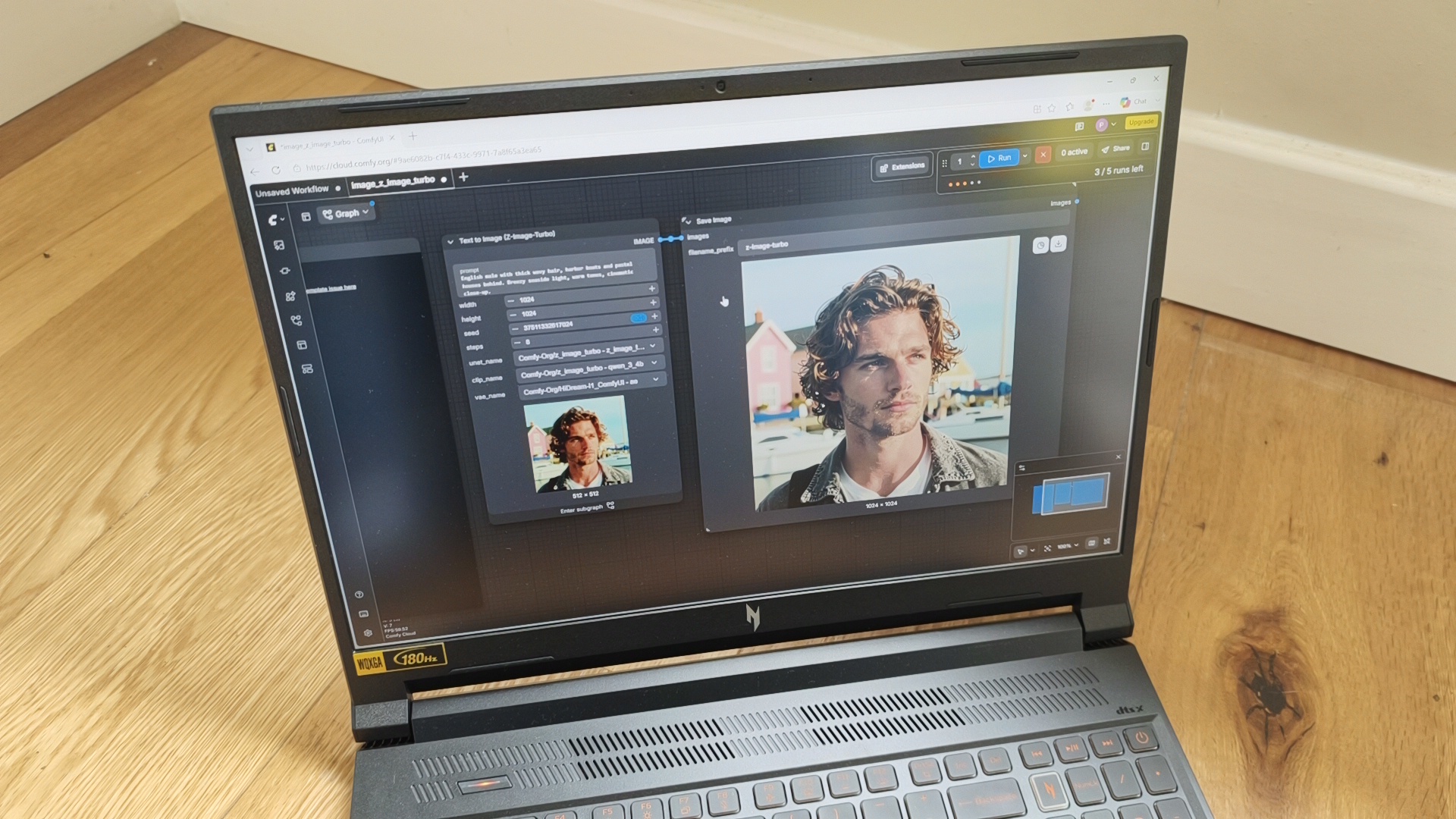
However, in practical, real-world usage, the Nitro V 16 AI demonstrated commendable performance in a range of AI-assisted applications. Running ComfyUI for image generation, utilizing background generative AI within Photoshop, and employing AI video effects with NVIDIA Broadcast proved to be a smooth and responsive experience. These applications ran quickly and reliably, suggesting that while some synthetic benchmarks might falter, the core AI acceleration is functional for many creative tasks.
Where the Acer Nitro V 16 AI truly excels is in more traditional creative workflows, particularly photo and video editing. Applications like Photoshop and Premiere Pro were observed to be zippy and responsive, a sentiment supported by the benchmark results. The laptop handled color grading tasks with ease, indicating a strong performance profile for these essential creative tools.
In essence, the Acer Nitro V 16 AI is a highly capable machine when tethered to a power outlet. It offers robust performance for a wide array of creative applications, particularly in photo and video editing. However, its critically short battery life is a significant drawback that cannot be overstated, severely limiting its utility as a truly portable workstation.
Price and Value: A Premium for Cutting-Edge Components
The Acer Nitro V 16 AI is priced at £2,099.99 when purchased directly from the Acer Store. This places it firmly in the premium segment of the laptop market, a price point that reflects the inclusion of high-end components such as the latest AMD Ryzen AI processor, a dedicated 5-series NVIDIA GeForce RTX GPU, a substantial amount of RAM, and a high-resolution, high-refresh-rate display.
In the current laptop market, where prices for powerful workstations have generally increased, this figure, while substantial, is not entirely unexpected for a device with such specifications. For professionals seeking the latest in processing and graphics technology, the price is somewhat justified by the raw power on offer.
However, when considering alternatives, the value proposition becomes more nuanced. For users who are OS-agnostic, the Apple MacBook Pro presents a compelling comparison. The 16-inch M5 model comes in at approximately £700 more expensive than the Acer Nitro V 16 AI. Conversely, the slightly smaller 14-inch MacBook Pro is actually £200 cheaper. The MacBook Pro line is renowned for its performance, build quality, and user experience, making it a strong contender for creatives who prioritize a mature ecosystem and exceptional performance, albeit at a higher overall cost for the largest screen size.
The Nitro V 16 AI’s pricing reflects its positioning as a high-performance machine aimed at users who need significant computational power for demanding tasks. While it may seem expensive upfront, the inclusion of a powerful GPU and CPU, coupled with ample RAM and storage, makes it a competitive option within its performance bracket. However, the exceptional battery limitation must be factored heavily into any value assessment.
Who is it For? Creatives with Specific Needs
The Acer Nitro V 16 AI is best suited for a specific segment of the creative professional market. Acer’s marketing suggests strong performance for both gaming and AI workloads. However, our findings indicate that while the laptop delivers respectable performance for traditional creative workflows, its AI capabilities for complex image generation and manipulation are somewhat limited, falling short of expectations set by some synthetic benchmarks.
Therefore, this laptop is not recommended for users whose primary workflow revolves around intensive generative AI tasks like large-scale AI art creation or complex AI model training. The performance in these areas, while functional, doesn’t appear to fully leverage the hardware’s potential as advertised for these specific, cutting-edge AI applications.
Instead, the Nitro V 16 AI shines for creatives engaged in more traditional, yet still demanding, workflows. This includes:
- Photographers: The vibrant and color-accurate 16-inch display, coupled with the powerful GPU and ample RAM, makes it an excellent tool for editing large RAW files and performing color grading.
- Videographers: The RTX 5070 Ti and the Ryzen AI 7 CPU provide ample power for editing and rendering video projects, especially in applications like DaVinci Resolve and Adobe Premiere Pro.
- Graphic Designers: The high-resolution display and strong processing power are ideal for working with complex vector graphics, multi-layered designs, and even 3D modeling tasks.
- Users who incorporate some AI features: For those who utilize AI tools for tasks like background generation in Photoshop, AI-powered noise reduction, or basic AI upscaling, the Nitro V 16 AI will perform admirably.
The crucial caveat for all potential buyers is the severely limited battery life. Anyone considering this laptop must be prepared for it to be primarily a plugged-in device. Its portability is compromised, making it less suitable for on-the-go creatives who frequently work away from power outlets.
Scorecard: A Balanced Evaluation
| Attribute | Notes | Rating |
|---|---|---|
| Design | Functional and robust build with a gaming aesthetic; excellent display quality. | 4/5 |
| Features | Top-tier CPU and GPU for AI and creative tasks; comprehensive connectivity. | 4/5 |
| Performance | Strong for traditional creative workflows; incredibly poor battery life is a major flaw. | 4/5 |
| Value | High price reflects cutting-edge specs, but battery life impacts overall value. | 4/5 |
Buy it If…
- You require a powerful workstation for demanding photo and video editing tasks.
- You need a high-quality, color-accurate 16-inch display for visual work.
- You want to leverage NVIDIA’s Studio ecosystem and AI features for creative acceleration.
- You primarily work in environments where you have consistent access to power outlets.
- You appreciate the gaming performance capabilities alongside creative ones.
Don’t Buy It If…
- Portability and long battery life are critical for your workflow.
- Your primary focus is on cutting-edge, heavy-duty generative AI applications.
- You prefer a more understated and professional aesthetic in your hardware.
- You are on a tighter budget and can find similar performance in less power-hungry machines.
Also Consider
For creatives seeking alternative powerhouse laptops, several other options warrant consideration:
-
ASUS ProArt P16 (2025): Hailed as a "new favorite creative powerhouse," this NVIDIA 5070-powered laptop offers substantial graphics performance for demanding creative tasks. Its dedicated focus on creative professionals makes it a strong contender, though pricing and availability should be carefully reviewed.
-
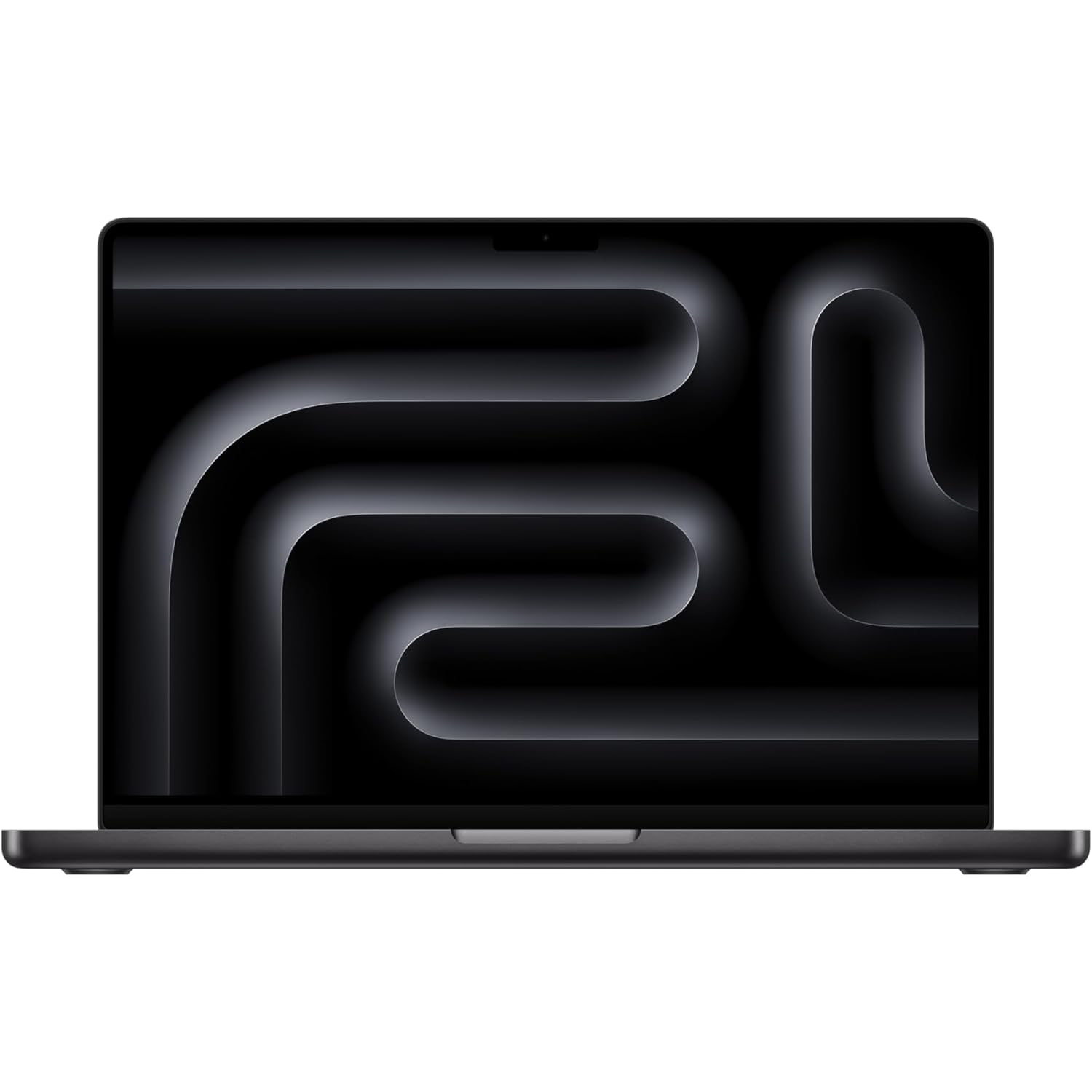
Apple MacBook Pro M5 (2026): Consistently a top choice for creatives, the MacBook Pro with the M5 chip offers exceptional performance across a wide range of creative applications. While generally more expensive, its integrated ecosystem, build quality, and battery efficiency often justify the premium.
-
Lenovo Legion 7 Pro: While primarily marketed as a gaming beast, the Lenovo Legion 7 Pro boasts specifications that translate exceptionally well to creative workloads. Its powerful hardware and robust cooling system make it a versatile option for users who also enjoy gaming.
Conclusion: A Near Miss for the Ultimate Creative AI Laptop
The Acer Nitro V 16 AI stands as a testament to Acer’s ambition in the AI-powered creative laptop market. It boasts an impressive array of cutting-edge hardware, headlined by a potent NVIDIA GeForce RTX 5070 Ti GPU and an AMD Ryzen AI 7 CPU, all displayed on a truly gorgeous 16-inch, 180Hz panel. For traditional creative tasks like photo and video editing, it performs admirably, offering responsiveness and power that will satisfy many professionals. The inclusion of Acer’s own software enhancements and robust connectivity further solidify its credentials as a capable workstation.
However, the Achilles’ heel of this otherwise promising device is its shockingly poor battery life. The mere 95 minutes of runtime under a moderate load is a significant impediment to its portability and practicality for users who rely on working away from a power source. This limitation overshadows its impressive processing power and makes it difficult to wholeheartedly recommend as the "AI laptop that most creatives want."
Acer is undoubtedly inching closer to that ideal. The Nitro V 16 AI demonstrates a clear understanding of the hardware required for modern creative workflows, especially those augmented by AI. If Acer can address the critical battery life issue in future iterations, they may very well deliver a truly game-changing device. For now, the Nitro V 16 AI remains a powerful, albeit tethered, creative tool.