Raspberry Pi Evolves: The 10-Inch Touch Display 2 and the High Cost of Modern Performance
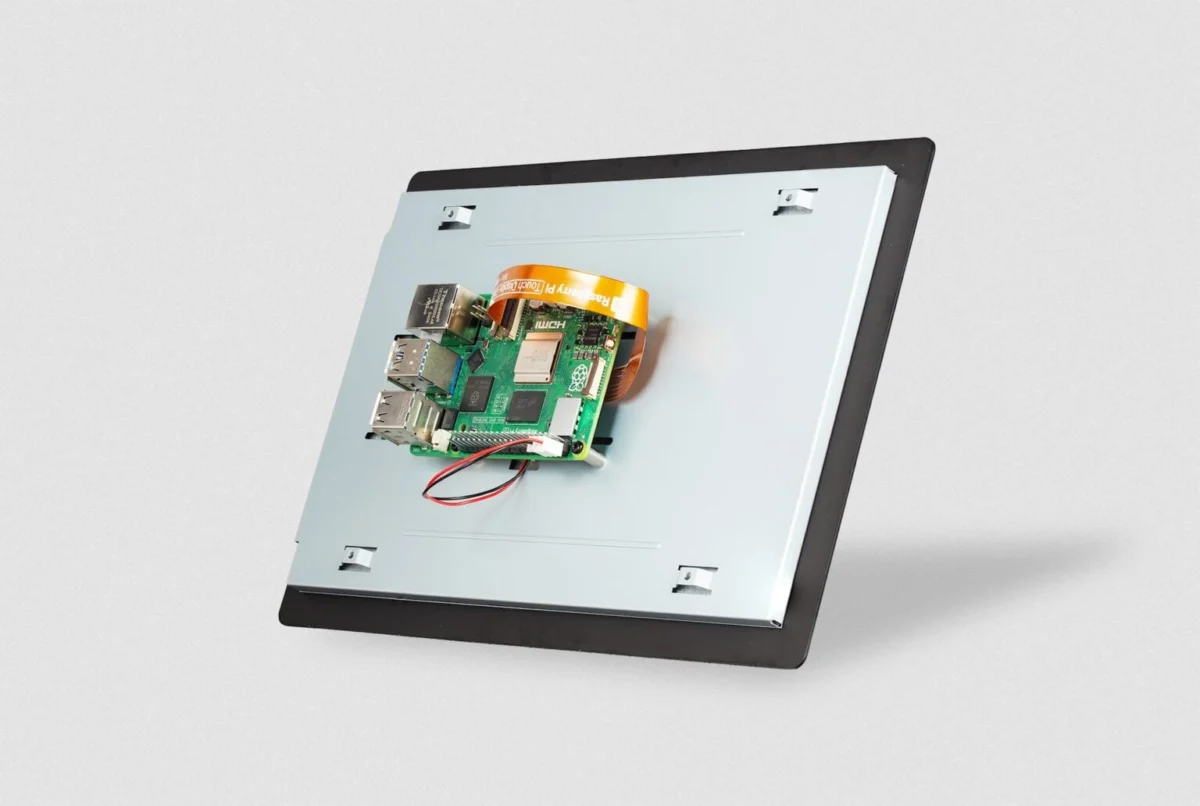
The Raspberry Pi ecosystem has long been defined by its accessibility, modularity, and the democratic distribution of computing power. However, with the release of the new "official" 10.1-inch Raspberry Pi Touch Display 2, the organization is signaling a definitive shift in its strategic direction. While the new panel offers a significant screen real-estate upgrade and improved technical specifications, it arrives with a set of hardware requirements that effectively bifurcates the Raspberry Pi user base.
At $80, the Touch Display 2 is the largest and most ambitious peripheral in the company’s visual lineup. Yet, its reliance on the Raspberry Pi 5’s specific architecture means that the millions of users still operating on legacy hardware—including the popular Raspberry Pi 4 and the ultra-affordable Zero series—are being left in the dark. This article explores the technical nuances, the economic context, and the long-term industrial implications of this latest release.
Main Facts: A Larger Canvas with Strict Requirements
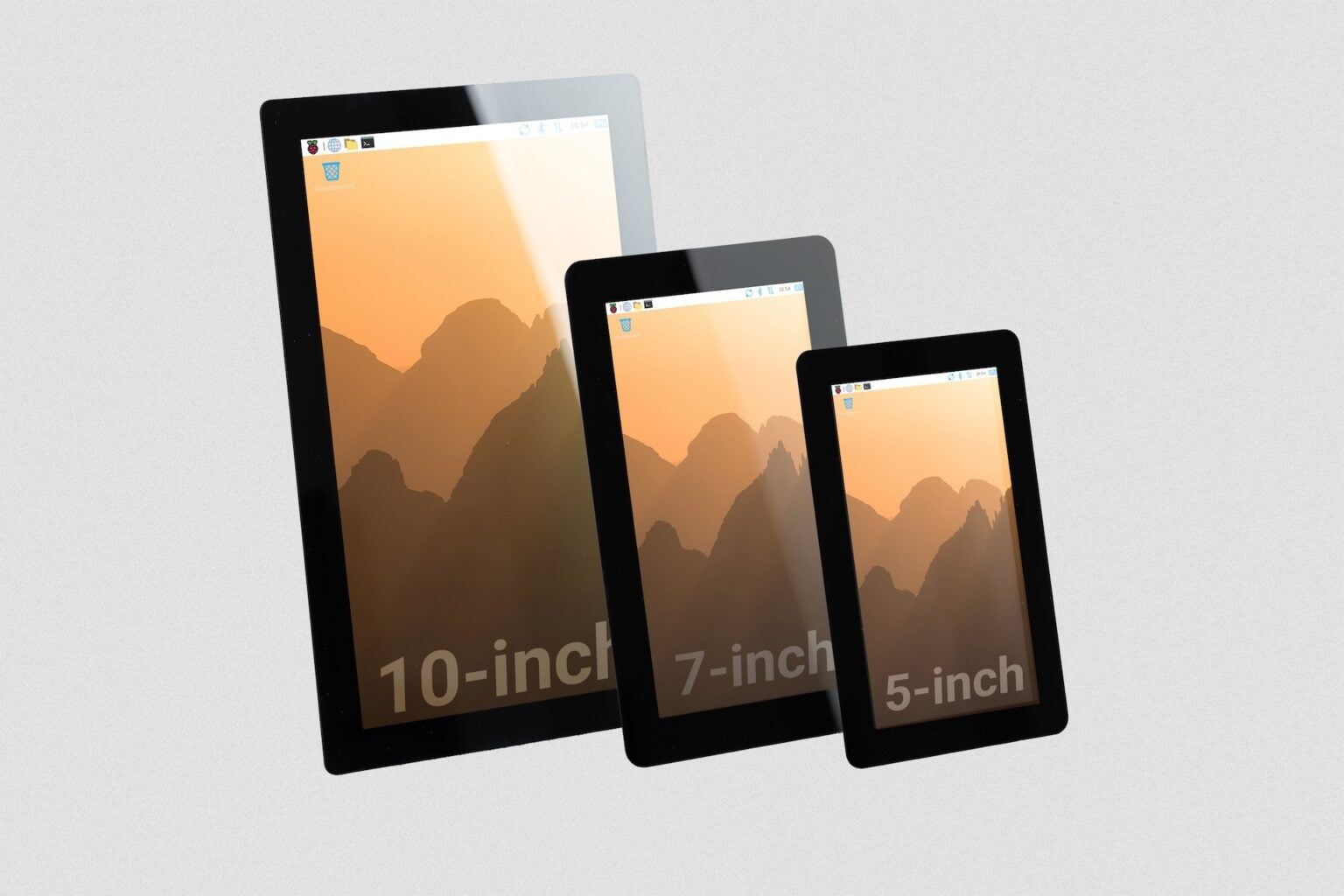
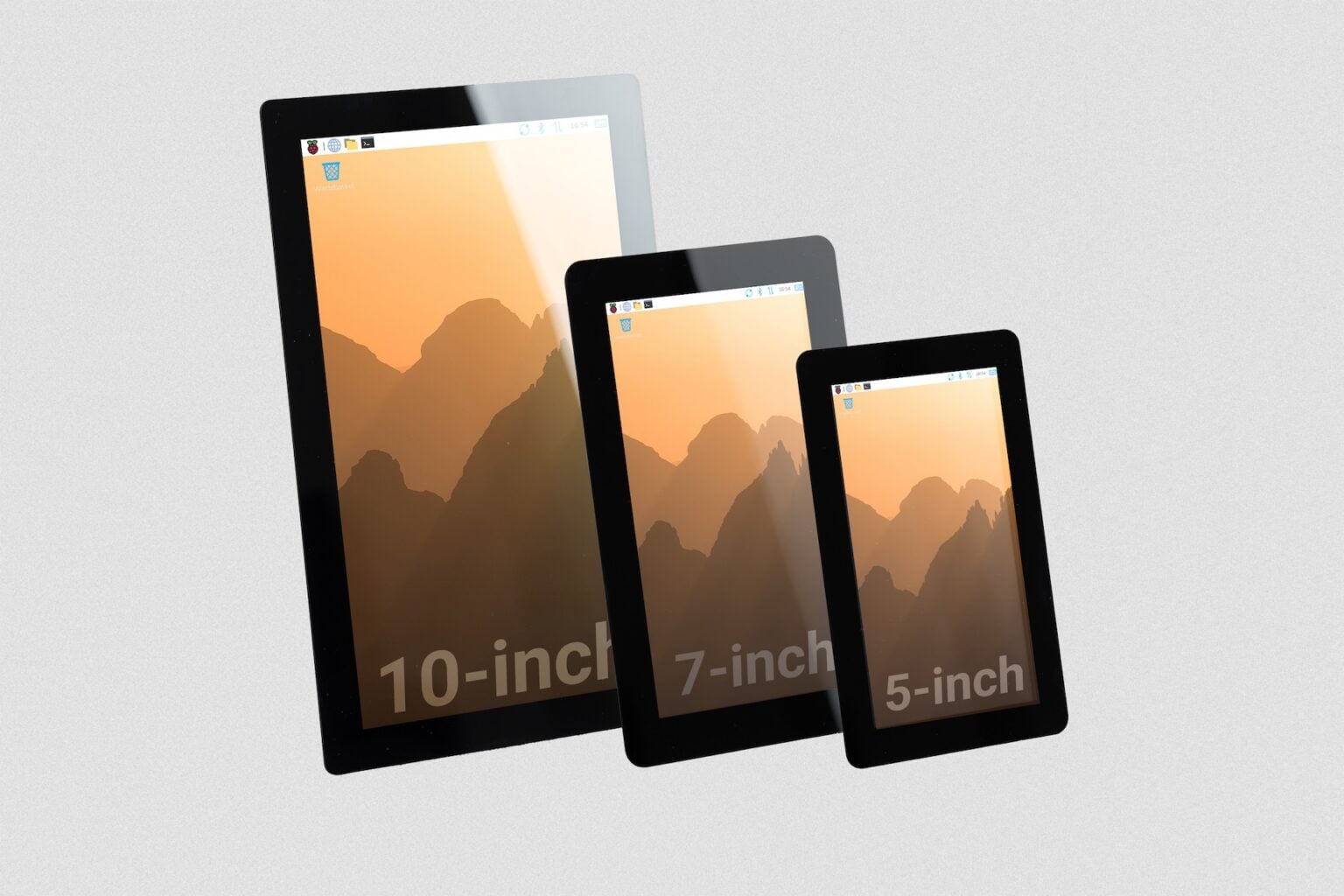
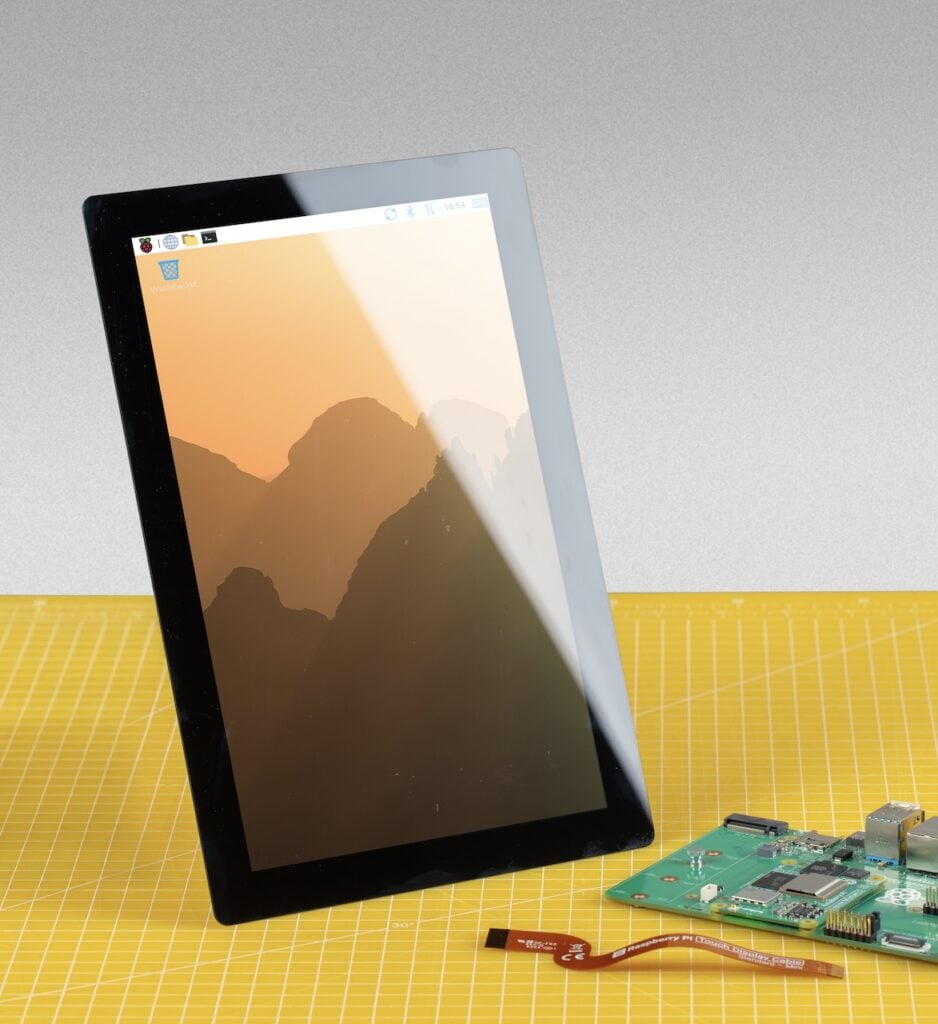
The Raspberry Pi Touch Display 2 is a 10.1-inch capacitive touch screen designed to integrate seamlessly with the Raspberry Pi 5. Priced at $80, it represents a mid-range entry into the official accessories market, sitting above the 5-inch ($40) and 7-inch ($60) variants.
Technical Specifications at a Glance:
- Size: 10.1 inches (diagonal)
- Resolution: 1200 × 1920 pixels (native portrait orientation)
- Panel Type: In-Plane Switching (IPS)
- Touch Capability: 10-point multi-touch
- Brightness: 400 nits (typical)
- Viewing Angle: 85 degrees
- Interface: 4-lane MIPI DSI
- Longevity: Guaranteed production until at least January 2030
The most striking feature of the new display is its resolution. Moving to 1200 × 1920 provides a significantly higher pixel density (225 PPI) than the aging 7-inch model, though it falls short of the 294 PPI found on the 5-inch model. Crucially, the move to an IPS panel ensures better color accuracy and viewing angles compared to older TN (Twisted Nematic) panels, which were notorious for "color shifting" when viewed from the side.
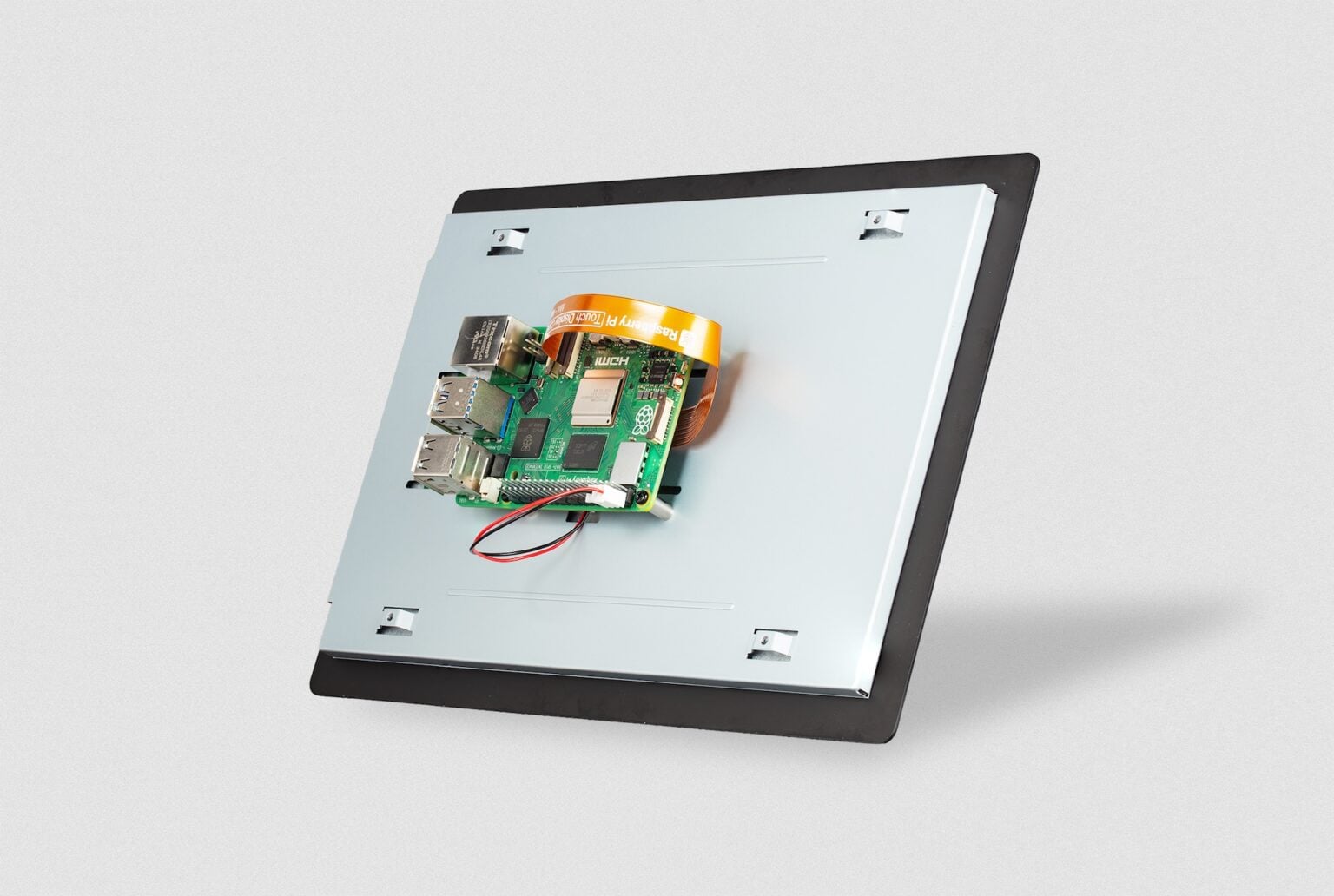
However, the "headline" fact of this release is not what it includes, but what it excludes. Due to the requirement for four DSI (Digital Serial Interface) lanes to drive the higher resolution, the display is physically incompatible with any Raspberry Pi board prior to the version 5, as well as the entire Zero lineup. Only the Raspberry Pi 5 and specific Compute Module IO boards possess the necessary connector and bandwidth to operate the unit.
Chronology: The Road to the 10-Inch Milestone
To understand the significance of the Touch Display 2, one must look back at the history of official Raspberry Pi visual outputs.
2015: The Original 7-Inch Display
For years, the "Official Raspberry Pi Touch Display" was a singular entity: a 7-inch, 800 x 480 resolution panel. It became the gold standard for makers building tablets, car dashboards, and home automation hubs. Its primary strength was its simplicity, using a ribbon cable that worked across almost every model from the Pi B+ to the Pi 4.
2023: The Launch of the Raspberry Pi 5
The debut of the Raspberry Pi 5 marked a radical departure in architecture. By introducing the BCM2712 chip and a new I/O controller, the foundation was able to offer much higher data throughput. This included upgraded DSI ports. This set the stage for a new generation of peripherals that could handle higher resolutions and faster refresh rates, but it also created a physical "break" from the legacy 15-pin DSI connectors used for nearly a decade.
2024: The "Display 2" Family Expands
Recognizing the need for variety, Raspberry Pi launched the Touch Display 2 series. It began with smaller 5-inch and 7-inch models, which maintained a degree of affordability but were limited to 5-point touch. The recent announcement of the 10.1-inch model completes this family, positioning it as the "professional" or "industrial" choice within the lineup.
Supporting Data: Performance Metrics and Economic Realities
The value proposition of the 10-inch display is best understood through a comparison of "screen-per-dollar" and the broader economic climate of the semiconductor industry.
Efficiency and Value
When calculating the active screen area relative to price, the 10.1-inch model is objectively the best value in the official catalog.
- 10.1-inch model: Offers approximately 366 square millimeters of screen per dollar.
- 7-inch model: Offers approximately 224 square millimeters per dollar.
- 5-inch model: Offers approximately 171 square millimeters per dollar.
While it is the most expensive, it provides the most "visual real estate" for the investment. However, this value is offset by a reduction in peak brightness. While the 5-inch and 7-inch models boast 500 nits, the 10-inch model drops to 400 nits. In a standard indoor office environment, 400 nits is more than sufficient; however, for outdoor kiosks or brightly lit industrial floors, this 20% drop in brightness may be noticeable.
The RAM Pricing Bottleneck
The "true cost" of using this display is tied to the current volatility of the LPDDR4 memory market. To use the 10-inch display, a user must own a Raspberry Pi 5. While the 1GB model is affordable at $45, many users require the 8GB or 16GB versions for multitasking or industrial applications.
Raspberry Pi recently noted a staggering seven-fold increase in LPDDR4 pricing. This has caused the 16GB Raspberry Pi 5 to spike from an introductory price of $120 to over $300 in some markets. This creates a paradox: the display is affordable at $80, but the "entry fee" (the Pi 5 board) has become a luxury for many hobbyists. By locking the display to the Pi 5, Raspberry Pi is inadvertently tying the success of this peripheral to the most price-volatile segment of their hardware stack.
Official Responses and Industrial Strategy
The Raspberry Pi Foundation and its commercial arm have been transparent about the display’s limitations, but their focus has clearly shifted toward the "Industrial and Embedded" sector.
In official communications, the company highlighted the 2030 availability guarantee. This is not a typical "consumer" promise; it is a signal to industrial engineers. Companies building medical devices, point-of-sale (POS) terminals, or factory controllers need to know that if they design a product today, they can still buy replacement parts five years from now.
Addressing the Compatibility Gap
When questioned about the lack of support for older models, the official stance points to technical necessity. The older DSI interface simply does not have the bandwidth to drive a 1200 x 1920 panel at acceptable refresh rates. While third-party manufacturers use HDMI to get around this, the "official" DSI solution is preferred by integrators because it keeps the HDMI ports free for secondary displays and reduces the cable clutter.
Furthermore, the operating temperature range of −20°C to +70°C reinforces the narrative that this is an industrial component first and a hobbyist toy second. Most consumer tablets would fail at these extremes, but the Touch Display 2 is built to survive in unheated warehouses or hot engine rooms.
Implications: A New Era for the Raspberry Pi Ecosystem
The launch of the 10-inch Touch Display 2 serves as a microcosm for the evolution of the Raspberry Pi project itself.
The End of "One Size Fits All"
For the first decade of its existence, the Raspberry Pi ecosystem was remarkably unified. An accessory bought for a Pi 2 would likely work on a Pi 4. The Touch Display 2 breaks this tradition. We are entering an era of "tiered" accessories where the best features are gated behind the newest, most expensive silicon. While this is a standard practice in the broader tech industry (Apple, Samsung, etc.), it represents a cultural shift for the Raspberry Pi community.
The Professionalization of the Maker Space
By targeting embedded integrators, Raspberry Pi is chasing higher-margin, long-term contracts. A hobbyist might buy one screen for a weekend project; a kiosk manufacturer might buy 10,000. The 10-inch display is perfectly spec’d for this: IPS for wide viewing angles (essential for kiosks), 10-point touch for complex UIs, and a long support lifecycle.
The Challenge for Hobbyists
For the average maker, the 10-inch Touch Display 2 is a bittersweet release. It provides the "large tablet" experience that many have requested for years, but it demands an upgrade to the Pi 5—a board that requires more power, generates more heat, and currently carries a higher price tag due to memory costs.
In conclusion, the Raspberry Pi Touch Display 2 is a technically impressive, well-priced component that solidifies the Raspberry Pi 5 as a serious contender in the industrial HMI (Human-Machine Interface) market. However, by severing ties with the legacy of the Pi 4 and the Zero, it also marks the moment the ecosystem finally outgrew its "universal" roots. For those who have already made the jump to the Pi 5, it is a mandatory upgrade for any serious project; for everyone else, it is a reminder that the cost of progress is often compatibility.