Zoner Photo Studio X: A Comprehensive Yet Accessible Photo Editing Suite for Windows Users
In the ever-evolving landscape of digital photography, the quest for the perfect editing software is a constant pursuit for enthusiasts and professionals alike. While industry giants often dominate the conversation, a closer look reveals a vibrant ecosystem of powerful, yet often more accessible, alternatives. Zoner Photo Studio X emerges as a compelling contender, offering a robust, all-in-one solution for Windows users seeking to catalog, edit, and enhance their photographic endeavors without the commitment to a high-tier subscription model. This in-depth review explores Zoner Photo Studio X’s capabilities, user experience, and overall value proposition.
Unveiling Zoner Photo Studio X: A Feature-Rich Ecosystem
Zoner Photo Studio X positions itself as a comprehensive photography workflow tool, seamlessly integrating cataloging, raw image processing, layer-based editing, and even video editing. This holistic approach aims to streamline the entire post-production process, from initial import to final export. While the market is often characterized by the omnipresent Adobe suite, Zoner Studio X carves out its niche by offering a competitive feature set at a more approachable price point.
The software’s architecture is built around distinct modules, each catering to a specific stage of the editing workflow. The "Manager" module serves as the central hub for organizing and cataloging images, allowing users to assign ratings, color codes, keywords, and sort photos based on a multitude of criteria, including EXIF data like ISO, orientation, and even GPS coordinates. This robust organizational system is crucial for photographers managing large libraries of images.
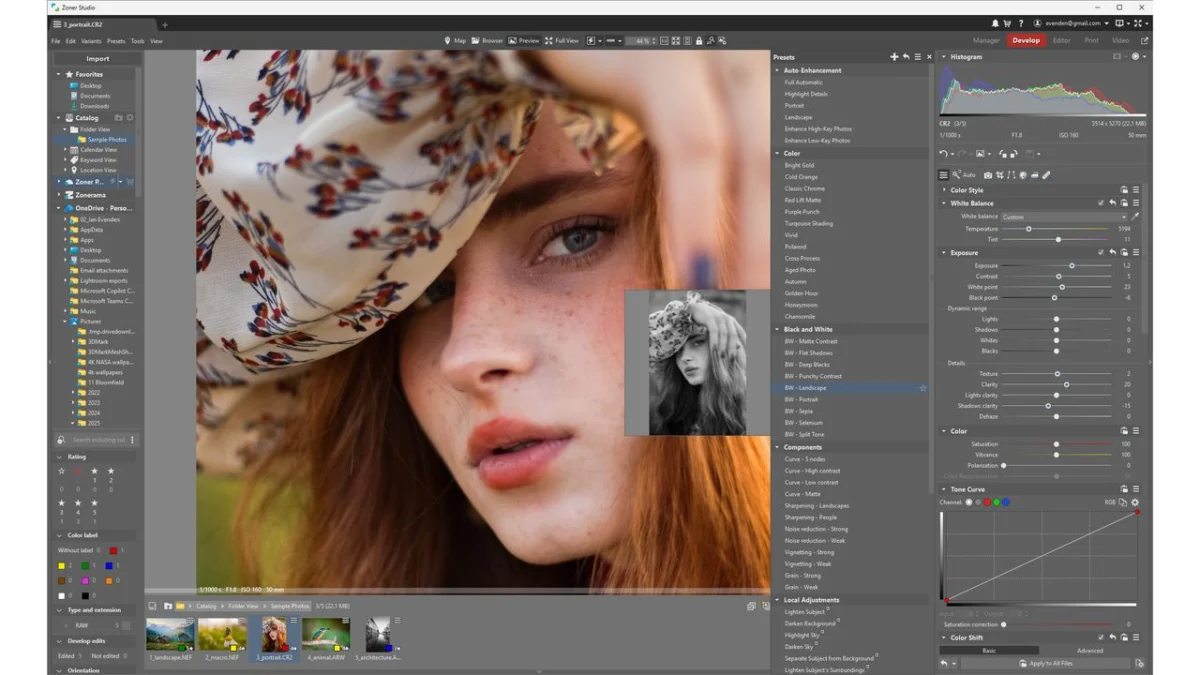
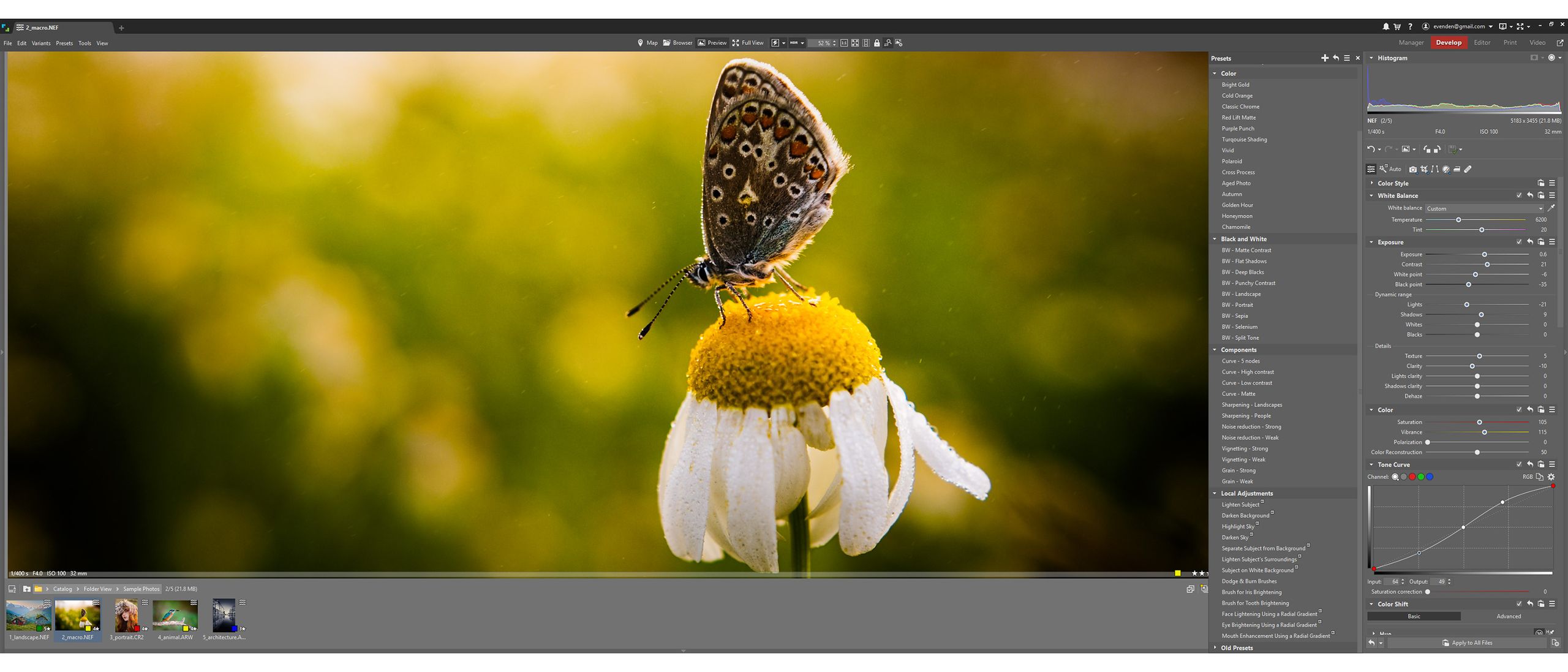
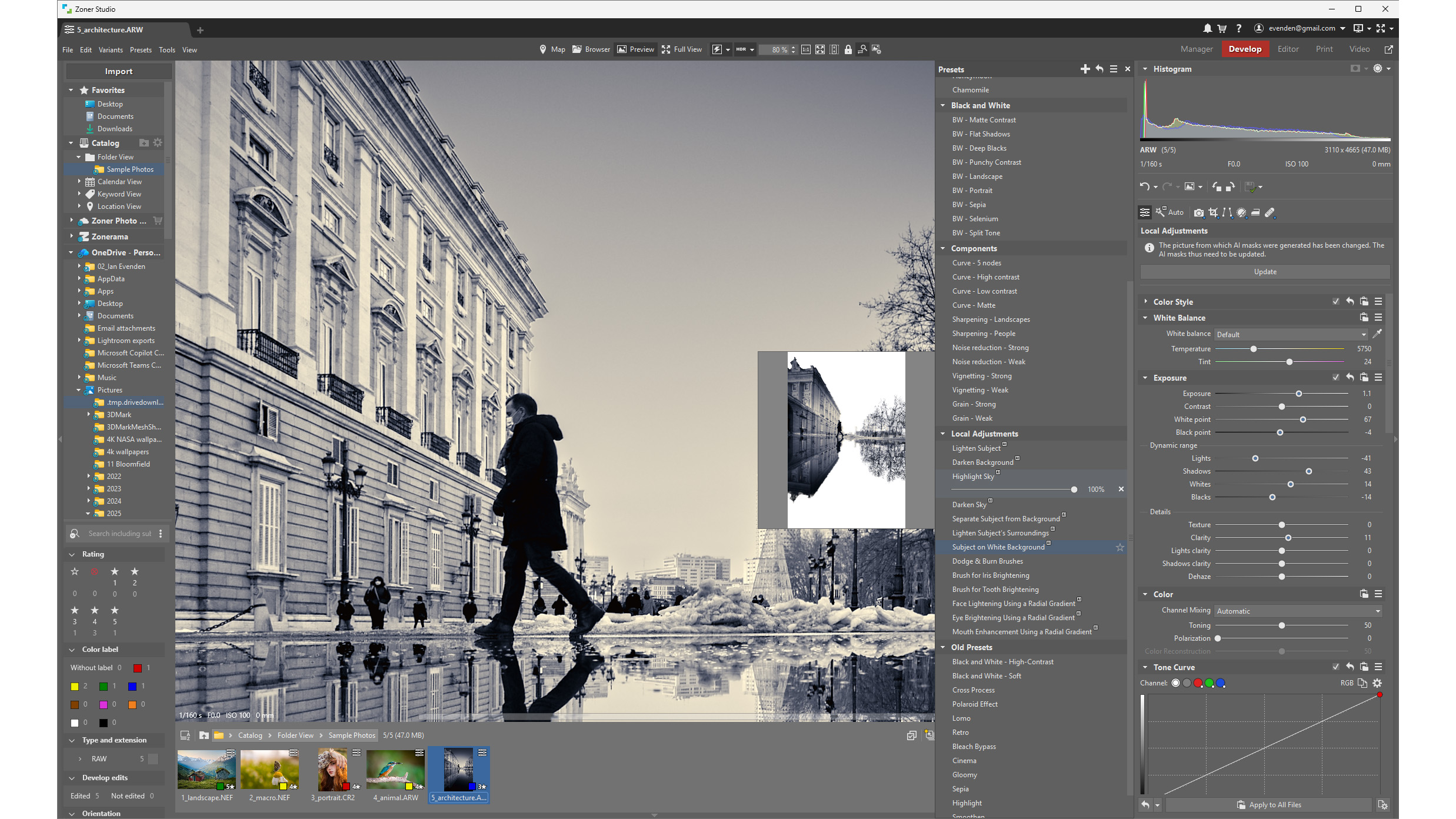
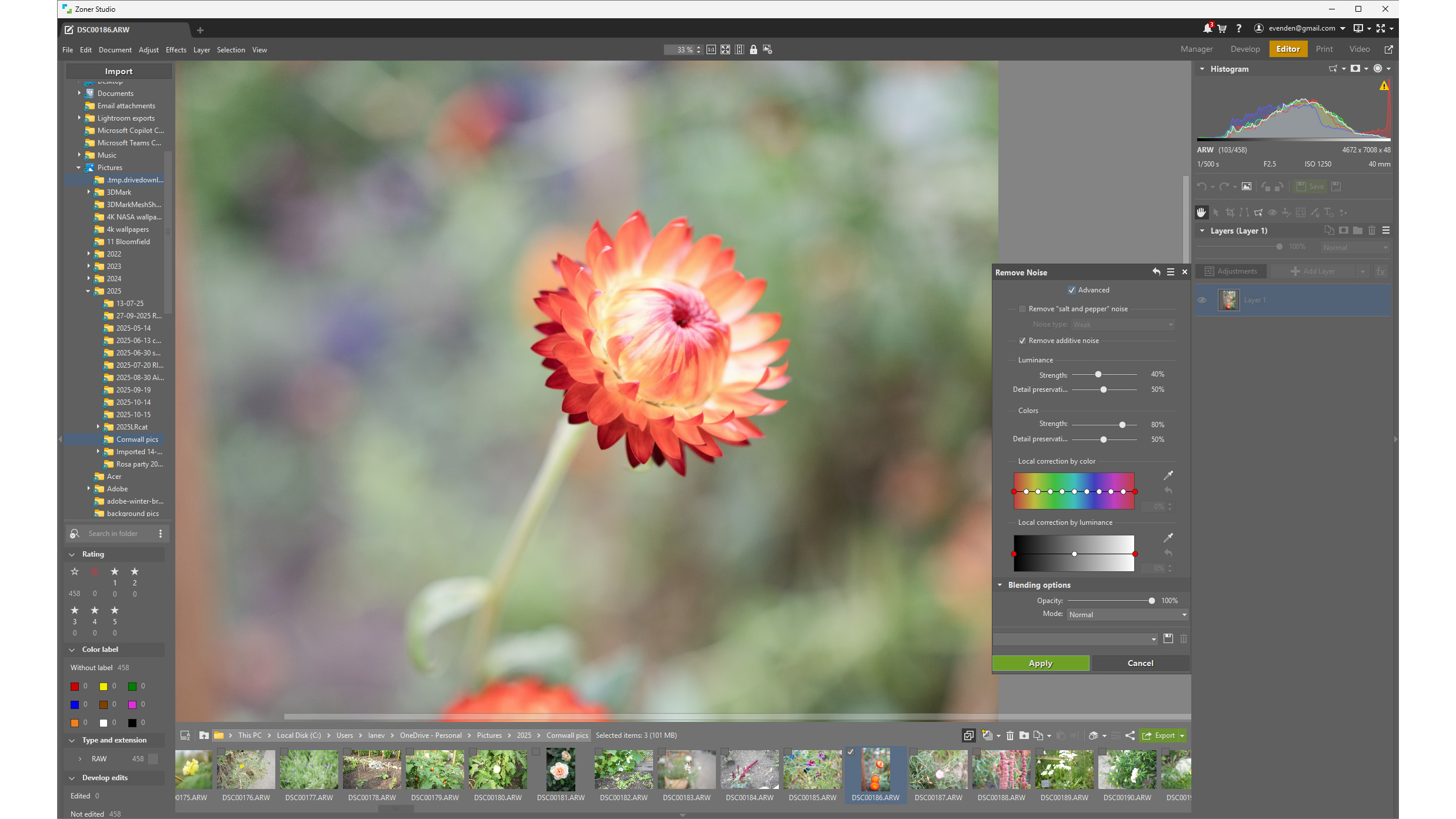
Transitioning to the "Develop" module, users encounter the raw image processing capabilities. Here, familiar tools like tone curves, exposure sliders, and white balance adjustments are readily available. Zoner Studio X also incorporates AI-powered auto-enhancement, offering a quick way to improve image quality with a single click. Furthermore, a selection of one-shot presets, some enhanced with AI for intelligent subject, sky, or background isolation, provides further creative options. Notably, while Zoner Studio X may not boast the same dedicated AI noise reduction algorithms found in some competitors, it offers granular control over noise reduction for both color and luminosity levels, allowing for precise fine-tuning.
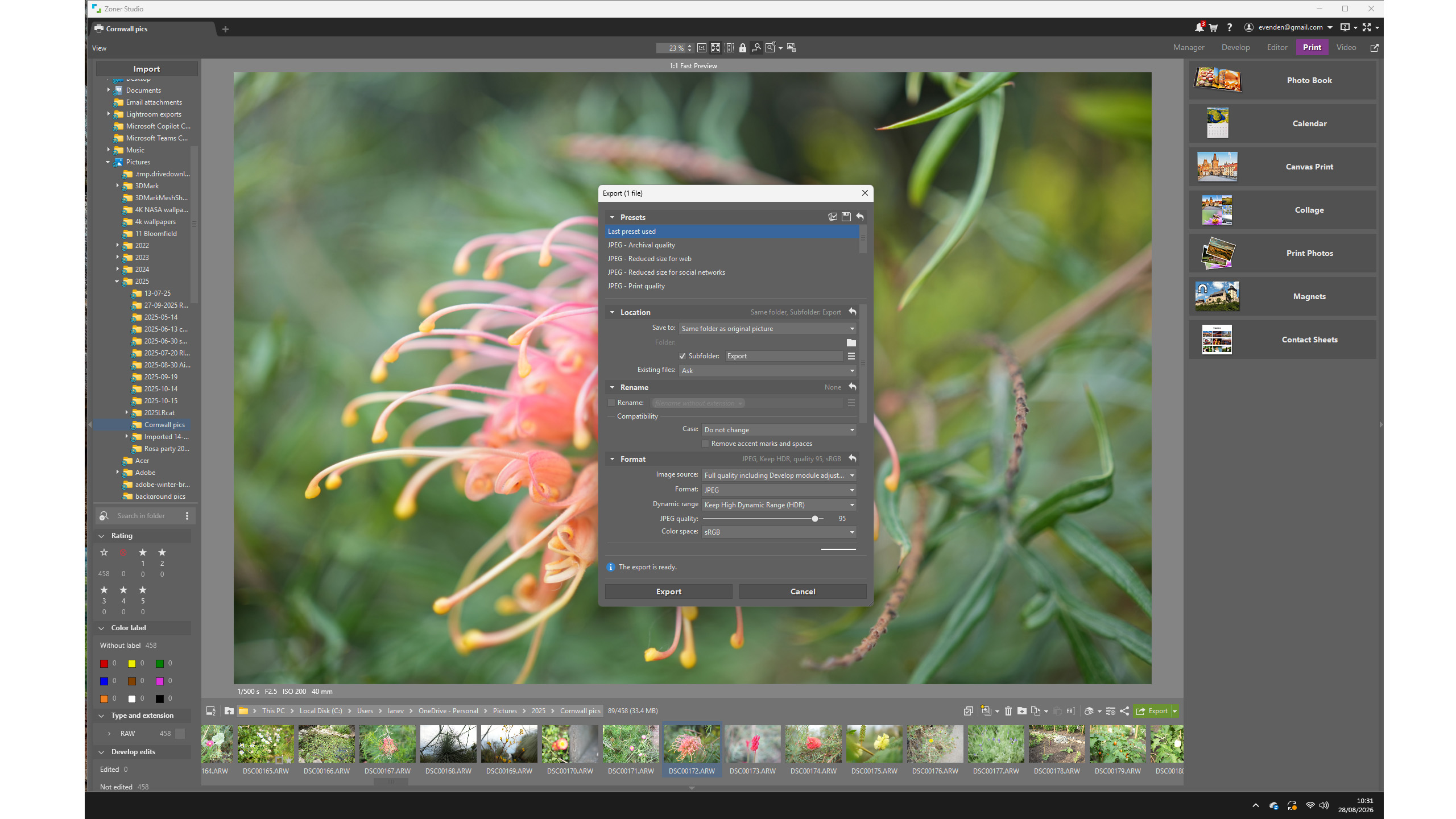
The "Editor" module unlocks the power of layer-based editing, bringing Zoner Studio X closer to the functionality of more advanced raster graphics editors. The interface, while initially appearing complex due to the sheer volume of features, is designed for efficiency once users acclimate. A persistent folder structure on the left and a filmstrip at the bottom provide quick navigation, while tools for painting, cropping, and adjustments are intelligently placed. The "Adjustments" menu offers a comprehensive suite of tools, including Levels, document resizing with content-aware and AI options, vignetting, text overlays, and a variety of effects filters. The ability to customize a "favorites" list for frequently used tools further enhances the editing workflow.
Beyond static image manipulation, Zoner Studio X includes a video editing module. While perhaps a secondary focus for a photography-centric application, its inclusion acknowledges the growing trend of hybrid content creation. The timeline interface allows for basic clip organization, transitions, and rendering, making it a convenient tool for quick video edits without needing to switch to a separate application.
A Look at the Pricing and Subscription Model
Zoner Photo Studio X operates on a subscription-based model, a common practice in the software industry. However, it offers a seven-day free trial, allowing users to thoroughly evaluate its capabilities before committing to a purchase. The subscription is available in two tiers: an individual subscription and a family plan.
The individual subscription is priced competitively at $5.99 per month or $59 per year. The family plan, designed for households, costs $9.98 per month or $98 per year. A significant perk of both subscription levels is the inclusion of 20GB of storage on Zoner Photo Cloud, alongside a premium account for the Zonerama online gallery service. Zonerama allows for unlimited photo uploads and the creation of shareable online albums, providing a convenient platform for showcasing work.
Interestingly, the family plan’s definition of "household" is not rigidly defined by a strict number of users, making it potentially very cost-effective for larger families or groups of photographers who can share the subscription. This flexible approach to family licensing adds to the overall value proposition of Zoner Studio X.
Value Score: 4/5
Setting Up and Getting Started: A Smooth Entry Point
Zoner Photo Studio X is exclusively available for Windows operating systems, and the installation process is straightforward. Upon launching the application, users are prompted to create an account and set up their subscription. Once activated, the installer logs the user directly into the application.
The software’s modular design becomes immediately apparent upon opening. The "Manager" module is the default starting point, facilitating the import of photos from memory cards or existing folders on the computer. Zoner Studio X boasts support for over 500 camera models. For cameras not on the supported list, the software integrates with the Adobe DNG Converter application, ensuring compatibility with a wide range of raw files. A minor hiccup encountered during testing was the lack of immediate support for the Sony A7CII, despite support for its predecessors and related models. However, this issue was resolved by directing the application to the Adobe DNG Converter’s installation folder within the preferences. Files that Zoner Studio X cannot process are clearly indicated with yellow exclamation marks, preventing them from being opened in the Develop or Editor modules.
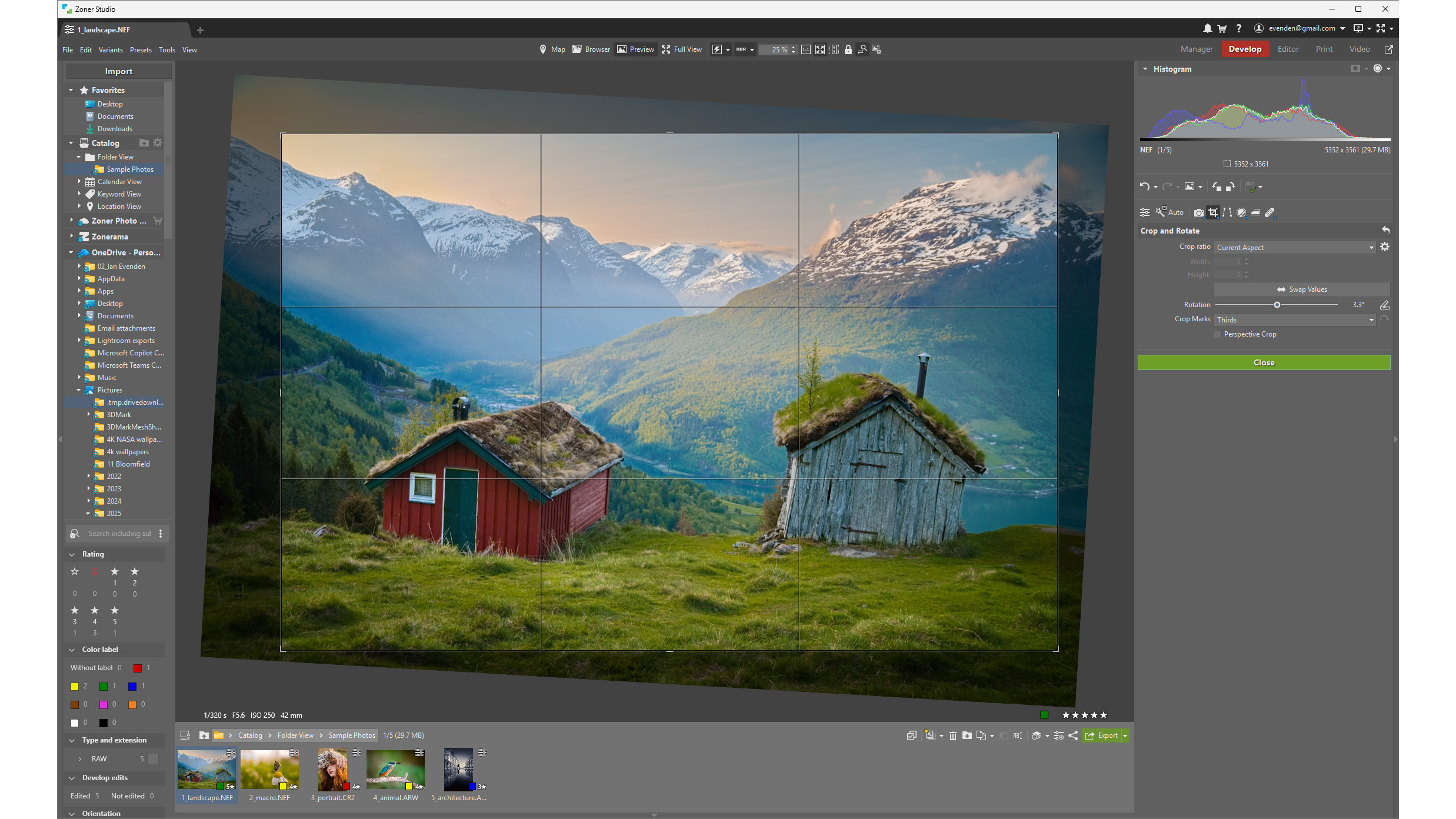
While the core interface of Zoner Studio X – with folders on the left, tools on the right, and a central preview – is intuitive, the wealth of features can be initially overwhelming. To mitigate this, Zoner provides an extensive library of tutorial videos on their YouTube channel. These tutorials cover a broad spectrum of topics, from advanced retouching techniques like shine removal and focus stacking to fundamental operations such as exposure bracketing and utilizing the app’s search functionality. This commitment to educational resources significantly lowers the barrier to entry for new users.
Setup Score: 4/5
A Deep Dive into Zoner Photo Studio X’s Features
Zoner Photo Studio X distinguishes itself with a comprehensive feature set that aims to cater to the entire photography workflow. The integration of both raw development and layer-based editing within a single application is a significant advantage.
The "Manager" module offers robust cataloging tools. Users can meticulously organize their libraries using ratings, color labels, and keywords. The advanced sorting options allow for filtering images based on technical metadata such as ISO sensitivity, camera orientation, and embedded GPS data, which can then be visualized on a map.
The "Develop" module provides access to essential raw editing tools. This includes precise control over tone curves, exposure, white balance, and color grading. The AI-powered auto-enhancement offers a quick solution for image optimization, while the one-shot presets, including AI-flagged options for intelligent subject, sky, or background isolation, provide creative starting points. While Zoner lacks dedicated AI noise reduction found in some competitors, its granular noise reduction sliders for color and luminosity offer a high degree of control for manual refinement.
The "Editor" module opens the door to more advanced manipulations through its layer-based editing capabilities. The interface, while feature-rich, is logically laid out. The left pane consistently displays the folder structure, and the bottom pane shows the image filmstrip, which can be optionally hidden. Tools for painting, cropping, and adjustments are accessible through a horizontal bar on the right sidebar and a pop-out "Adjustments" menu. This menu houses tools like Levels, resizing with AI and content-aware options, vignetting, text overlays, and effects filters. The learning curve for navigating these tools is manageable, especially with the ability to add frequently used tools to a "favorites" list for quick access.
The inclusion of a video editing module further broadens Zoner Studio X’s appeal. While not as feature-rich as dedicated video editing software, it offers essential tools for assembling clips, applying transitions, and rendering video projects. This integrated functionality is a welcome addition for photographers who also engage in video creation.
Features Score: 4/5
Navigating the User Interface and Experience
Zoner Photo Studio X presents a user interface that, while generally clean and well-organized, does exhibit some unconventional design choices that might initially disorient users accustomed to other software paradigms. For instance, the "Preferences" option is located within the "View" menu rather than the more conventional "Edit" menu. It is also accessible via an account dropdown menu, alongside a small "?" icon that leads to version information and update checks. These minor navigational quirks, while not deal-breakers, can contribute to a slight learning curve.
Despite these small idiosyncrasies, the overall user experience is largely positive. The application supports tabs, allowing users to have multiple images open simultaneously across different modules. Its multi-monitor support is robust, and users have the flexibility to choose whether full-screen mode obscures the Windows taskbar.
The complexity of Zoner Photo Studio X, stemming from its extensive feature set, can be daunting for absolute beginners. However, the wealth of online tutorials and resources serves as an invaluable guide, making the transition smoother. Once users become familiar with the layout and location of tools, the clean design becomes an asset, facilitating efficient workflow. The ability to highlight new features is a thoughtful addition, enabling users to easily discover and experiment with the latest additions to the software.
The video editing module, while basic, is a functional addition. Its timeline-based approach is straightforward, making it suitable for users who need to perform quick edits or combine video clips with their photographic workflow.
User Experience Score: 4/5
Harnessing the Power of AI Tools
Zoner Photo Studio X clearly integrates Artificial Intelligence tools, making them easily identifiable with a subtle "AI" marker. This clarity allows users to selectively engage with these features or avoid them if they prefer a purely manual approach. Within the application’s preferences, users can designate their local GPU for AI computations and other "calculations," optimizing performance. While integrated graphics are supported for display, Zoner strongly recommends a dedicated graphics card for optimal AI processing. During testing on a PC equipped with an RTX 5080, the GPU fans would occasionally spin up when utilizing AI-intensive features such as auto-enhancement, AI resizing, and noise reduction, indicating active processing.
The AI-driven auto-enhancement in Zoner Studio X strikes a good balance. Unlike some applications where auto-enhancements can result in overly saturated or artificial-looking images, Zoner’s AI provides a subtle yet effective boost to colors, particularly in the mid-tones, while enhancing contrast and preserving detail. While not a replacement for meticulous manual editing, it offers a commendable starting point.
The AI resizing feature is also impressive. It successfully upscaled an image from 7000 pixels to 14000 pixels across while maintaining detail in focused areas and avoiding the introduction of artifacts or noise in defocused regions. Zoner does not disclose the specific AI model used, but its performance suggests a sophisticated implementation. While smaller upscaling tasks are relatively quick, increasing an image’s dimensions to 28000 pixels across, even on a powerful GPU, takes a considerable amount of time.
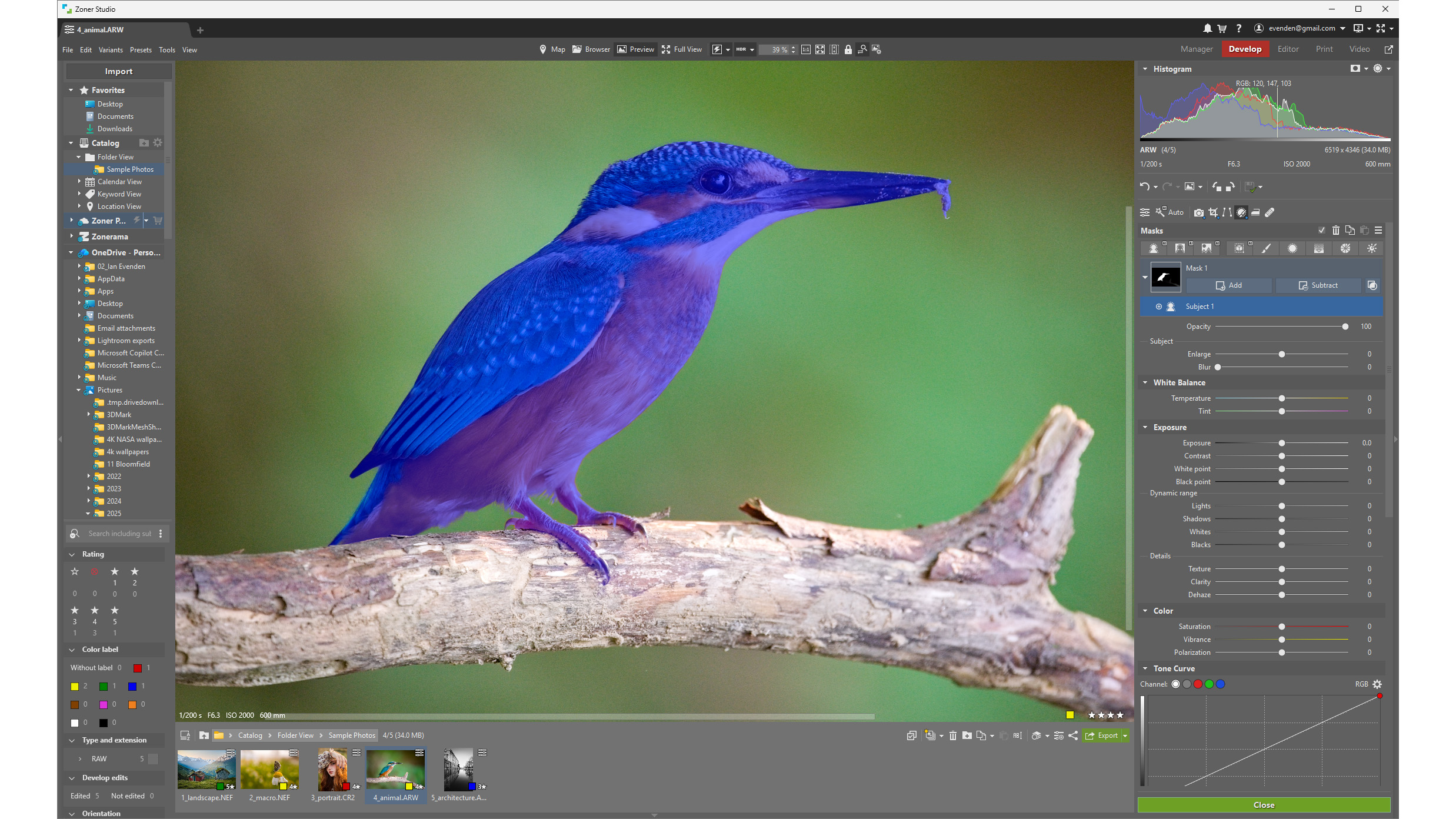
Automatic selection and masking tools are also integrated, enabling users to isolate subjects from their backgrounds with a single click. The option to save these selections as layer masks further enhances their utility. While the initial masking results can sometimes be soft, particularly in areas with shallow depth of field, the AI masking within the Develop module demonstrates commendable speed and accuracy.
AI Tools Score: 4/5
Who is Zoner Photo Studio X For?
Zoner Photo Studio X is a compelling option for photographers seeking a comprehensive, all-in-one editing solution. Its extensive feature set, combined with a relatively low subscription cost, makes it an attractive alternative to more expensive, multi-application subscription services.
Buy it if:
- You are a Windows user looking for a powerful and feature-rich photo editing and management application.
- You desire a unified workflow that integrates cataloging, raw processing, and layer-based editing.
- You appreciate a subscription model that offers good value for money, especially with the included cloud storage and online gallery features.
- You are willing to invest a little time in learning a new interface, supported by extensive online tutorials.
- You want to experiment with AI-powered editing tools without breaking the bank.
Don’t buy it if:
- You are a macOS user, as Zoner Photo Studio X is exclusively for Windows.
- You require the absolute bleeding edge of AI features found in the most premium software packages, or prefer perpetual licenses.
- You are looking for a very basic, entry-level photo editor and find the breadth of features overwhelming.
Conclusion: A Strong Contender in the Photo Editing Arena
Zoner Photo Studio X presents a compelling case for photographers seeking a powerful, integrated, and affordably priced solution. Its comprehensive feature set, encompassing cataloging, raw development, layer-based editing, and even basic video editing, makes it a versatile tool for a wide range of photographic needs. While the interface might require a brief adjustment period for those accustomed to other software, the abundance of tutorials and the logical layout of tools ensure that users can quickly become proficient. The inclusion of AI tools adds a modern dimension to the editing process, enhancing efficiency and delivering impressive results. For Windows users looking to elevate their photography without a prohibitive financial commitment, Zoner Photo Studio X stands out as a highly recommended option.
Zoner Studio Scorecard:
| Attribute | Notes | Rating |
|---|---|---|
| Value | Affordable subscription with added cloud storage | 4/5 |
| Getting Started | Easy installation, extensive tutorials | 4/5 |
| Features | Comprehensive, integrated workflow | 4/5 |
| User Experience | Can be complex, but logical with practice | 4/5 |
| AI Tools | Clearly marked, fast, and effective | 4/5 |