CorelDRAW Unleashes Text-to-Vector: A Paradigm Shift for Digital Artists, Moving Beyond Novelty to Practicality
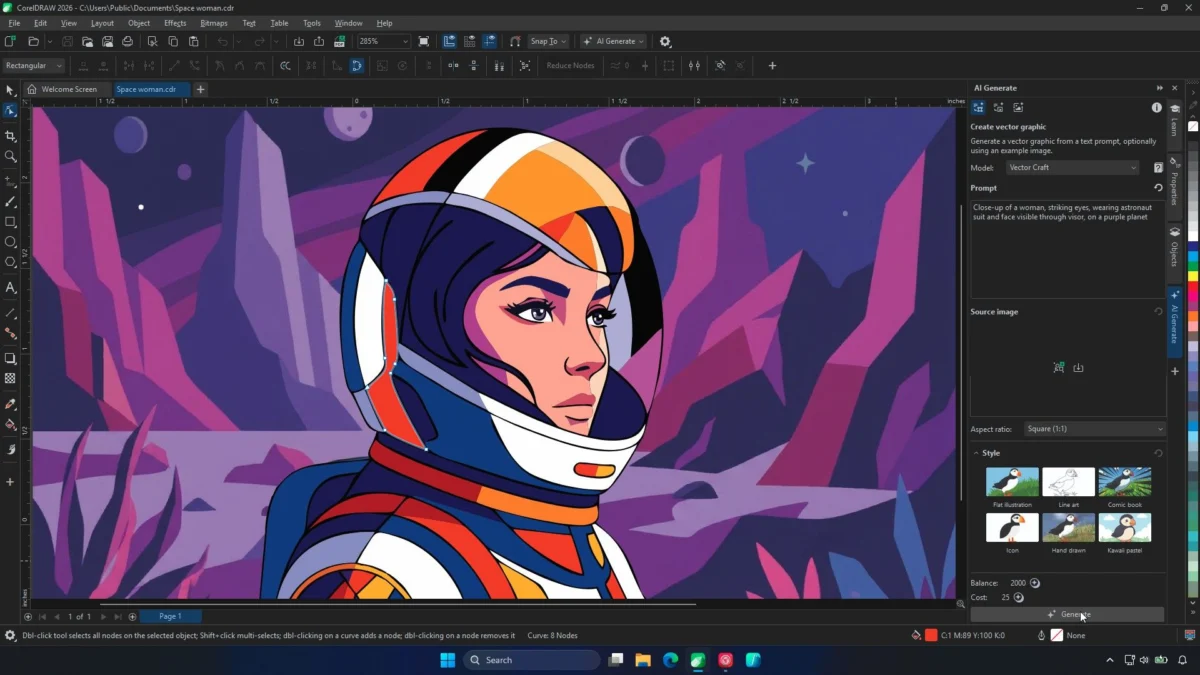
The landscape of digital art and design software is in constant flux, with Artificial Intelligence emerging as a transformative force. CorelDRAW, a long-standing titan in the vector graphics arena, has recently taken a significant leap forward with the integration of its new Text-to-Vector feature. This innovative tool, part of the September 2026 update to CorelDRAW Graphics Suite, promises to redefine how designers and artists conceptualize and create, moving beyond mere novelty to offer tangible, practical benefits.
For years, the question has lingered in the creative community: do designers truly need AI integrated into their workflows? Early forays into AI in design software often felt like an add-on, not truly native to the vector creation process. However, Corel’s latest offering directly addresses this concern. The Text-to-Vector feature doesn’t just generate images; it delivers editable objects, curves, and nodes, presenting a genuine AI tool capable of producing vector artwork that is fundamentally malleable. This represents a significant evolution, positioning AI not as a replacement for human creativity, but as a powerful collaborator.
The Evolution of AI in Vector Design: From Novelty to Necessity
The journey of AI in creative software has been marked by a rapid progression. Initially, generative AI tools for image creation, particularly those producing raster-based outputs, captured the public imagination. However, for vector graphics, the emphasis has always been on scalability, precision, and editability. Early integrations of AI into vector software often focused on tasks like upscaling or rudimentary object generation, which, while useful, did not fundamentally alter the creative process.
Corel’s previous step into AI, as observed earlier this year, prompted a critical question: "do designers really need it?" This was largely due to the initial implementations not being truly vector-native. The new Text-to-Vector feature, however, marks a departure. It directly addresses the core needs of vector artists by generating components that can be manipulated at the most granular level – down to the individual curves and nodes. This means that what the AI produces is not a static image, but a foundational element that a human artist can then sculpt, refine, and integrate seamlessly into their existing work.
The Power of Reference: Empowering Artists, Not Replacing Them
One of the most compelling aspects of Corel’s Text-to-Vector feature is its ability to function not just from text prompts, but also from reference content. This includes existing illustrations, logos, product designs, or even photographs. This reference-based workflow is where the true power of this AI lies, according to Jenny John, Product Management for CorelDRAW.
"It puts designers and artists in control," John explained during a demonstration. "It offers a starting point that can be fully edited and crafted by a human. The AI generation isn’t the end result, and that, I think, matters."
This approach fundamentally respects the artist’s existing skill set and established visual language. Instead of an AI attempting to invent a style from scratch, it can be leveraged to generate variations or complementary assets that align with a pre-existing aesthetic. This is particularly valuable when working with established brands or when an artist has a distinct personal style. The AI becomes a tool for accelerating the creation of supplementary elements, freeing up the artist to focus on the more nuanced and creative aspects of their work.
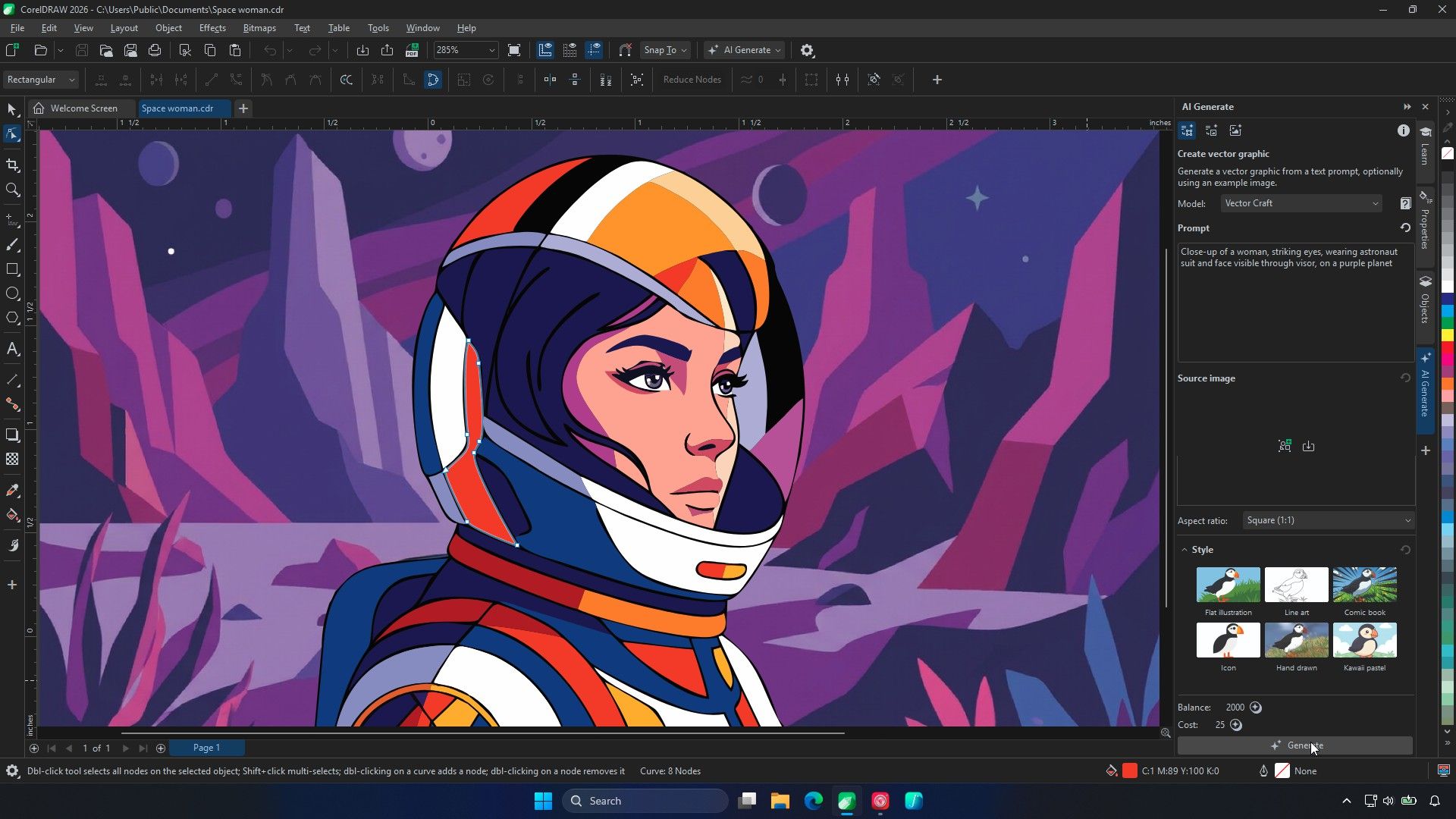
A Closer Look at the Workflow: Artist’s Work as the Foundation
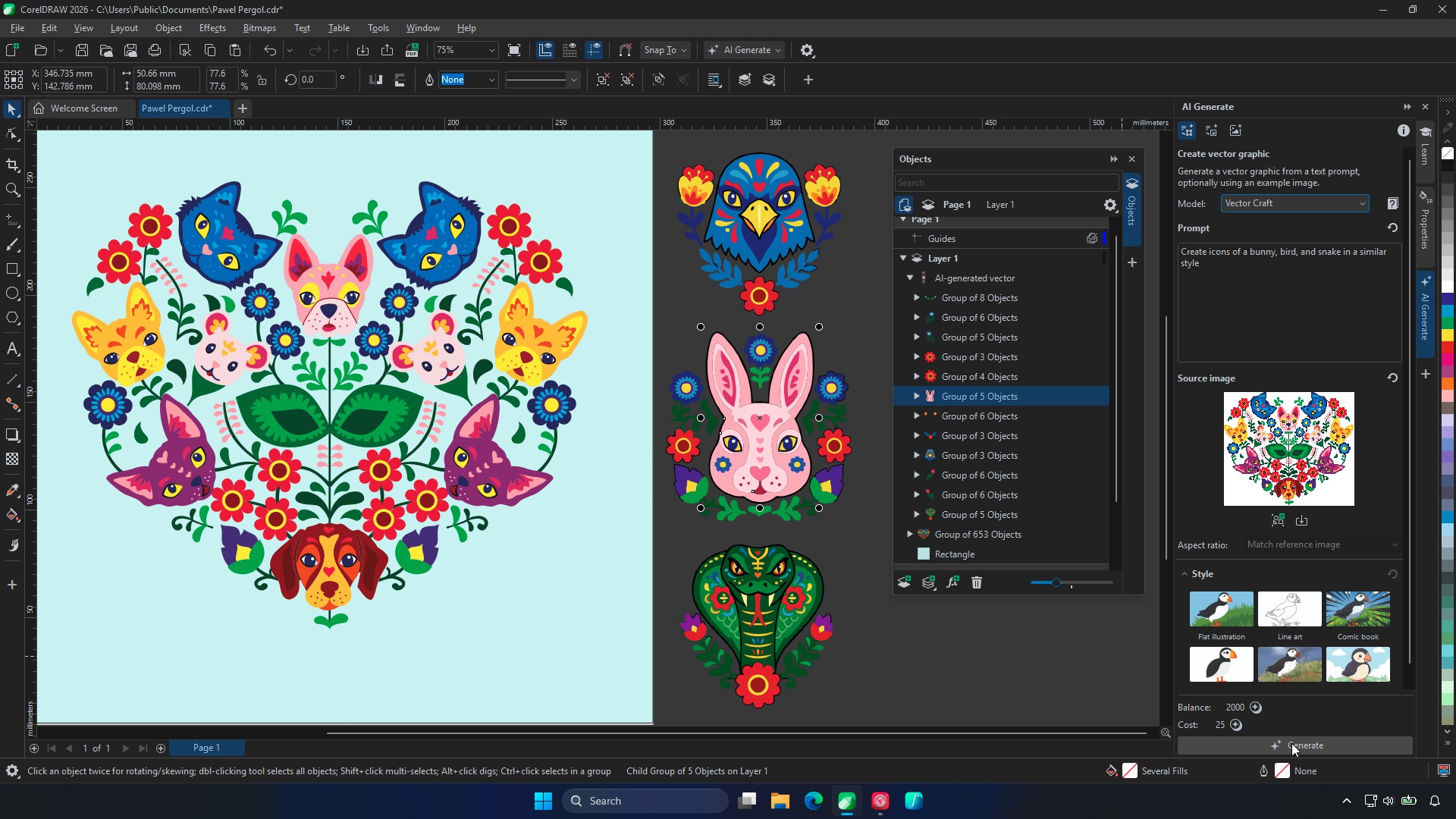
During a live demonstration, Corel showcased the capabilities of the Text-to-Vector feature by utilizing an illustration by artist Pawel Pergol, which comprised approximately 600 objects. The AI was then tasked with generating bunny, bird, and snake icons in a style consistent with Pergol’s original artwork. The results were remarkable. The generated icons appeared in the Objects panel, allowing for complete deconstruction down to their individual curves and nodes.
"That’s really where the artist’s work begins," John emphasized, highlighting that the AI’s output serves as a sophisticated starting point, not a finished product. This sentiment resonates deeply within the creative community. If an artist has already perfected their visual language, the AI’s role is not to replicate it, but to assist in expanding it. Generating a set of related assets that can be meticulously deconstructed and adapted by the artist saves them from the more tedious, repetitive aspects of creation, rather than hindering their creative expression.
This approach has also been the most favored method among Corel’s beta testers. They frequently utilized existing logos and illustrations as references to generate new design elements, demonstrating the practical utility of the feature in real-world design scenarios.
Three Tiers of AI Generation: Tailored Solutions for Diverse Needs
To cater to a wide spectrum of creative requirements, Corel has introduced three distinct AI models within the Text-to-Vector feature:
- Vector Spark: This model is optimized for rapid generation of simple assets such as icons and clip art. It’s ideal for quick ideation and the creation of foundational graphic elements.
- Vector Craft: Positioned as the all-rounder, Vector Craft handles a broader range of design tasks, offering a balance between speed and complexity.
- Vector Master: This advanced model is designed to tackle intricate designs and complex variations derived from reference content. It excels in producing sophisticated outputs that require a higher degree of detail and nuance.
This tiered approach ensures that users can select the most appropriate AI model for their specific project, optimizing efficiency and the quality of the generated output.
The Future of Generative AI: Towards Greater Customization and Control
While the current iteration of Text-to-Vector is a significant advancement, the conversation naturally turns to future possibilities, particularly concerning fine-grained control over AI-generated outputs. A common frustration with generative AI is the difficulty in making minor, targeted adjustments without the AI reinterpreting the entire creation. For instance, transforming a night scene into a sunrise might inadvertently alter other elements of the image.
"That’s where we want to get to with AI," John affirmed, expressing Corel’s commitment to enhancing customizability. "The more customisable it is, the better."
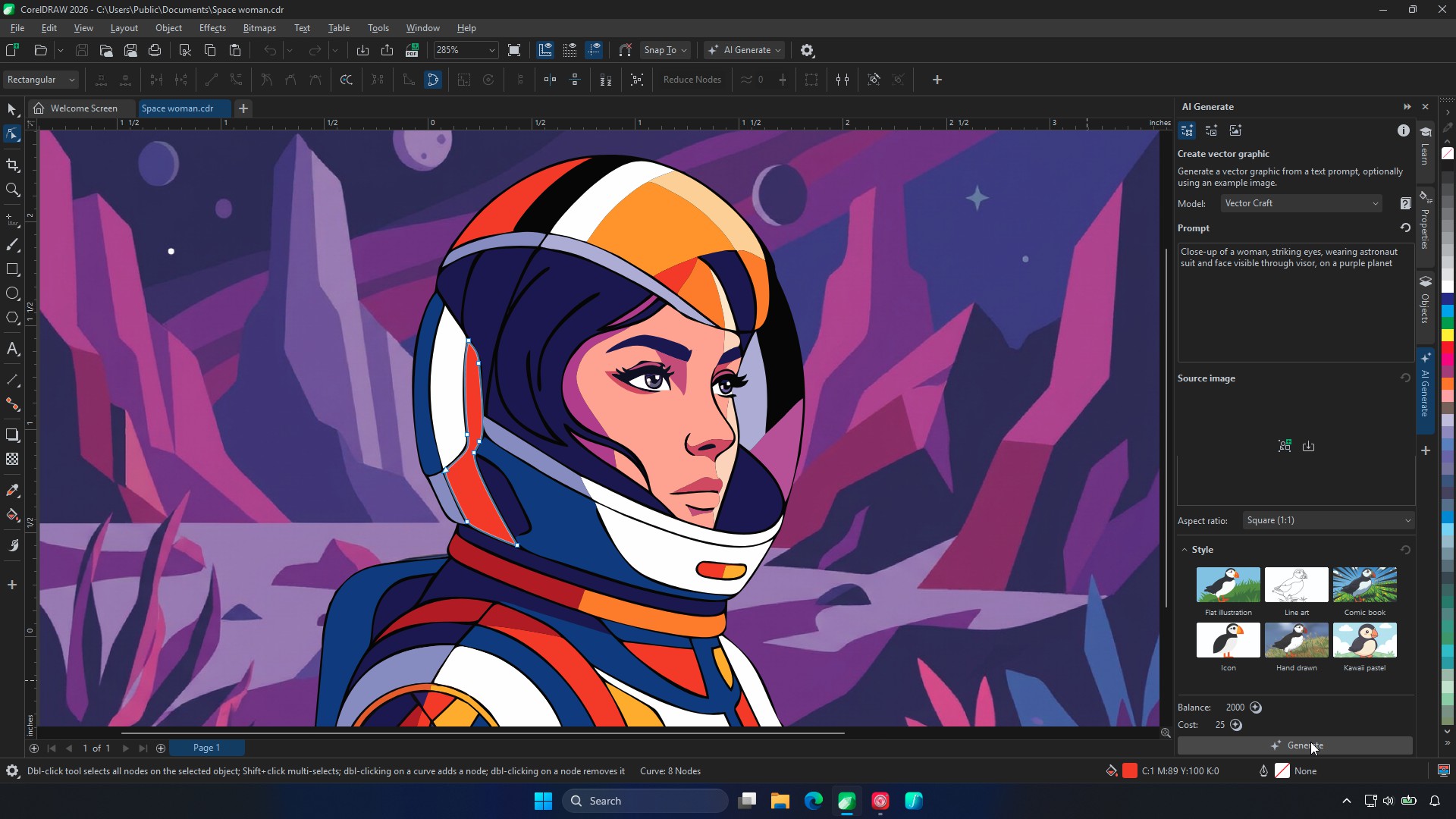
While this level of granular control is not yet fully realized, the current reference-based workflow offers a substantial degree of artistic direction. The AI retains a significant portion of the reference art’s character, although users should anticipate the need for manual refinement to ensure every detail aligns perfectly with their vision. The enthusiastic feedback from beta artists underscores the value they place on AI for ideation and getting "jump-started on ideation and designs, design inspiration."
Enhancements Beyond Text-to-Vector: PowerTRACE Gets a Makeover
In addition to the groundbreaking Text-to-Vector feature, the September 2026 update also brings significant improvements to CorelDRAW’s existing tools, notably the PowerTRACE function. This beloved feature, essential for converting raster images into editable vector graphics, has undergone a comprehensive overhaul, both in terms of its interface and its underlying technology.
The enhancements to PowerTRACE include:
- Speed Optimization: Tracing operations are now up to four times faster, dramatically reducing wait times for users.
- Improved Object Structure and Color Handling: The AI-assisted tracing now results in a more organized and accurate object structure, with superior color fidelity.
- AI-Assisted Background Removal: A new AI-powered background removal feature streamlines the process of isolating subjects from their backgrounds.
- Enhanced Large File Handling: The software now handles larger files with greater efficiency, minimizing errors and interruptions.
John demonstrated the impact of these improvements by tracing an 8,000px image that previously took over half an hour to process – a task often requiring users to initiate the process and step away. The updated PowerTRACE now handles such demanding jobs with remarkable speed and accuracy, showcasing Corel’s commitment to optimizing even established functionalities.
Cloud-Based AI: Accessibility and Strategic Design Choices
A key technical decision underpinning Corel’s AI integration is the decision to run these generative tools in the cloud, rather than relying on local GPU processing. This choice has significant implications for accessibility and user hardware requirements.
"Local AI using Nvidia graphics cards or other GPUs isn’t on Corel’s roadmap," John stated, though she did not entirely rule out future possibilities should demand dictate. Her rationale is grounded in the typical hardware configurations of vector artists. Unlike video editors or 3D artists who often require high-end GPUs, vector artists generally do not. By leveraging cloud processing, Corel ensures that its AI features are accessible to a broader user base, without mandating expensive hardware upgrades. The best laptops for graphic design can remain adaptable and cost-effective, without the need to compete with the specialized requirements of 3D modeling laptops.
This cloud-based strategy also allows for continuous updates and improvements to the AI models without requiring users to download large software patches. The AI’s intelligence and capabilities can evolve seamlessly in the background, providing users with an ever-improving experience.
Expanding Functionality: CorelDRAW Web and Technical Suite
The September 2026 update extends beyond the desktop application, bringing valuable new features to other CorelDRAW platforms:
- CorelDRAW Web: Subscribers and maintenance customers can now upload system, custom, and brand fonts directly to CorelDRAW Web, enhancing consistency and brand management across projects. Furthermore, the browser version now supports DWG and DXF export, increasing its interoperability.
- CorelDRAW Go and CorelDRAW Technical Suite 2026: The Text-to-Vector functionality is also integrated into these respective applications, providing a unified AI-powered experience across the CorelDRAW ecosystem.
The Verdict: Practical Innovation for the Modern Designer
The novelty of typing a sentence into a digital art software plugin and receiving an image has long since faded. What truly matters now is the practical utility of the generated output and how it integrates into a professional workflow. Corel’s Text-to-Vector feature, by focusing on editable vector components and offering robust reference-based generation, directly addresses this need.
While the ultimate test will be how these tools perform with real-world client projects rather than polished demonstration files, the initial offering is highly promising. The AI’s ability to produce a usable starting point, a foundation upon which artists can build and refine, marks a significant step forward. It signifies a mature approach to AI integration, one that augments, rather than supplants, human creativity and skill.
Pricing and Availability:
CorelDRAW Graphics Suite is available via an annual subscription for $269/£319 or as a perpetual license for $549/£659. As a launch promotion, users can enjoy a week of unlimited AI vector generations with Vector Craft and Vector Master. This initiative allows new users to fully explore the capabilities of the AI features and understand their potential impact on their creative workflows.