
The Silent Guardian: Why the Guest Network is Your Router’s Most Underutilized Security Tool

In the modern era, the home router has evolved from a niche piece of hardware used by tech enthusiasts into the literal "digital hearth" of the household. It is the invisible conduit through which we work, learn, socialize, and entertain ourselves. Yet, despite its central role in our lives, the router remains one of the most overlooked devices in the domestic tech stack. Most users follow a "set it and forget it" philosophy: plug it in, set a password, and never touch the settings again unless the connection drops.
However, buried within the configuration menus of almost every modern router—from standard ISP-provided hubs to high-end mesh Wi-Fi systems like the Amazon Eero or Linksys Velop—lies a feature that is frequently ignored but critically important: the Guest Network. While its name implies a singular use case, the guest network is actually a sophisticated tool for security, privacy, and digital management.
Main Facts: Understanding the Guest Network Architecture
At its core, a guest network is a secondary Wireless Local Area Network (WLAN) broadcast by your router. It operates on the same hardware and uses the same internet connection as your primary network, but it functions as a "siloed" environment.
The primary technical advantage of a guest network is Access Isolation. On a standard home network, every connected device—your laptop, your smartphone, your printer, and your smart fridge—can "see" and often communicate with one another. This is necessary for tasks like printing a document or casting a YouTube video to a TV. However, this lateral visibility is also a significant security risk. If one device is compromised, a hacker can move laterally across the network to access more sensitive hardware.
A guest network creates a digital wall. Devices on the guest network can access the internet, but they cannot see or interact with devices on the primary network. They are also typically blocked from accessing the router’s administrative settings. This simple act of segmentation transforms the guest network from a mere convenience for visitors into a robust security layer for the entire home.
Chronology: The Evolution of Home Networking and the Rise of the Guest SSID
To understand why the guest network has become so vital, one must look at the timeline of home connectivity.
The Early Era (2000–2010): The Hub Model
In the early days of Wi-Fi (802.11b/g), the home network was a simple hub. Most households had perhaps one or two computers. The concept of a "guest network" was virtually non-existent because the security perimeter was the physical walls of the home. If you gave someone your Wi-Fi password, you were essentially handing them a key to your only digital assets.
The IoT Explosion (2010–2020): The Crowded House
The introduction of the "Internet of Things" (IoT) changed the landscape. Suddenly, lightbulbs, thermostats, security cameras, and even slow cookers were demanding Wi-Fi access. During this decade, manufacturers began realizing that these "dumb" smart devices were often built with minimal security protocols and rarely received firmware updates. The guest network feature began appearing in consumer-grade routers as a way to isolate these high-risk devices from the PCs and Macs that held personal banking and work data.
The Modern Era (2020–Present): The Mesh and App Revolution
With the advent of Wi-Fi 6 and mesh networking, managing multiple SSIDs (Service Set Identifiers) became easier. Companies like Eero, Google, and TP-Link moved router management from clunky browser-based IP interfaces to sleek smartphone apps. This transition made enabling a guest network a two-tap process, yet many users remain unaware of the strategic benefits of doing so.
Supporting Data: The Growing Risk of Network Contamination
The necessity of network segmentation is backed by sobering cybersecurity statistics. According to various industry reports, the average household now contains more than 20 connected devices. A 2023 study by cybersecurity firm Bitdefender found that IoT devices are the source of nearly 90% of attacks on home networks, with smart TVs and smart plugs being among the most targeted.
Furthermore, the "Mirai" botnet and its successors have demonstrated that thousands of insecure IoT devices can be hijacked to perform massive Distributed Denial of Service (DDoS) attacks. While a guest network may not prevent an individual device from being hijacked, it prevents that hijacked device from being used as a gateway to steal the data residing on your primary computer.
Privacy data also suggests that modern Smart TVs are aggressive data harvesters. Many utilize Automatic Content Recognition (ACR) to track everything you watch and report it back to the manufacturer. By placing a Smart TV on a guest network, you limit its ability to scan your local network for other devices, thereby reducing the amount of "household profiling" the manufacturer can perform.
Official Responses: How Manufacturers and Experts View Segmentation
Tech giants and security experts have become increasingly vocal about the importance of using guest networks for more than just guests.
Amazon (Eero): Amazon’s Eero documentation explicitly highlights the ease of use, allowing users to toggle the guest network on or off instantly. Their official stance emphasizes that providing a separate password for guests ensures your "main password remains private and secure."
Linksys and Netgear: Both manufacturers have integrated "Guest Access" as a headline feature in their security suites. They recommend using the guest network for any device that does not require access to local files or printers, effectively advocating for a "Zero Trust" approach within the home.

Cybersecurity Professionals: Experts from the Cybersecurity & Infrastructure Security Agency (CISA) and private firms like Norton consistently list "network segmentation" as a top-five recommendation for home network hardening. They argue that as remote work becomes permanent for many, the guest network is no longer a luxury—it is a requirement to prevent "home-to-office" data breaches.
Implications: Strategic Use Cases for the Modern User
The implications of adopting a guest network strategy extend far beyond simple security. It offers a level of granular control that can change how a household functions.
1. The "Air Gap" for IoT Devices
The most significant implication is the ability to create a "dirty" network for IoT devices. By connecting all smart plugs, cheap Wi-Fi cameras, and generic smart home gadgets to the guest network, you ensure that if a $15 smart bulb has a back-door vulnerability, the hacker cannot reach your laptop where you do your taxes.
2. Simplified Parental Controls
While many routers offer complex parental control suites (often for a monthly subscription fee), the guest network offers a "poor man’s" alternative. Parents can put their children’s tablets and gaming consoles on the guest network. When it is time for bed, the parent can simply toggle the guest network "off" via the app, cutting access to the kids’ devices while keeping the parents’ work laptops and streaming services online.
3. Protecting the "Work-From-Home" Perimeter
For those handling sensitive corporate data, the guest network is a vital buffer. By keeping the "work" laptop on the primary network and all other "casual" devices (and visitors) on the guest network, the user creates a professional-grade security environment that minimizes the risk of a domestic malware infection leaping to a corporate server.
4. Enhancing Visitor Privacy and Security
Ironically, the guest network also protects the guests. When a visitor connects to a guest network, they are protected from any potential malware that might be lurking on the host’s primary devices. It creates a "clean slate" environment for both parties.
Implementation: How to Secure Your Home Today
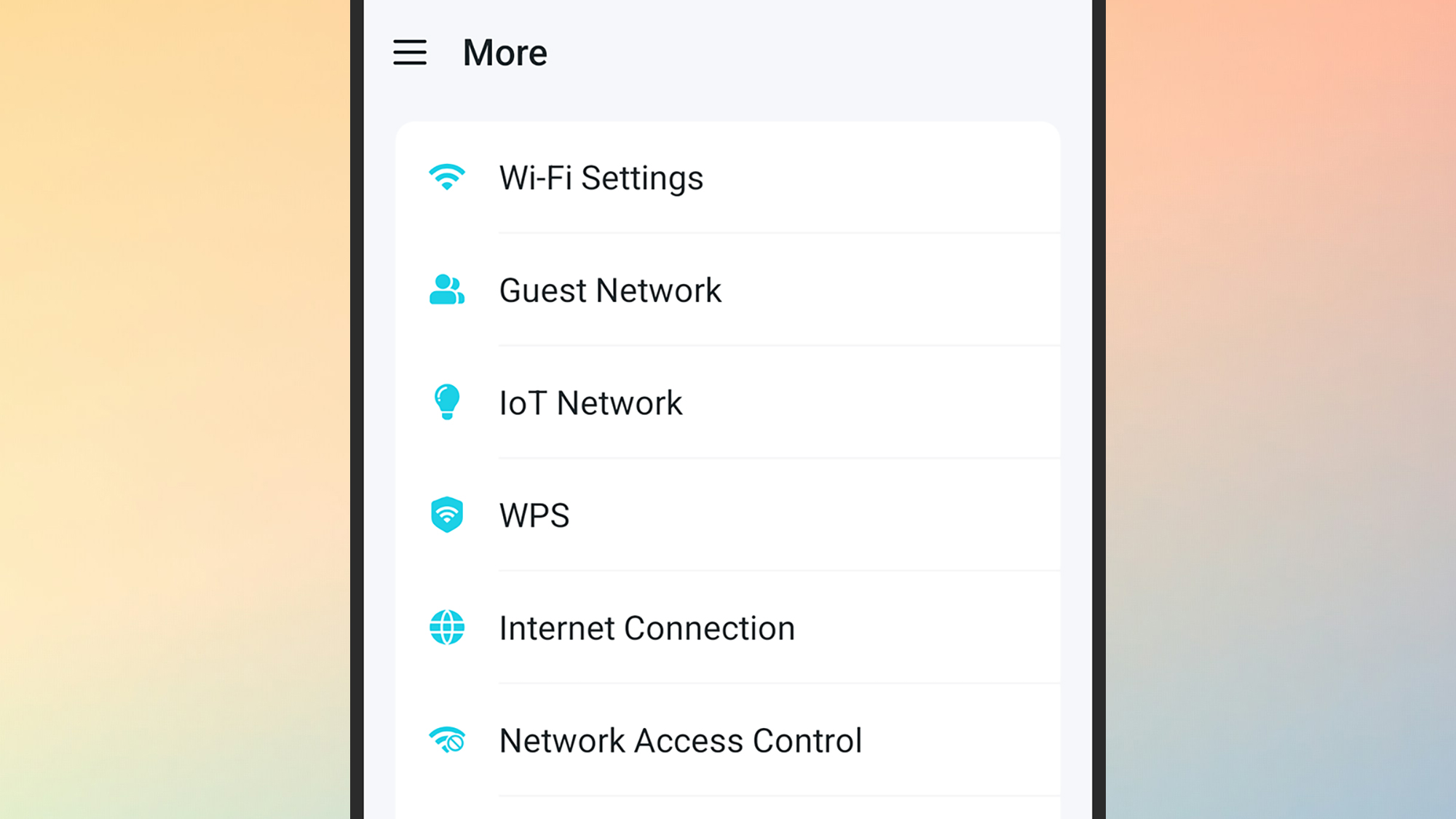
Enabling this feature is generally straightforward. For users of modern mesh systems like Amazon Eero, the process is as follows:
- Open the Eero app.
- Navigate to the Settings tab.
- Tap on Guest Wi-Fi.
- Toggle Enable Guest Network to the "On" position.
- Define a unique SSID (e.g., "The_Smiths_Guest") and a strong password.
For those using traditional routers from TP-Link, Asus, or Linksys, the process usually involves logging into the web interface (typically by typing 192.168.1.1 into a browser) and looking under the "Wireless" or "Advanced" settings for "Guest Network."
Best Practices for Guest Networks:
- Unique Passwords: Never use a variation of your primary Wi-Fi password.
- SSID Naming: Do not include your name or address in the SSID. "Guest_Network_5" is better than "123_Oak_Street_Guest."
- WPA3 Encryption: If your router supports it, ensure the guest network uses WPA3 or WPA2-AES encryption.
- Disable SSID Broadcast (Optional): For maximum privacy, you can hide the guest network name, though this makes it slightly more cumbersome for guests to join.
Conclusion
The guest network is a testament to the fact that the best security tools are often the ones we already own. As our homes become increasingly "smart" and our work becomes increasingly digital, the risks of a flat, unsegmented network are too great to ignore. By spending five minutes to configure a guest network, users can effectively "quarantine" insecure devices, protect their privacy from data-hungry manufacturers, and ensure that their most sensitive information remains behind a secondary wall of digital defense. It is time to stop thinking of the guest network as a courtesy for visitors and start seeing it as the frontline of home cybersecurity.




Leave a Comment