Never Miss a Moment: XR Replay Brings Essential Retroactive Recording to Meta Quest
The landscape of virtual reality gaming is defined by its unpredictability. Whether it is a heart-stopping jump scare in Resident Evil 4 VR, a physics-defying goal in Echo VR, or a perfectly executed headshot in Contractors, the most memorable moments in VR often happen in the blink of an eye. For years, Meta Quest users have faced a persistent frustration: the inability to capture these spontaneous highlights after they occur. Unlike modern gaming consoles and PC graphics cards, the Quest’s native operating system has lacked a "record that" feature—until now.
XR Replay, the latest innovation from Anagan79—the developer behind the critically acclaimed Quest Games Optimizer (QGO)—aims to solve this long-standing deficiency. By introducing a background-running buffer that allows users to retroactively save gameplay, XR Replay is poised to become an essential tool for content creators, competitive players, and casual enthusiasts alike.
Main Facts: A New Standard for VR Media Capture
XR Replay is a specialized background utility designed specifically for the Meta Quest ecosystem (Quest 2, Quest 3, and Quest Pro). Its primary function is to maintain a continuous, rolling video buffer of the user’s gameplay. This allows the user to trigger a "save" command after an event has occurred, capturing the preceding minutes of action that would otherwise have been lost.
Key Specifications and Customization
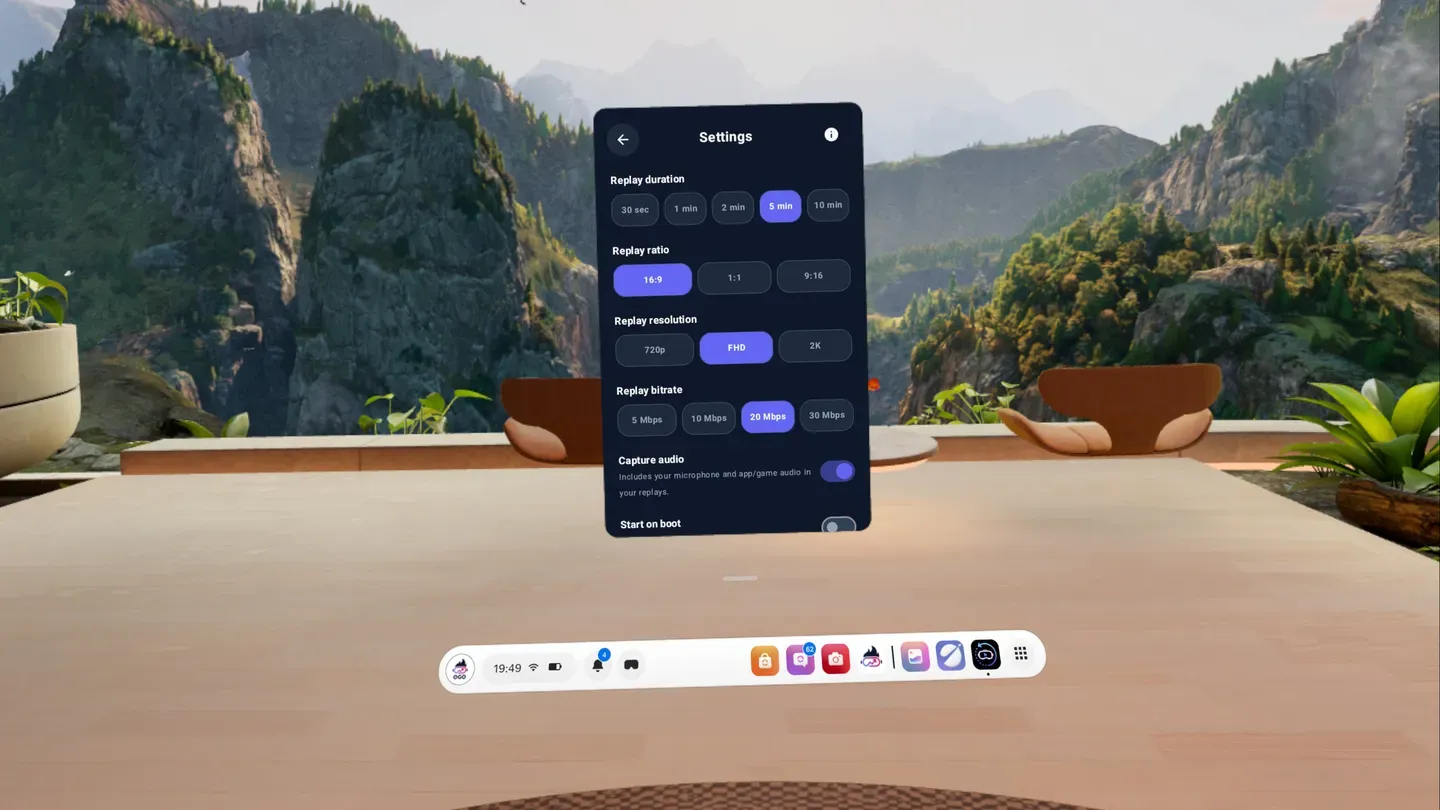
The application offers a high degree of flexibility, allowing users to tailor the recording experience to their specific needs and the hardware limitations of their headset. Key features include:
- Adjustable Buffer Duration: Users can define the length of the "replay" window, ranging from a quick 30-second clip to a comprehensive 10-minute recording.
- Resolution and Aspect Ratio: The app supports various resolutions and aspect ratios, moving beyond the standard 1:1 square format often found in native Quest recordings. This is particularly useful for creators looking to produce 16:9 widescreen content or 9:16 vertical clips for social media platforms like TikTok and YouTube Shorts.
- Bitrate Control: To balance video quality against storage space and system performance, XR Replay allows for adjustable bitrates.
- Audio Toggling: Users can independently toggle the capture of in-game audio and microphone input, ensuring that voice reactions are captured or excluded as desired.
- Boot Integration: An optional setting allows XR Replay to launch automatically when the headset is powered on, ensuring the recording buffer is always active without manual intervention.
Currently available on the Meta Horizon Store (formerly App Lab) for a one-time purchase of $3.99, XR Replay represents a low-cost solution to a problem that Meta’s multi-billion dollar R&D department has yet to address natively.
Chronology: From Performance Optimization to Media Mastery
To understand the significance of XR Replay, one must look at the trajectory of its developer, Anagan79. The developer first rose to prominence within the VR community through the creation of "Quest Games Optimizer" (QGO).
The Legacy of Quest Games Optimizer
QGO changed the way enthusiasts used their headsets by providing a gateway to the Android-based backend of the Quest OS. It allowed users to manually overclock the CPU and GPU, increase the texture resolution, and adjust the refresh rate of individual games. For many, QGO became the first "must-have" third-party application, proving that the Quest hardware was capable of much higher fidelity than Meta’s default settings allowed.
Identifying the Capture Gap
Throughout 2023 and early 2024, the Quest community frequently voiced a specific grievance: the native recording tool was cumbersome. To record a clip, a user had to open the universal menu, select the camera icon, and start recording before the action happened. This led to hours of "junk" footage being recorded in hopes of catching a single highlight, which in turn exhausted the Quest’s limited internal storage and placed a constant drain on the battery.
The Development of XR Replay
Anagan79 began development on XR Replay as a spiritual successor to the technical philosophy of QGO—giving users control over the Quest’s hardware that the native UI obscures. The goal was to replicate the "ShadowPlay" experience (NVIDIA’s PC-based recording software) within the constraints of a mobile chipset. After several months of private beta testing to ensure the background process didn’t cause system crashes or severe frame drops, XR Replay was officially released to the public in late 2024.
Supporting Data: Technical Hurdles and Performance Considerations
Running a background recording service on a mobile processor like the Snapdragon XR2 (found in the Quest 2) or the XR2 Gen 2 (found in the Quest 3) is a significant technical challenge. Most mobile OS architectures are designed to suspend or kill background processes to save power and prioritize the active application.
The Buffer Mechanism
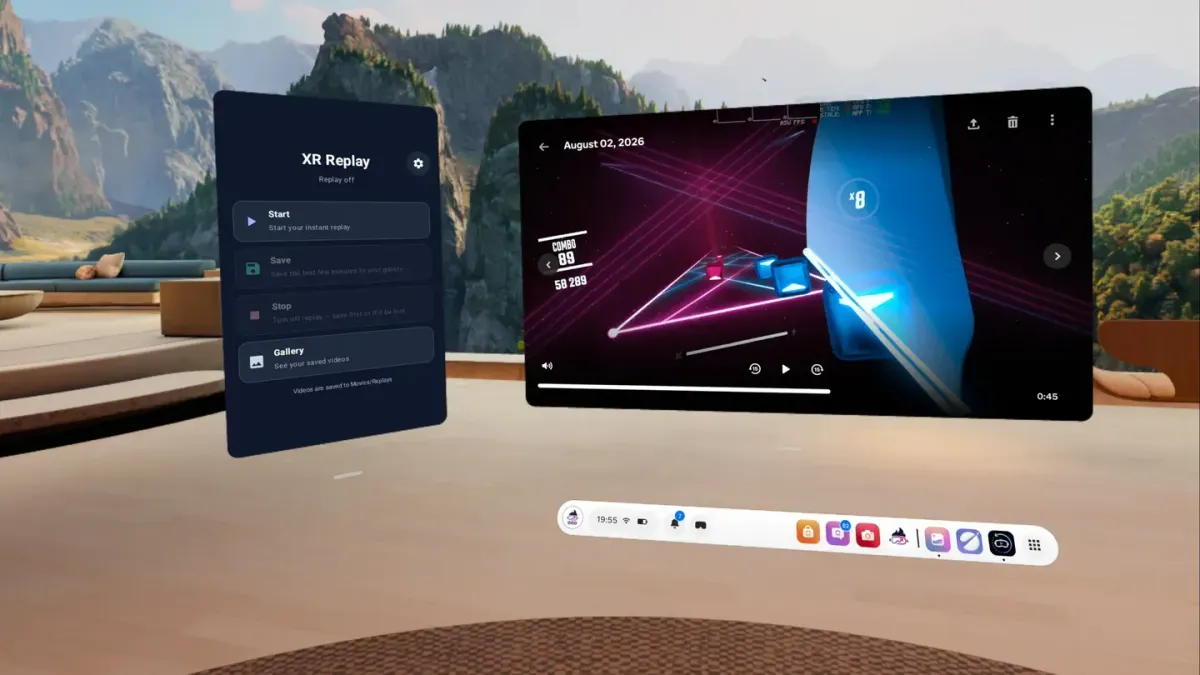
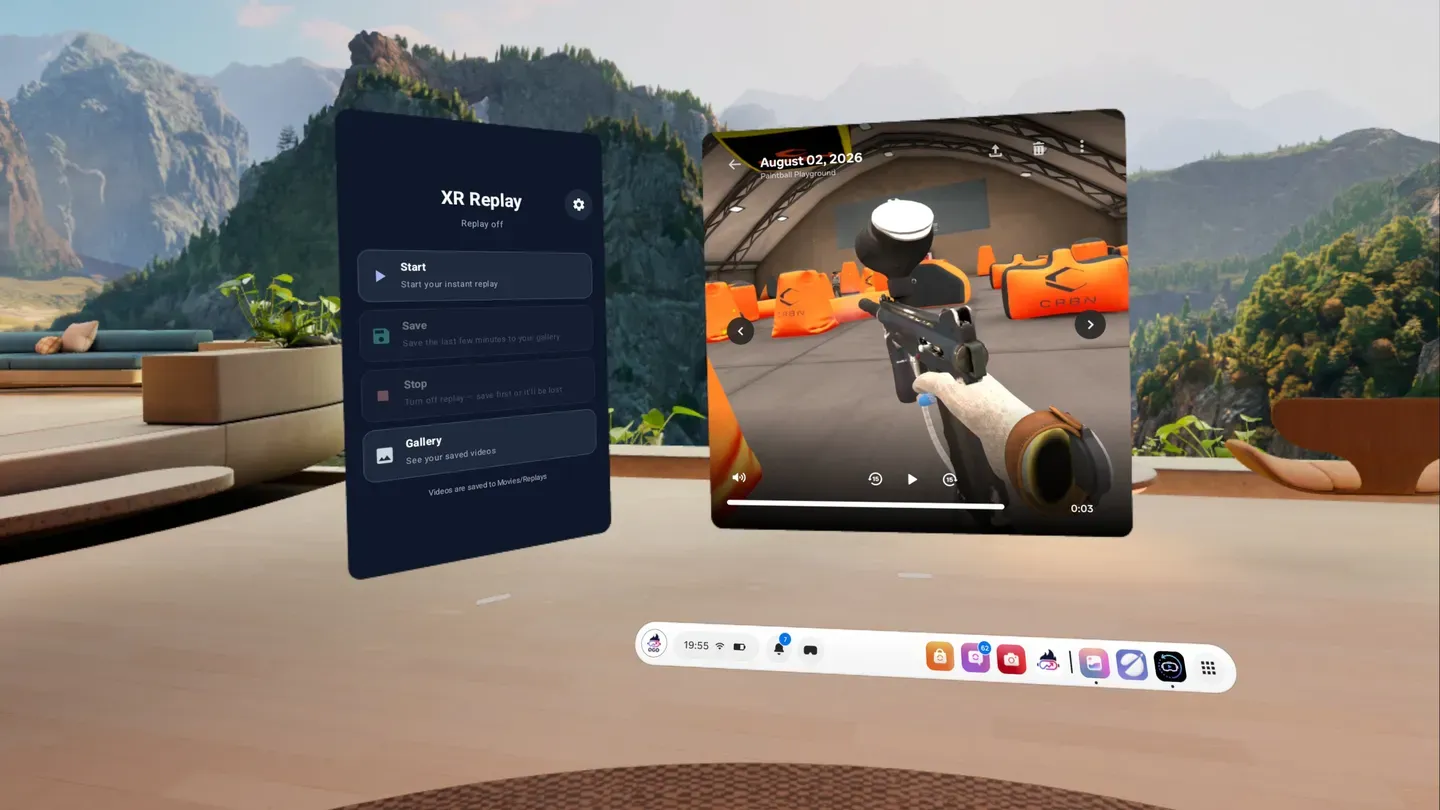
XR Replay operates by utilizing a "circular buffer" in the system’s RAM or temporary cache. Instead of writing a continuous file to the internal storage (which would wear out the flash memory over time), it keeps a volatile stream of data. Only when the user hits "Save" is that data encoded and moved to the permanent /Movies/ directory on the device.
Performance Impact
While official benchmarks are still being aggregated, early technical analysis suggests the following:
- Quest 3 Performance: Due to the increased RAM and GPU overhead of the Quest 3, XR Replay appears to run with negligible impact on frame rates in most titles.
- Quest 2 Limitations: On older hardware, users may need to lower the bitrate or resolution of the recording to avoid "stutter" in high-demand games like Asgard’s Wrath 2.
- Battery Consumption: Continuous encoding does incur a battery penalty. Estimates suggest a 5% to 10% faster battery drain when the app is active, a trade-off many users find acceptable for the benefit of retroactive capture.
Official Responses and Community Reception
The release of XR Replay has sparked a wave of discussion across VR forums and social media.
Developer Statement
In notes accompanying the launch, Anagan79 emphasized that the app was built out of a personal need for better content tools. "The goal was to make the Quest feel less like a closed toy and more like a professional gaming console," the developer noted. They also confirmed that they are actively monitoring feedback to optimize the app for "V69" and future versions of the Meta Quest firmware.
Community Reaction
The reception has been overwhelmingly positive, particularly among the "Power User" demographic. Influencers on X (formerly Twitter) and Reddit’s /r/OculusQuest have praised the app for its "set it and forget it" nature.
However, some users have raised concerns regarding privacy. Since the app has permission to record the screen and microphone in the background, there is a natural hesitation. Anagan79 has addressed this by clarifying that the app functions entirely offline and does not transmit data to external servers—a claim supported by the app’s lack of unnecessary network permissions.
Meta’s Stance
As of this writing, Meta has not issued an official statement regarding XR Replay. Historically, Meta has had a complicated relationship with third-party optimization tools. While they eventually integrated some features of the "SideQuest" ecosystem into their own store, they have also been known to "Sherlock" popular third-party apps—releasing their own native versions of the software and rendering the third-party option obsolete.
Implications: The Future of VR Content Creation
The introduction of XR Replay carries broader implications for the VR industry and the way we consume virtual media.
1. The Democratization of Highlights
Before XR Replay, high-quality VR highlights were largely the domain of PCVR players who could use OBS or ShadowPlay. Standalone Quest players were often relegated to low-quality, manually started clips. By leveling the playing field, we can expect a surge in high-quality "organic" VR content on social media, which serves as free marketing for VR developers.
2. Pressure on Meta
XR Replay serves as a proof-of-concept that retroactive recording is possible on standalone hardware. This puts pressure on Meta to include a similar feature in the native Quest OS. If a third-party developer can achieve this for $3.99, users will increasingly question why a company with Meta’s resources has not provided it as a free system update.
3. A New Tool for QA and Bug Reporting
Beyond entertainment, XR Replay has significant utility for game developers. Testing in VR is notoriously difficult because bugs are often hard to replicate. With XR Replay, a QA tester who encounters a rare glitch can simply "Save Replay" and provide the developers with a perfect video record of the minutes leading up to the crash.
4. Storage Management Challenges
As users begin saving 10-minute clips at high bitrates, storage management will become a critical issue. The base 128GB Quest 3 can fill up rapidly with high-definition video files. This may drive a secondary market for cloud-syncing tools or encourage Meta to improve their own "Media Sync" feature in the Meta Horizon mobile app.
Conclusion
XR Replay is more than just a utility; it is a significant quality-of-life upgrade that fills a glaring hole in the Meta Quest feature set. By leveraging the technical expertise gained from Quest Games Optimizer, Anagan79 has provided the VR community with a tool that changes how we preserve our digital experiences.
While we wait to see if Meta will eventually integrate these features into the core OS, XR Replay stands as a testament to the power of the independent developer community. For $3.99, it offers the peace of mind that no matter what happens inside the headset, the "moment" is never truly lost. As the VR industry continues to evolve, tools like XR Replay will be instrumental in bridging the gap between niche enthusiast hardware and a mainstream, user-friendly gaming ecosystem.