
PixiEditor 2.1 Revolutionizes 2D Graphics: A Deep Dive into the Latest Release of the Free and Open-Source Powerhouse
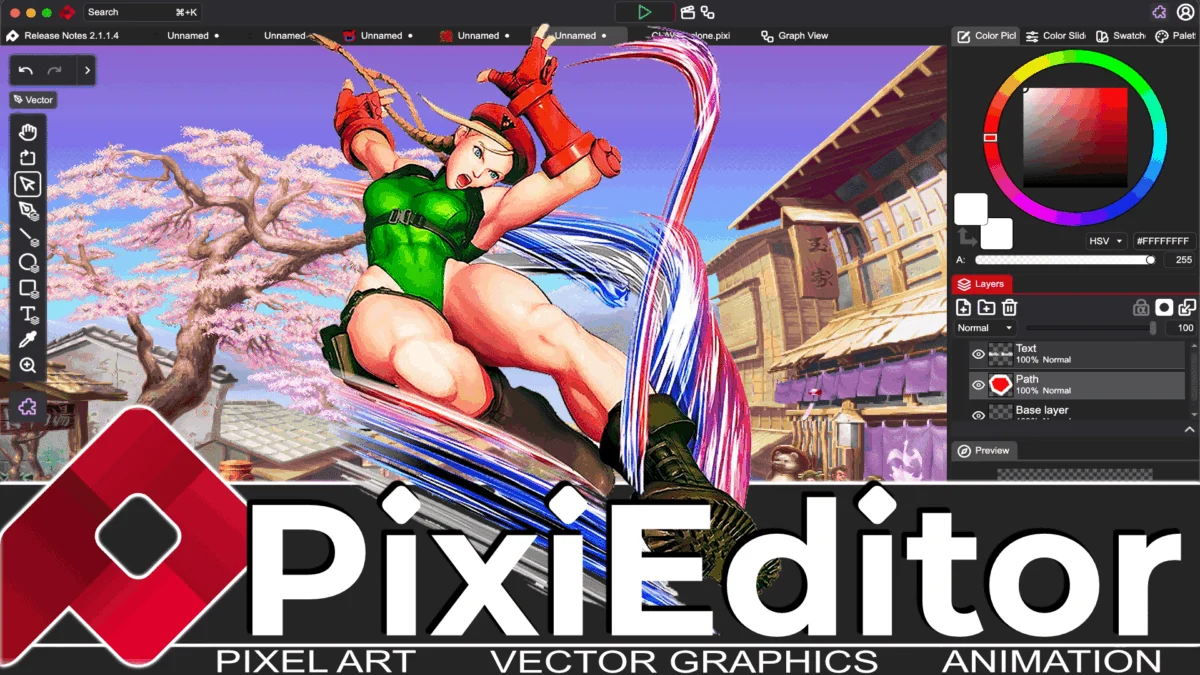
San Francisco, CA – April 30, 2026 – PixiEditor, the acclaimed free and open-source, cross-platform 2D graphics application, has once again raised the bar with the release of its latest major update, PixiEditor 2.1. This comprehensive overhaul introduces a suite of groundbreaking features and enhancements, further solidifying its position as a versatile and powerful all-in-one solution for artists, designers, and developers. From an entirely reimagined node-based brush engine to advanced painting systems and customizable toolsets, PixiEditor 2.1 empowers creators with unprecedented flexibility and control over their digital art workflows.
First brought to the attention of the wider creative community in 2025, PixiEditor quickly garnered acclaim for its ambitious integration of traditional 2D painting, pixel art, animation, and vector graphics within a unified, graph-based procedural system. This innovative architecture has always been the cornerstone of its power and adaptability. Now, with version 2.1, the development team has delivered a release that not only builds upon this strong foundation but introduces transformative new capabilities that promise to redefine how users approach 2D digital art.
A New Era of Brush Creation: The Node-Based Brush Engine
At the heart of PixiEditor 2.1 lies a completely revamped procedural node-based brush engine. This is not merely an incremental update; it represents a paradigm shift in brush creation. Gone are the days of wrestling with complex, rigid brush settings. PixiEditor 2.1’s node-based system allows users to construct virtually any brush imaginable by connecting various nodes, each representing a specific brush characteristic or behavior.
This modular approach grants an extraordinary level of control. Artists can now create brushes that are dynamically responsive to a multitude of factors. Imagine a brush that changes its texture and density based on pen pressure, tilt, or even the time of day within the software. Brushes can react to the data from other layers, allowing for intricate effects where one element influences the rendering of another. Furthermore, the engine supports responsiveness to temporal data, opening up exciting possibilities for animation and dynamic visual effects.
The integration of this node-based engine with the Pen Tool UI is seamless. Users can expose specific brush parameters directly to the Pen Tool, enabling real-time adjustments and experimentation during the creative process. The flexibility extends even further, with the potential for brushes to support custom shaders, allowing for the creation of truly unique and visually stunning effects that push the boundaries of traditional digital painting. This level of customization is a game-changer for artists seeking to develop signature styles and push their creative expression to new heights.
Enhancing the Painting Experience: Precision and Stability
Beyond the revolutionary brush engine, PixiEditor 2.1 introduces significant enhancements to its core painting systems. The painting engine itself has been refined for greater precision, ensuring that every stroke is rendered with exceptional accuracy and fidelity. This meticulous attention to detail is crucial for artists who rely on nuanced control over their digital canvases.
Complementing the enhanced precision are new stroke stabilization features. Recognizing the importance of smooth, controlled lines, especially for intricate artwork or when working with graphics tablets, PixiEditor 2.1 offers both time-based and distance-based stroke stabilization. The time-based stabilizer smooths strokes by analyzing the movement over a short duration, while the distance-based stabilizer achieves a similar effect by considering the distance the cursor travels. This dual approach caters to a wider range of artistic preferences and working styles, ensuring that users can achieve the clean, deliberate lines they desire.
Unlocking Creative Potential: Customizable Toolsets and Brush Management
PixiEditor 2.1 empowers users with unparalleled control over their creative environment through highly customizable toolsets and brush management. Artists can now create their own bespoke brushes, meticulously tailoring them to specific projects or personal preferences. These custom brushes can then be organized into user-defined toolsets, allowing for a streamlined and efficient workflow.
This feature is particularly valuable for professionals who work across diverse projects, each demanding a unique set of tools and brush types. The ability to quickly switch between specialized toolsets, pre-populated with the exact brushes needed for a particular task, significantly reduces setup time and allows artists to remain in a state of creative flow. The days of digging through endless menus to find the right brush are over; PixiEditor 2.1 puts the tools you need right at your fingertips, organized exactly how you want them.
Introducing the Adjustment Toolset: Powerful Raster Graphics at Your Command
A significant addition to PixiEditor 2.1 is the introduction of the "Adjustment Toolset." This new toolset mode, positioned alongside existing modes like Pixel Art, Vector, and Painting, is dedicated to powerful raster graphics manipulation. It brings a suite of essential and advanced image adjustment tools directly into the PixiEditor environment, further enhancing its all-in-one capabilities.
The Adjustment Toolset includes a comprehensive array of tools designed to refine and enhance raster images. Users will find familiar yet potent tools such as blur, sharpen, smudge, and brightness adjustments. These tools are not merely basic implementations; they are integrated with the same precision and control that PixiEditor is known for, allowing for subtle refinements or dramatic transformations. This means artists can now perform essential post-processing and image correction directly within PixiEditor, eliminating the need to switch between multiple applications for common editing tasks.
Expanding the Ecosystem: New Paid Extensions
While PixiEditor remains steadfastly committed to its free and open-source ethos, version 2.1 also marks the introduction of a selection of new, fully optional, paid extensions. These extensions are designed to cater to specific, more specialized workflows and offer advanced functionalities that complement the core application.
Among the notable new paid extensions are the Skybox Designer, aimed at game developers and 3D artists who need to create immersive skyboxes for their projects. The Normal Map Generator provides tools for creating essential normal maps for 3D rendering, adding depth and realism to virtual environments. Additionally, an Advanced Pixel Art toolset is available for those who require highly specialized features for their pixel art creations. These paid extensions represent a thoughtful expansion of PixiEditor’s capabilities, offering powerful, niche tools for users who require them, while ensuring the core application remains accessible to all.
A Familiar Face in a New Form: The Mushy Advisor
In a charming and perhaps slightly nostalgic nod to the past, PixiEditor 2.1 introduces the "Mushy Advisor." This interactive helper, bearing a striking resemblance to the famously (and sometimes infamously) helpful Clippy from Microsoft Office, takes the form of a friendly mushroom character. While its primary purpose is to provide assistance and guidance within the application, some users may find its persistent presence a touch overwhelming. For those who prefer a more minimalist interface, the absence of an immediate option to ban the Mushy Advisor to the "netherworld" might be a minor point of contention. Nevertheless, its intention is to enhance user experience and guide newcomers through the application’s extensive features.
A Wealth of Additional Improvements
Beyond the headline features, PixiEditor 2.1 is packed with numerous other enhancements that contribute to a more robust and user-friendly experience. The update includes:
- Improved SVG Support: Further enhancements to Scalable Vector Graphics (SVG) import and export capabilities ensure greater compatibility and fidelity when working with vector assets.
- Blackboard Functionality: A new "Blackboard" feature offers a dedicated space for sketching, brainstorming, or making quick notes directly within PixiEditor, facilitating a more integrated creative process.
- Smart Layers: The introduction of "Smart Layers" brings non-destructive editing capabilities to PixiEditor, allowing users to apply adjustments and effects to layers without permanently altering the original pixel data.
- Animation Timeline Enhancements: The animation timeline has received significant improvements, offering a more intuitive and efficient workflow for animators. This includes finer control over keyframes, playback options, and overall timeline management.
These additions, alongside a multitude of smaller bug fixes and performance optimizations, make PixiEditor 2.1 a truly comprehensive and compelling update.
A Testament to Open-Source Collaboration
The continuous evolution of PixiEditor is a powerful testament to the strength and vibrancy of the open-source community. The dedication of its developers and the contributions of numerous collaborators have transformed PixiEditor from a promising application into a leading force in the 2D graphics landscape. Its commitment to being free and open-source ensures accessibility for a global audience of creators, fostering innovation and democratizing access to professional-grade digital art tools.
Looking Ahead
PixiEditor 2.1 represents a significant leap forward for the application, offering a wealth of new features and refinements that cater to a broad spectrum of creative needs. The introduction of the node-based brush engine, the enhanced painting systems, and the customizable toolsets empower artists with unprecedented control and flexibility. As PixiEditor continues to evolve, it solidifies its position as an indispensable tool for anyone working with 2D digital art, proving that powerful, feature-rich creative software can indeed be free and accessible to all.
Key Links for PixiEditor 2.1:
- PixiEditor Homepage: https://pixieditor.net/
- PixiEditor 2.1 Release Details: https://pixieditor.net/blog/2026/04/30/21-release
- PixiEditor on GitHub: https://github.com/PixiEditor/PixiEditor
- PixiEditor Discord Server: https://discord.gg/tzkQFDkqQS
For a visual demonstration of PixiEditor 2.1’s capabilities, users can refer to the detailed video demonstration available below. For those with limited time, a concise short video also provides a quick overview of the latest advancements.
[Link to Full Video Demonstration]
[Link to Short Video Overview]


Leave a Comment