Unity Unleashes Powerful Command Line Interface, Revolutionizing Game Development Workflow
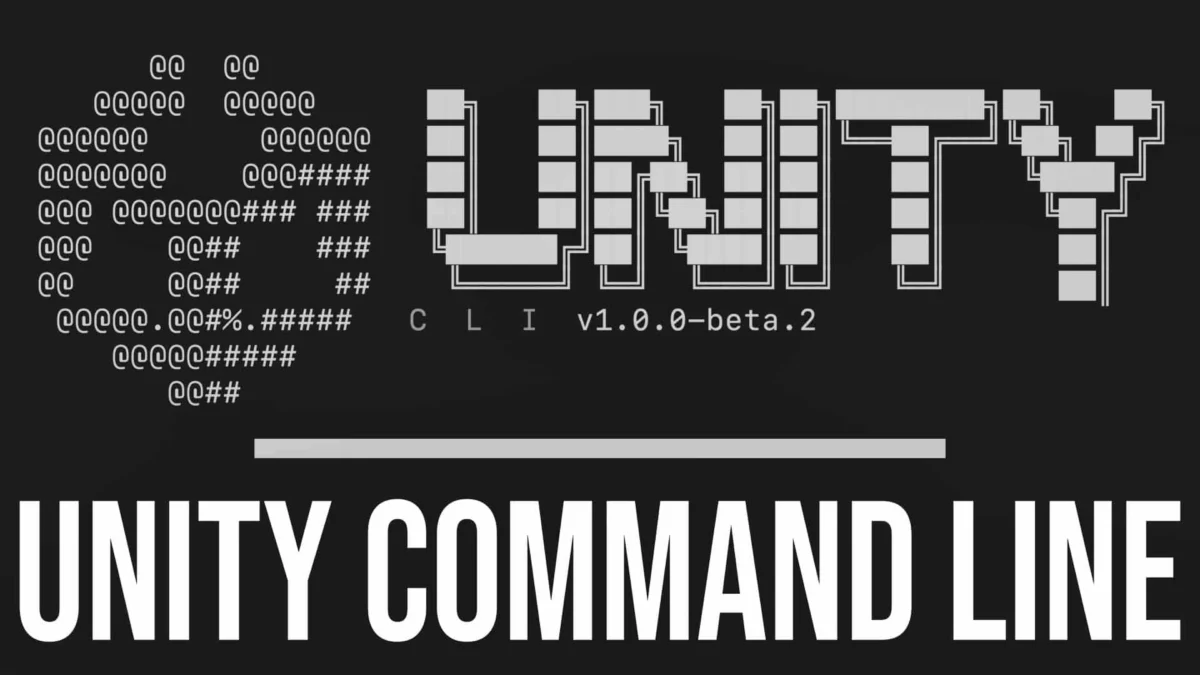
Seoul, South Korea – Unity Technologies, a global leader in interactive 3D content creation, has unveiled a groundbreaking new product that promises to fundamentally reshape how developers interact with its ubiquitous game engine. At the recent Unity Unite/2026 Seoul conference, the company announced the official release of Unity CLI, a comprehensive command-line interface designed to unify and empower the entire Unity ecosystem. This ambitious initiative extends its control to the editor, hub, cloud services, analytics, and beyond, offering unprecedented automation and flexibility for developers of all levels.
Complementing the robust Unity CLI is the introduction of the Unity Pipeline, a new installable module that significantly amplifies the CLI’s capabilities. This dynamic duo represents a significant leap forward, moving beyond traditional graphical user interfaces (GUIs) to embrace the power and efficiency of the command line for a vast array of development tasks.
The Dawn of a Unified Command Line Ecosystem
For years, Unity has been the go-to engine for millions of developers worldwide, powering everything from indie games to AAA blockbusters and immersive enterprise applications. However, managing the various facets of the Unity development workflow, from editor installations and project creation to cloud builds and analytics reporting, has historically relied heavily on GUI-based interactions. While intuitive for beginners, this approach can become a bottleneck for experienced developers seeking to automate repetitive tasks, integrate with CI/CD pipelines, or simply work with greater speed and precision.
Unity CLI directly addresses this challenge by providing a single, powerful command-line interface for the entire Unity platform. This means developers can now manage their Unity installations, create new projects from templates, launch and control the Unity editor, interact with Unity Cloud Build, access analytics data, and much more, all without ever needing to open a graphical window. This unification is a pivotal moment, consolidating disparate tools and workflows into a cohesive, scriptable experience.
A Deep Dive into Unity CLI’s Capabilities
While a brief summary might understate its potential, the true power of Unity CLI lies in its extensive feature set and its ability to integrate seamlessly with other development tools. Developers can now leverage the CLI to:
- Manage Unity Editor Installations: Effortlessly install, update, and uninstall various Unity Editor versions and modules directly from the command line. This is a game-changer for teams working with multiple projects requiring different engine versions or for individuals who frequently experiment with new releases.
- Automate Project Creation and Management: Generate new projects from pre-defined templates, clone existing projects, and perform routine project maintenance tasks with simple commands. This streamlines the onboarding process for new team members and accelerates the initial setup of any development endeavor.
- Control the Unity Editor: Launch the Unity Editor in various modes, including play mode, batch mode for builds, and headless mode for automated testing. This allows for sophisticated automation of testing, building, and deployment processes.
- Integrate with Unity Cloud Build: Trigger builds, monitor their status, and retrieve build artifacts directly through the CLI, enabling seamless integration into continuous integration and continuous deployment (CI/CD) pipelines.
- Access Unity Analytics: Query and retrieve analytics data, allowing developers to monitor game performance and player behavior programmatically. This opens up new avenues for data-driven decision-making and in-game adjustments.
- Extend Functionality with the Unity Pipeline: The newly released Unity Pipeline module acts as a powerful extension for the Unity CLI. By installing this module into a project, developers unlock even more advanced functionalities and customization options, allowing them to tailor the CLI’s behavior to specific project needs. This modular approach ensures that the CLI remains adaptable and scalable.
A Chronology of Command-Line Evolution
While Unity CLI is a new formal release, the journey towards a more command-line-centric approach has been a gradual evolution within the Unity ecosystem. Developers have long utilized command-line arguments for specific tasks, such as initiating builds in batch mode or running tests. However, these were often fragmented solutions, requiring separate commands and scripts for each function.
The announcement of Unity CLI marks a significant departure from this fragmented past, representing a deliberate and comprehensive strategy to consolidate and expand command-line capabilities. The "beta" channel installation option, as highlighted by the provided commands, suggests an ongoing development and refinement process, allowing early adopters to contribute to its maturation.
The provided installation instructions offer a clear pathway for developers to engage with the new technology:
For macOS and Linux users:
curl -fsSL https://public-cdn.cloud.unity3d.com/hub/prod/cli/install.sh | UNITY_CLI_CHANNEL=beta bashThis command downloads and executes an installation script, specifying the beta channel for access to the latest features.
For Windows users:
$env:UNITY_CLI_CHANNEL='beta'; irm https://public-cdn.cloud.unity3d.com/hub/prod/cli/install.ps1 | iexSimilarly, this PowerShell command fetches and runs the installation script for Windows, also targeting the beta channel.
This immediate availability of a beta version underscores Unity’s commitment to rapid iteration and developer feedback. The company is clearly eager to see how the community will leverage this new tool and incorporate their insights to shape its future development.
Supporting Data: The Growing Demand for Automation
The release of Unity CLI is not an isolated event but rather a response to a growing industry trend and an increasing demand from developers for more efficient and automated workflows. The rise of DevOps principles, continuous integration and continuous deployment (CI/CD), and the need for scalable development pipelines have all contributed to the necessity for robust command-line tooling.
Consider the following:
- CI/CD Integration: For studios and individual developers aiming for efficient release cycles, integrating Unity builds into CI/CD pipelines is paramount. Unity CLI, with its ability to trigger builds, manage dependencies, and report on build status via commands, makes this integration significantly smoother. This allows for automated testing and deployment, reducing manual errors and accelerating time-to-market.
- Cross-Platform Development: Managing different Unity editor versions and configurations across multiple development machines or build servers can be a logistical challenge. Unity CLI simplifies this by providing a consistent way to install and manage these environments, ensuring reproducibility and reducing configuration drift.
- Large-Scale Projects: As projects grow in complexity and team size, the need for standardization and automation becomes critical. Unity CLI empowers teams to enforce coding standards, manage project settings, and execute complex build processes with predictable outcomes.
- Headless Operations: For tasks like automated testing, asset processing, or server-side logic execution, running the Unity editor in a headless (GUI-less) mode is essential. Unity CLI facilitates this, allowing these operations to be performed on servers or in cloud environments without the need for a graphical display.
The introduction of the Unity Pipeline further amplifies these benefits. While specific details of the Pipeline’s capabilities are still emerging, its ability to "massively increase what the CLI is capable of doing" suggests a modular and extensible architecture. This could include advanced build configurations, custom scripting hooks, specialized asset processing tools, or integrations with third-party services, all controllable via the CLI.
Official Responses and Developer Sentiment
Unity Technologies has consistently emphasized its commitment to empowering developers and fostering innovation. The release of Unity CLI aligns perfectly with this mission, reflecting a deep understanding of the evolving needs of the game development and interactive content creation industries.
"We are incredibly excited to introduce Unity CLI and the Unity Pipeline to our developer community," stated a representative from Unity Technologies during the Unite/2026 Seoul conference. "We’ve heard the calls for more streamlined workflows and greater automation, and Unity CLI is our answer. This is about giving developers more control, more flexibility, and ultimately, more time to focus on what they do best: creating amazing experiences. The Unity Pipeline further enhances this by providing a powerful foundation for extending the CLI’s capabilities to meet the unique demands of any project."
Early reactions from the developer community, as observed in forums and social media discussions, have been largely positive, with many expressing enthusiasm for the potential of the new CLI. Developers have long sought a more integrated and scriptable approach to Unity development, and Unity CLI appears to deliver on this promise.
"This is a game-changer for our studio," commented a lead developer from an independent game studio. "We’ve been struggling to fully automate our build and deployment processes, and the Unity CLI looks like it will finally give us the tools we need. Being able to manage everything from the command line will save us so much time and reduce the risk of human error."
Implications for the Future of Game Development
The introduction of Unity CLI and the Unity Pipeline carries significant implications for the future of game development and interactive content creation.
- Democratization of Advanced Workflows: By making powerful automation tools accessible through a command line, Unity is effectively lowering the barrier to entry for advanced development practices. This empowers smaller teams and individual developers to implement sophisticated workflows that were previously only feasible for larger, well-resourced studios.
- Enhanced Collaboration and Standardization: The CLI promotes consistency across development teams. When everyone uses the same commands and scripts, it ensures that projects are built and configured in a uniform manner, reducing "it works on my machine" issues and fostering better collaboration.
- Accelerated Innovation Cycles: With the ability to automate repetitive tasks and integrate seamlessly with CI/CD pipelines, developers can iterate faster, test more thoroughly, and deploy updates more frequently. This agility is crucial in today’s fast-paced market.
- New Avenues for Tooling and Integrations: The extensibility of the Unity Pipeline suggests a future where third-party developers and tool creators can build specialized CLI modules and integrations, further expanding the ecosystem’s capabilities. This could lead to a vibrant marketplace of command-line tools tailored for specific development needs.
- The Rise of "Code-First" Development: As the CLI gains traction, we may see a shift towards a more "code-first" approach to game development, where much of the initial setup, configuration, and even some gameplay logic can be defined and managed through scripts and commands, complementing the visual editor.
The provided video link offers a compelling demonstration of Unity CLI and the Unity Pipeline in action, showcasing the entire workflow from installing a Unity editor and creating a new project with templates to running the project, installing the pipeline module, and controlling the editor – all entirely from the command line. This visual evidence reinforces the transformative potential of these new tools.
In conclusion, Unity CLI, coupled with the innovative Unity Pipeline, represents a pivotal moment for the Unity ecosystem. It signifies a commitment to embracing modern development paradigms and empowering developers with unprecedented control and efficiency. As this technology matures and gains wider adoption, it is poised to revolutionize how games and interactive experiences are created, ushering in an era of more streamlined, automated, and ultimately, more creative development.