Blender 5.2 Beta Ushers in a New Era of Creative Possibilities with Groundbreaking Features
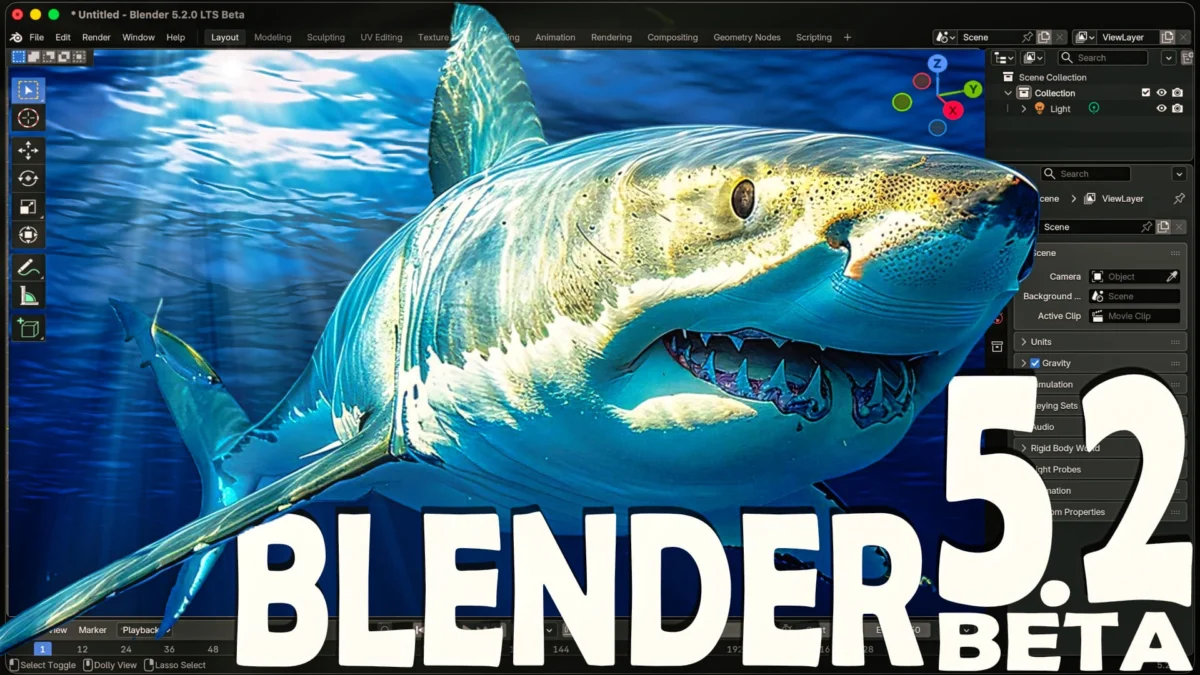
Amsterdam, Netherlands – [Date] – The Blender Foundation has ignited the creative world with the recent release of Blender 5.2 Beta, alongside the early glimpse of Blender 5.3 Alpha. This latest iteration of the widely acclaimed open-source 3D creation suite marks a significant leap forward, introducing a raft of powerful and innovative features designed to streamline workflows, unlock new artistic avenues, and enhance the overall user experience. From revolutionizing asset management to introducing cutting-edge simulation systems and bolstering core functionalities, Blender 5.2 Beta promises to empower artists, animators, and developers with unprecedented creative control.
The release, which has been met with palpable excitement within the digital art community, showcases a deliberate focus on enhancing both the technical underpinnings and the creative output capabilities of Blender. While the full changelog boasts hundreds of refinements and bug fixes, a select group of highlight features are poised to make the most immediate and profound impact on users. This in-depth exploration delves into these key advancements, examining their technical merits, practical applications, and the broader implications for the future of 3D content creation.
A Deep Dive into the Pillars of Blender 5.2 Beta
The Blender Foundation has meticulously curated a release that addresses long-standing user requests while pushing the boundaries of what’s possible in a free and open-source software environment. The following sections will dissect the most impactful new features, providing context, technical details, and an outlook on their potential.
H2: Revolutionizing Asset Management: Remote Asset Libraries and Enhanced Organization
One of the most significant workflow improvements introduced in Blender 5.2 Beta is the introduction of Remote Asset Libraries. This groundbreaking feature allows users to host their asset libraries across a network, opening up a world of collaborative and scalable asset management. No longer are users tethered to local storage for their reusable assets. This capability is a game-changer for studios and teams of any size, enabling seamless sharing of materials, models, rigs, and other creative elements across multiple workstations.
The implications are far-reaching. For large animation studios, this means centralized control and management of vast asset libraries, ensuring consistency and reducing redundant work. For freelance artists and smaller teams, it offers a flexible and efficient way to collaborate and access shared resources. The ability to serve assets from a dedicated server or even cloud storage dramatically improves project turnaround times and fosters a more integrated creative process.
Furthermore, the built-in asset libraries have undergone a substantial reorganization. This revamping not only makes it easier for users to navigate and discover existing assets but also introduces several new assets to the "Essential" library, particularly for those who enable network access. This proactive approach to content provision ensures that users have readily available, high-quality assets at their fingertips, accelerating the initial stages of project development and providing a solid foundation for more complex creations. The integration of network access as a key consideration in this reorganization signals a forward-thinking approach to how Blender will be utilized in increasingly connected and collaborative environments.
H2: The Dawn of Node-Driven Simulations: Dynamic Cloth and Hair Systems
The realm of physical simulations in Blender has been dramatically expanded with the introduction of new dynamic cloth and hair systems powered by nodes. While currently in their experimental and early stages, these systems represent a powerful and exciting foundation for the future of node-driven simulations. This move signifies Blender’s commitment to embracing a nodal workflow, offering artists a more granular and procedural approach to complex simulations.
Traditionally, cloth and hair simulations in 3D software have often relied on complex parameter adjustments and direct manipulation. The node-driven approach, however, allows for a more intuitive and flexible creation process. Users can now build custom simulation behaviors by connecting various nodes, offering unprecedented control over the nuances of fabric dynamics and hair movement. This opens up possibilities for highly stylized and unique visual effects that were previously difficult or impossible to achieve.
The initial implementation of these systems, though experimental, demonstrates a clear vision for the future. As these node systems mature, they are expected to offer enhanced performance, greater artistic control, and more predictable results. This development is particularly significant for character animators, VFX artists, and anyone seeking to create realistic or stylized dynamic elements within their scenes. The ability to bake these simulations or even drive them in real-time opens up new avenues for interactive experiences and procedural animation.
H2: Essential Tools Integrated: The Core Inclusion of Loop Tools
A long-awaited and highly celebrated addition to Blender 5.2 Beta is the official integration of the popular "Loop Tools" add-on into the core of the software, rewritten in C++ for optimal performance. For years, Loop Tools has been an indispensable tool for 3D modelers, offering a suite of powerful functions for manipulating edge loops and vertices with unparalleled ease and precision. Its inclusion as a native feature signifies a major win for the modeling community.
The core functionalities that have been implemented in Blender 5.2 include "To Circle," "Space Edge Loops Evenly," and "Flatten." These tools are fundamental for tasks such as creating perfectly circular extrusions, distributing geometry uniformly, and creating planar surfaces. The "To Circle" operator, for instance, allows for the creation of perfectly round holes or perfectly circular profiles for objects. "Space Edge Loops Evenly" is invaluable for retopology and ensuring consistent polygon density, crucial for animation and deformation. "Flatten" provides a quick and efficient way to create flat surfaces from selected geometry, streamlining hard-surface modeling workflows.
The decision to rewrite Loop Tools in C++ underscores the Blender Foundation’s commitment to performance. This native implementation ensures that these powerful modeling tools will run faster and more efficiently, further enhancing the overall modeling experience. With more Loop Tools functionalities reportedly in progress for future releases, the integration promises to become an even more robust and indispensable part of Blender’s modeling toolkit. This move not only validates the enduring utility of the add-on but also streamlines the user experience by removing the need for external installations for such a widely used feature.
H2: Unleashing Visual Effects: The Compositor in the NLE
Blender’s integrated Non-Linear Video Editor (NLE), often referred to as the Video Sequence Editor (VSE), has received a significant overhaul in Blender 5.2 Beta, with a particular emphasis on bridging the gap between video editing and advanced compositing. The most transformative update in this regard is the ability to expose clips within the NLE directly to Blender’s powerful compositing system.
This integration is a monumental step forward for filmmakers, motion graphics artists, and visual effects professionals. Previously, integrating complex visual effects into video sequences often required exporting footage from the NLE, compositing it in the Blender Compositor, and then re-importing the rendered elements back into the NLE. This iterative and often cumbersome process could significantly slow down production.
With Blender 5.2 Beta, users can now select clips within the NLE and seamlessly send them to the Compositor. This allows for the application of sophisticated visual effects, color grading, motion tracking integration, and the creation of intricate visual compositions directly within the video editing timeline. This tighter integration streamlines the VFX pipeline, enabling artists to achieve complex results with greater speed and efficiency. The ability to preview composited elements in real-time within the NLE context further enhances the iterative creative process. This feature essentially transforms Blender into a more cohesive all-in-one solution for post-production, reducing the need for reliance on multiple specialized software packages.
H2: Artistic Freedom Redefined: The New Grease Pencil Fill Algorithm
The already versatile Grease Pencil, Blender’s dedicated 2D animation tool, has been significantly enhanced with the introduction of a powerful new fill algorithm based on Delaunay triangulation. This innovative algorithm unlocks a new level of artistic freedom by allowing users to fill non-closed shapes.
Traditional fill tools in 2D drawing applications often require shapes to be perfectly closed to create a solid fill. The Delaunay fill algorithm overcomes this limitation by intelligently interpreting the boundaries of an artist’s strokes, even if they are not perfectly connected. This means that artists can now create fills for more organic, sketch-like, or intentionally open shapes without the frustration of having to meticulously close every line.
The implications for 2D animation and illustration are substantial. This feature simplifies workflows for creating textured fills, adding depth to drawings, and achieving painterly effects. Artists can now experiment with more dynamic and expressive linework, knowing that they have a robust and intelligent fill tool to complement their artistic vision. This advancement not only makes Grease Pencil more forgiving for beginners but also empowers seasoned professionals with new creative possibilities for achieving unique visual styles. The underlying mathematical principles of Delaunay triangulation allow for sophisticated and aesthetically pleasing fill results, even with imperfect input.
H2: Geometry Nodes Evolve: Empty Object Application and the Long-Awaited Bevel Node
The ever-expanding and increasingly powerful Geometry Nodes system continues to be a focal point of development, and Blender 5.2 Beta brings further significant enhancements. Among the multitude of improvements, two stand out as particularly exciting: the ability to apply node graphs to empty objects and the addition of a long-awaited Bevel node.
The ability to apply Geometry Node graphs to empty objects is a subtle yet profoundly impactful change. Previously, Geometry Nodes were primarily applied to mesh objects. By allowing node graphs to be attached to empty objects, Blender opens up new possibilities for procedural scene assembly, dynamic instancing, and the creation of complex procedural systems that are not directly tied to a visible mesh. This facilitates more abstract and system-level procedural workflows, enabling artists to build intricate setups that can then drive the geometry of multiple objects or even entire scenes.
The introduction of the Bevel node is another highly anticipated feature that has finally made its way into the core of Geometry Nodes. The bevel operation is a fundamental technique in 3D modeling, used to round off sharp edges and create more realistic or aesthetically pleasing forms. Having a dedicated Bevel node within Geometry Nodes allows for procedural and animatable bevels. This means artists can create dynamic bevels that can be controlled by other nodes, animated over time, or applied to complex procedural geometry with unprecedented flexibility. This is a significant boost for hard-surface modeling, architectural visualization, and any workflow where realistic edge treatment is crucial.
These advancements in Geometry Nodes underscore Blender’s commitment to providing a powerful and flexible procedural content creation pipeline. As the system continues to mature, it is poised to become an even more central tool for artists seeking to generate complex and dynamic content efficiently.
H2: Beyond the Headlines: A Release of Substance and Scope
While the six highlighted features represent significant advancements, it is crucial to reiterate that Blender 5.2 Beta is a release packed with hundreds of additional changes, improvements, and bug fixes. These often unseen refinements contribute to the overall stability, performance, and usability of the software, making it a more robust and enjoyable tool for all users.
The Blender Foundation’s release strategy, with its beta and alpha cycles, fosters a collaborative development process. This allows users to test new features, provide valuable feedback, and contribute to the refinement of the software before its official stable release. The community’s active participation is a cornerstone of Blender’s success and ensures that the software continues to evolve in directions that are most beneficial to its user base.
H2: Looking Ahead: Implications for the Creative Landscape
The release of Blender 5.2 Beta signals more than just incremental improvements; it represents a strategic push towards greater accessibility, enhanced collaboration, and expanded creative potential. The introduction of remote asset libraries directly addresses the growing need for efficient team-based workflows in an increasingly interconnected digital landscape.
The advancements in simulation and node-based systems highlight Blender’s commitment to empowering artists with powerful, yet intuitive, tools for creating complex and dynamic content. The integration of the Compositor within the NLE and the new Grease Pencil fill algorithm democratize sophisticated visual effects and artistic techniques, making them more accessible to a wider range of creators.
As Blender continues to evolve, its open-source nature ensures that these powerful tools remain free and accessible to everyone, fostering innovation and democratizing the creation of high-quality digital content. The Blender 5.2 Beta is not just a software update; it’s a testament to the power of open collaboration and a glimpse into the future of digital artistry.
H2: Key Links and Further Exploration
For those eager to experience these groundbreaking features firsthand, the following links provide access to the latest builds and detailed information:
- Blender 5.2 Download: [Link to Blender 5.2 Beta Download]
- Blender 5.2 Release Notes: [Link to Blender 5.2 Release Notes]
To witness these exciting new features in action and gain a deeper understanding of their capabilities, viewers are encouraged to watch the accompanying video demonstration:
- Video Demonstration: https://youtu.be/zPqM9xLXKO0
The Blender Foundation’s commitment to continuous innovation and community engagement ensures that Blender remains at the forefront of digital content creation, empowering artists worldwide to bring their visions to life.