TourBox Lite: A Budget-Friendly Gateway to Streamlined Creative Workflows

In the dynamic world of digital content creation, efficiency and precision are paramount. Photographers, videographers, and graphic designers constantly seek tools that can accelerate their editing processes, allowing them to focus more on the artistic vision and less on repetitive manual tasks. The TourBox Lite emerges as a compelling contender in this arena, positioning itself as the most comprehensive editing console available at an exceptionally budget-friendly price point. While its affordability necessitates certain compromises, the Lite delivers a robust set of features that can significantly enhance the workflow of aspiring and seasoned creatives alike.
This in-depth review delves into the TourBox Lite’s capabilities, examining its form and function, value proposition, and its standing within the competitive landscape of creative editing consoles. We will explore how this device, despite its entry-level status, empowers users to customize their editing experience and unlock new levels of productivity.
Unpacking the Value: The TourBox Lite’s Promise
The TourBox Lite represents TourBox’s most accessible foray into the realm of creative editing consoles. Its core philosophy is to place frequently used tools, dials, and shortcuts within easy reach of a single hand, freeing up the other to maintain its position on a mouse or drawing tablet. This ergonomic approach aims to revolutionize editing workflows across a spectrum of popular software applications, including industry giants like Adobe Photoshop, DaVinci Resolve, and Premiere Pro. The promise is clear: a faster, more intuitive, and ultimately more enjoyable editing experience.
However, achieving this sub-£100/$100 price point naturally involves strategic feature omissions. The TourBox Lite foregoes Bluetooth connectivity, haptic feedback, and tablet compatibility, features found in its more premium siblings like the TourBox Elite. Furthermore, the number of physical controls has been streamlined compared to higher-tier models. These deliberate choices are key to making the Lite an attractive option for those on a tighter budget or new to the concept of dedicated editing consoles.
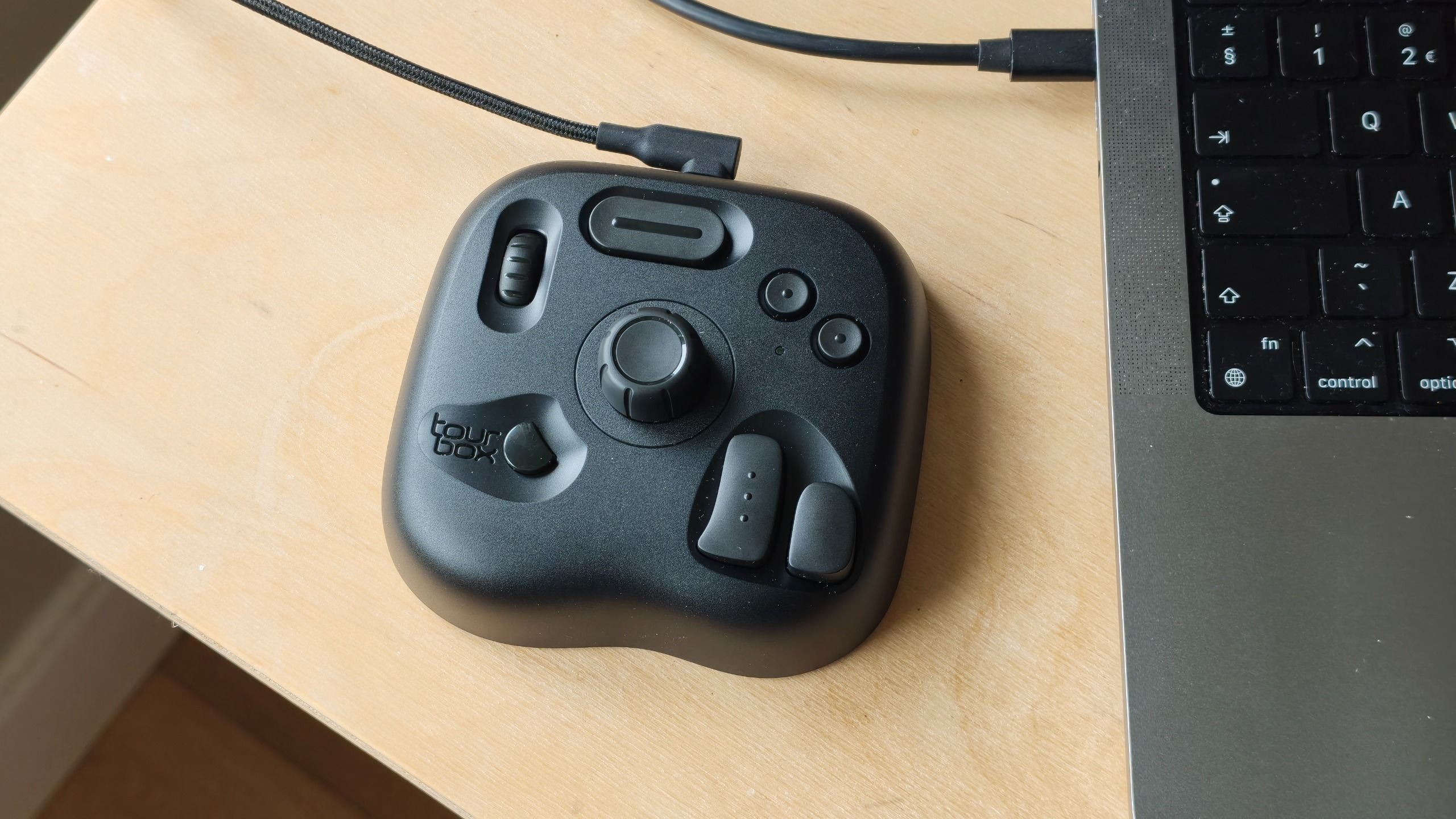
Despite these concessions, the TourBox Lite does not skimp on essential quality. Initial impressions suggest a solid build quality, a straightforward setup process, and an impressive degree of customization options. This review will explore whether these core strengths are sufficient to overcome the limitations imposed by its budget-conscious design, ultimately determining its suitability as an entry-level solution for creative professionals.
Form and Function: A Tactile Compromise for Accessibility
The TourBox Lite immediately distinguishes itself with its compact and lightweight design, making it the smallest and most portable console in the TourBox lineup. This diminutive stature contributes to a comfortable in-hand feel, allowing for extended editing sessions without fatigue. However, the exterior’s smooth plastic material, while contributing to its affordability, lacks the tactile richness and premium aesthetic found in rubberized finishes or more expensive materials. This choice, while understandable from a cost perspective, does result in a less engaging physical interaction.
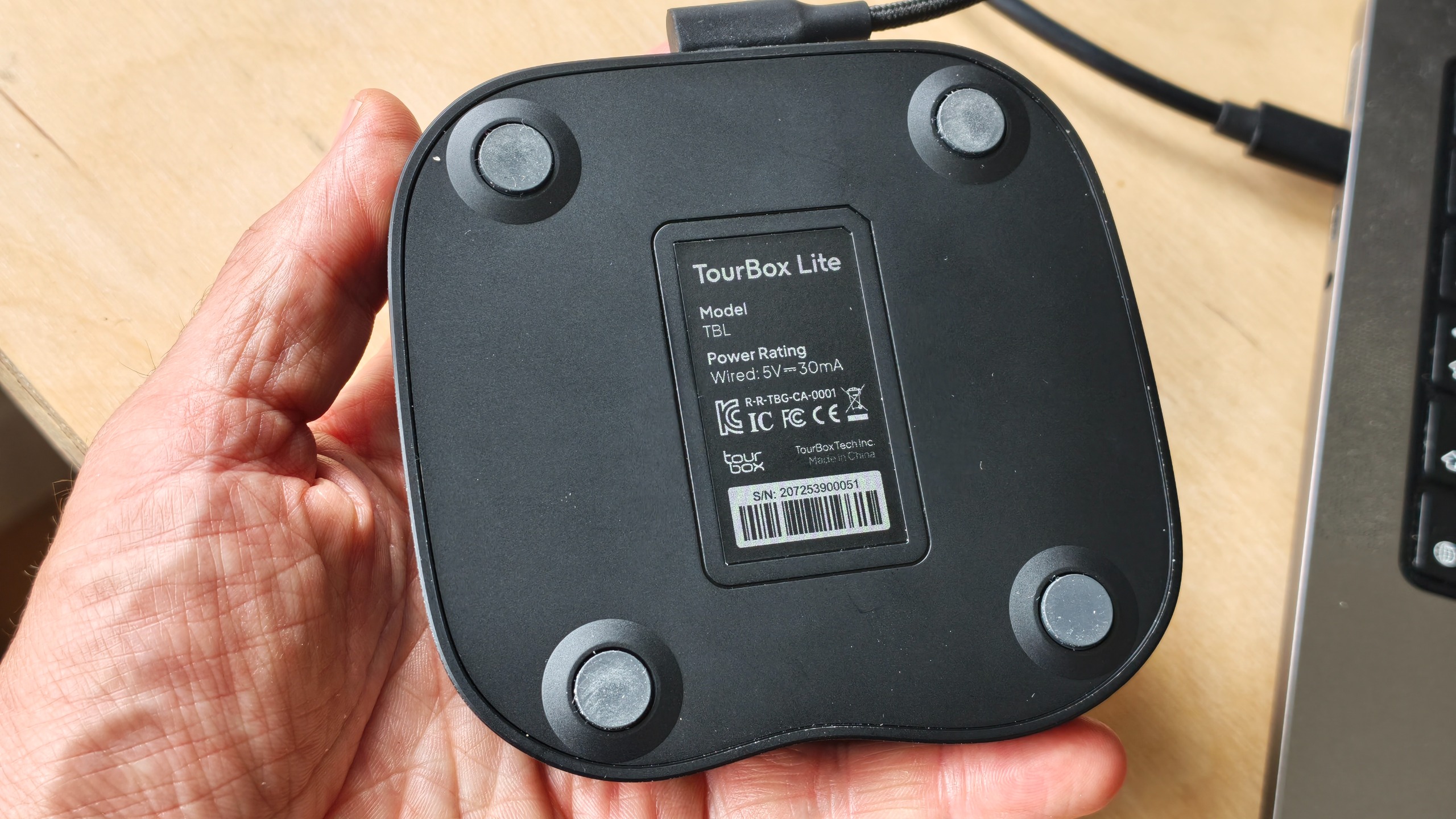
Connection to a Mac or Windows PC is facilitated via a wired USB-C cable. The absence of Bluetooth is a notable trade-off, impacting the console’s portability and potentially introducing a degree of cable management hassle. For creatives who frequently work on location or require a highly mobile setup, this wired-only approach might present a minor inconvenience.
The setup process is designed to be user-friendly, beginning with a download of the free TourBox Console software. This intuitive application is central to unlocking the Lite’s potential, allowing users to seamlessly map an extensive array of functions to the console’s controls. The software quickly recognized the Lite device, enabling a swift transition into the customization phase. While the Lite may not boast the sheer volume of buttons and dials found on more advanced TourBox models, it still offers a substantial number of customizable options, including over 50 button combinations and more than 200 assignable functions per preset. This provides a significant degree of personalization, allowing users to tailor the console to their specific software and workflow preferences.
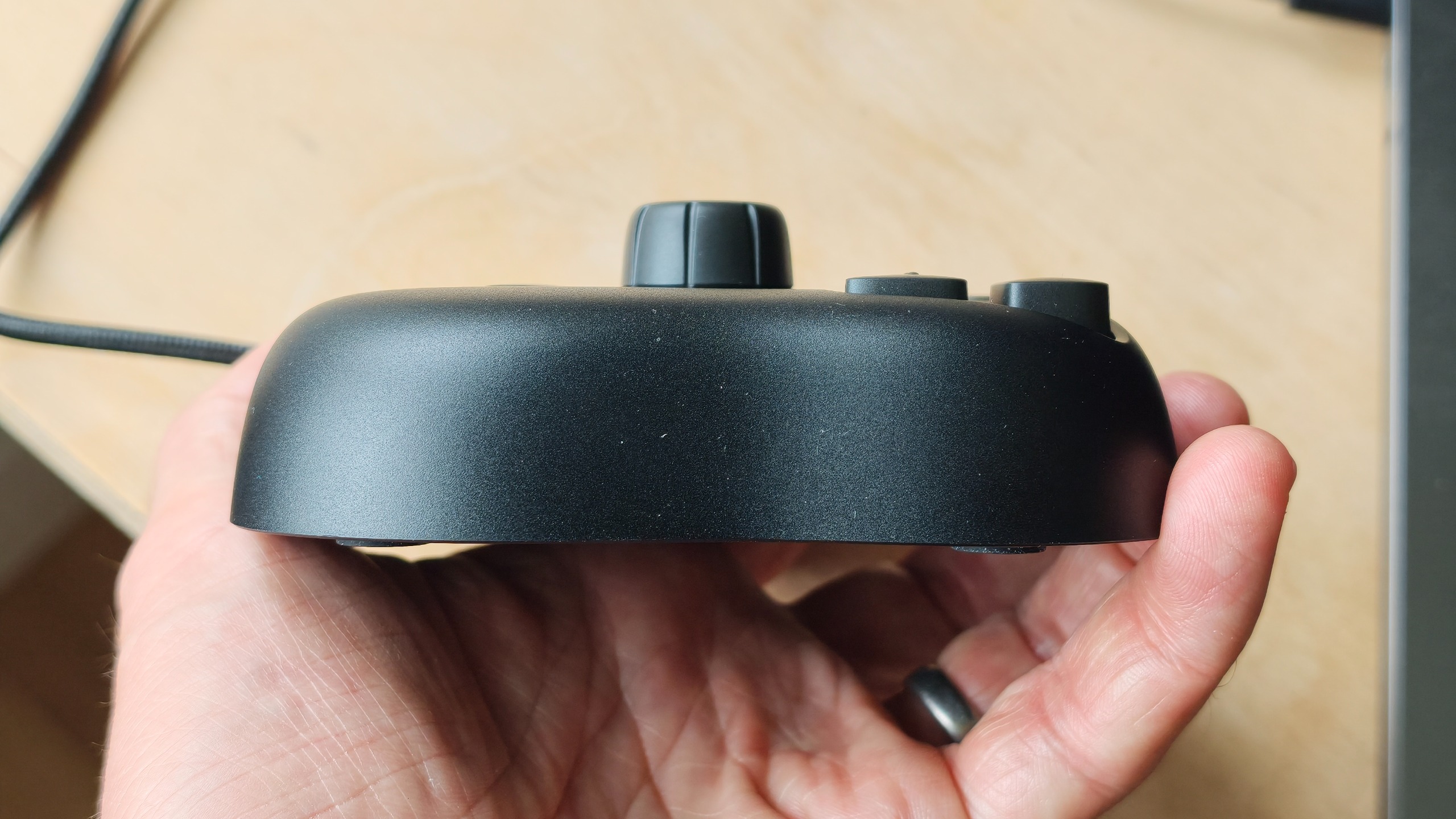
The physical controls – buttons, dial, and slider – perform their intended functions adequately. However, their build quality reflects the price point, feeling less substantial and premium than those found on models like the TourBox NEO. The lack of any discernible mechanical feedback or haptic touch sensations further accentuates this feeling of compromise. While these elements are not essential for functionality, they do contribute to a more refined and engaging user experience in higher-end devices. For the TourBox Lite, these are clearly areas where cost savings have been implemented.
Price, Value, and the Competitive Landscape
The TourBox Lite commands an attractive price tag of approximately £94.99 / $94.99, positioning it as the most budget-friendly option within the TourBox ecosystem. This is a significant differentiator when compared to its more advanced counterparts: the Elite Plus, which retails for around £297 / $297, the Elite at roughly £268 / $268, and the NEO at approximately £169 / $169. The NEO, for instance, offers a slightly superior build quality and a greater number of physical controls, but the necessity of these incremental improvements will ultimately depend on the individual user’s workflow demands and the number of shortcuts they wish to have immediately accessible.
For its modest cost, TourBox has managed to equip the Lite with a surprisingly comprehensive set of controls and customization options. While it doesn’t match the sheer quantity of features found on the significantly more expensive Elite Plus, the Lite delivers a substantial amount of functionality for its price. The fundamental reality is that for individuals seeking an entry-level console to streamline their editing workflow, the TourBox Lite stands out as a highly viable and practical option.
For those with a slightly larger budget, alternative options exist. The Logitech MX Creative Console, priced at around £189.99 / $189.99, offers a more premium aesthetic and is a capable device. Similarly, the XPPen Pilot Pro, available for approximately £169.99 / $169.99, is another contender. However, when directly comparing these options to the TourBox Lite, both the Logitech and XPPen devices are considerably more expensive while offering less functionality and customizability. This places the TourBox Lite in a strong position, offering superior value for money within the segment of creative editing consoles.
Should You Buy the TourBox Lite? A Verdict for the Budget-Conscious Creative
The TourBox Lite achieves a remarkable feat: it delivers an impressive array of controls and customization capabilities at a price point that makes dedicated editing consoles accessible to a much wider audience. It demonstrably offers more functionality than many of its competitors in a similar or even higher price bracket. While the Logitech MX Creative Console might exude a more premium and sophisticated appearance, the TourBox Lite often surpasses it in terms of raw functional potential and adaptability. The same can be said when comparing the Lite to the XPPen Pilot Pro; the TourBox Lite consistently offers a more robust feature set for the investment.
The physical interaction with the buttons, dial, and slider, while functional, does feel basic. The absence of haptic feedback, while a compromise dictated by its price, can create a slight disconnect between the user’s input and the on-screen action. However, it is crucial to reiterate that expecting advanced tactile feedback or premium materials at this price point would be unrealistic.
The console’s compact dimensions ensure it sits comfortably within the average palm, and its weight is sufficient to keep it securely planted on a desk during intensive editing sessions. The reliance on a wired USB-C connection, while limiting its versatility and portability compared to wireless alternatives, is a necessary trade-off for its affordability. This aspect is particularly relevant for photographers and videographers who envision a portable editing companion.
The setup process for the Lite console is commendably straightforward and intuitive, making it an ideal entry point for beginners and creatives new to the world of editing consoles. The TourBox Console software provides a familiar and powerful environment for mapping every control, which will be particularly reassuring for users who may have prior experience with other TourBox devices.
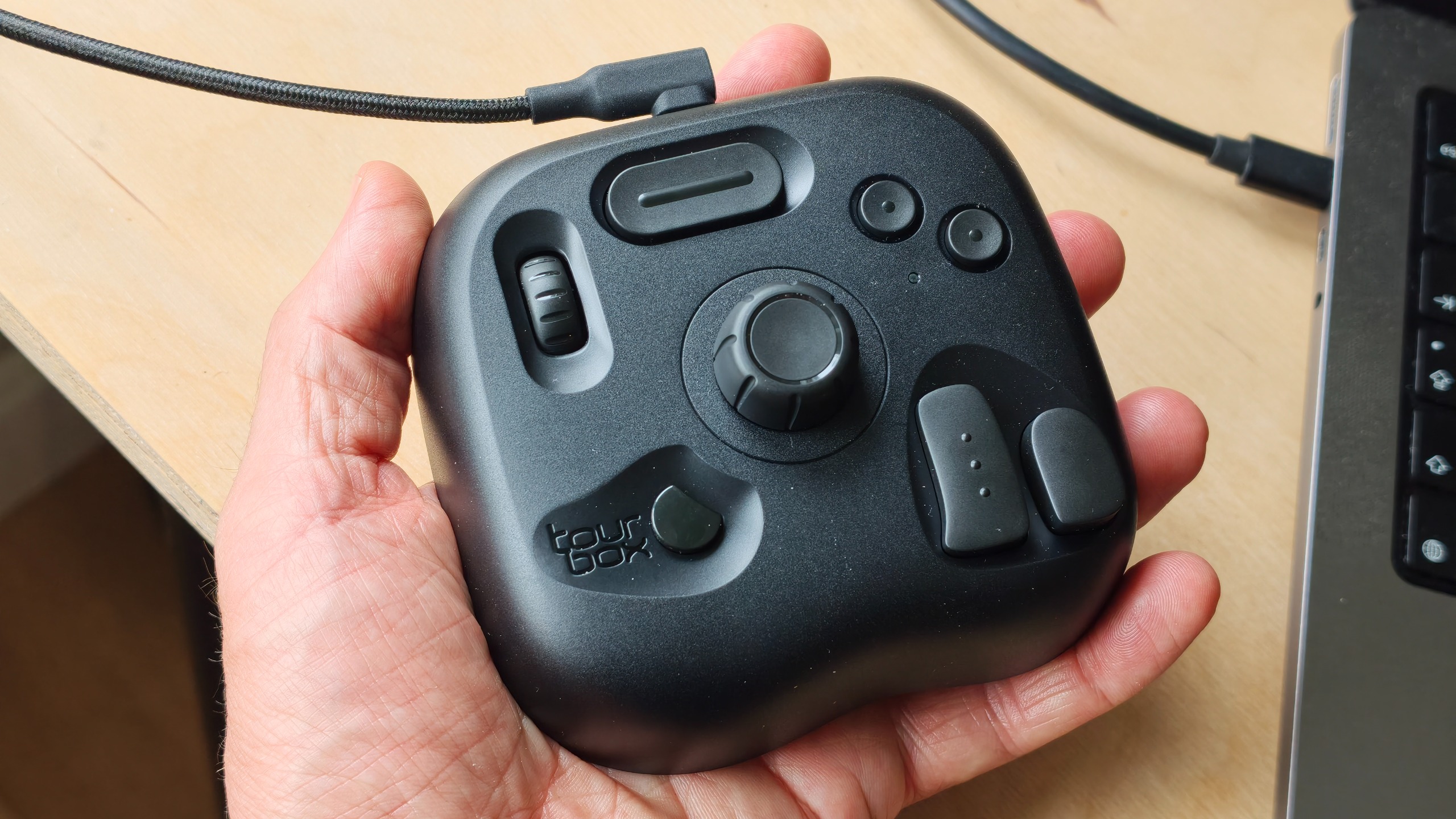
In conclusion, the TourBox Lite emerges as an exceptional value proposition for anyone looking to significantly enhance their creative workflow without breaking the bank. It is the most comprehensive editing console available at its budget-friendly price point, empowering photographers and videographers to expedite their editing processes and dedicate more energy to the art of creation. While it foregoes premium materials and advanced features like Bluetooth and haptic feedback, its core functionality and extensive customizability make it an outstanding choice for those seeking a powerful entry-level editing console. For aspiring creatives or those looking to upgrade from basic keyboard shortcuts, the TourBox Lite is an investment that promises substantial returns in terms of efficiency and creative freedom.