Revolutionizing Creative Workflows: An In-Depth Review of the TourBox Elite Plus

In the fast-paced world of digital creation, efficiency is paramount. Photographers, videographers, and graphic designers constantly seek tools that streamline their processes, allowing them to dedicate more time to the artistry itself rather than wrestling with complex keyboard shortcuts. The TourBox Elite Plus emerges as a compelling contender in this arena, positioning itself as a sophisticated creative editing console designed to elevate user experience and unlock unparalleled control. This review delves deep into the Elite Plus, examining its features, performance, and overall value proposition to determine if it truly lives up to its promise of being a game-changer.
The Promise of Intuitive Control: What is the TourBox Elite Plus?
At its core, the TourBox Elite Plus is an advanced input device crafted to act as a bridge between the creator and their digital workspace. It’s not merely a collection of buttons; it’s an ergonomically designed console that consolidates hundreds of software functions into a single, accessible unit. This innovative approach aims to liberate creatives from the cognitive burden of memorizing intricate keyboard shortcuts, offering instead a tactile and intuitive method for navigating and manipulating creative software.
The Elite Plus boasts a premium build, featuring a transparent casing that offers a glimpse into its internal circuitry – a design choice that appeals to the technically minded and fosters a sense of connection with the device. This transparency, however, doesn’t compromise its structural integrity, as the plastic casing feels robust and capable of withstanding the rigors of daily use.
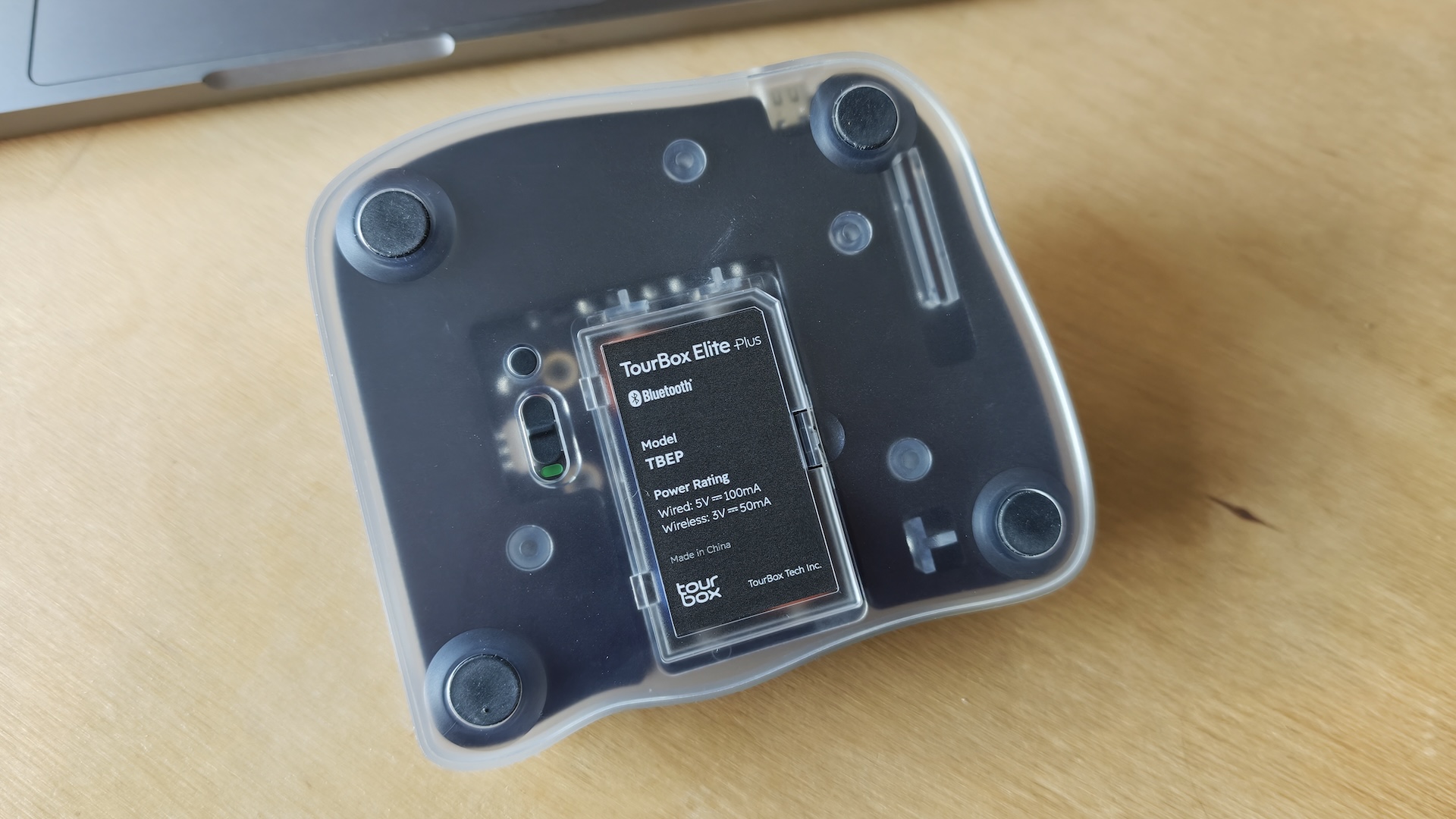
Connectivity is a key strength, with the Elite Plus supporting both wired USB and wireless Bluetooth connections. The Bluetooth functionality is particularly noteworthy, enabling seamless switching between multiple devices, including computers and tablets. This versatility makes it an adaptable tool for a dynamic workflow, allowing users to transition effortlessly from desktop editing suites to on-the-go tablet work.
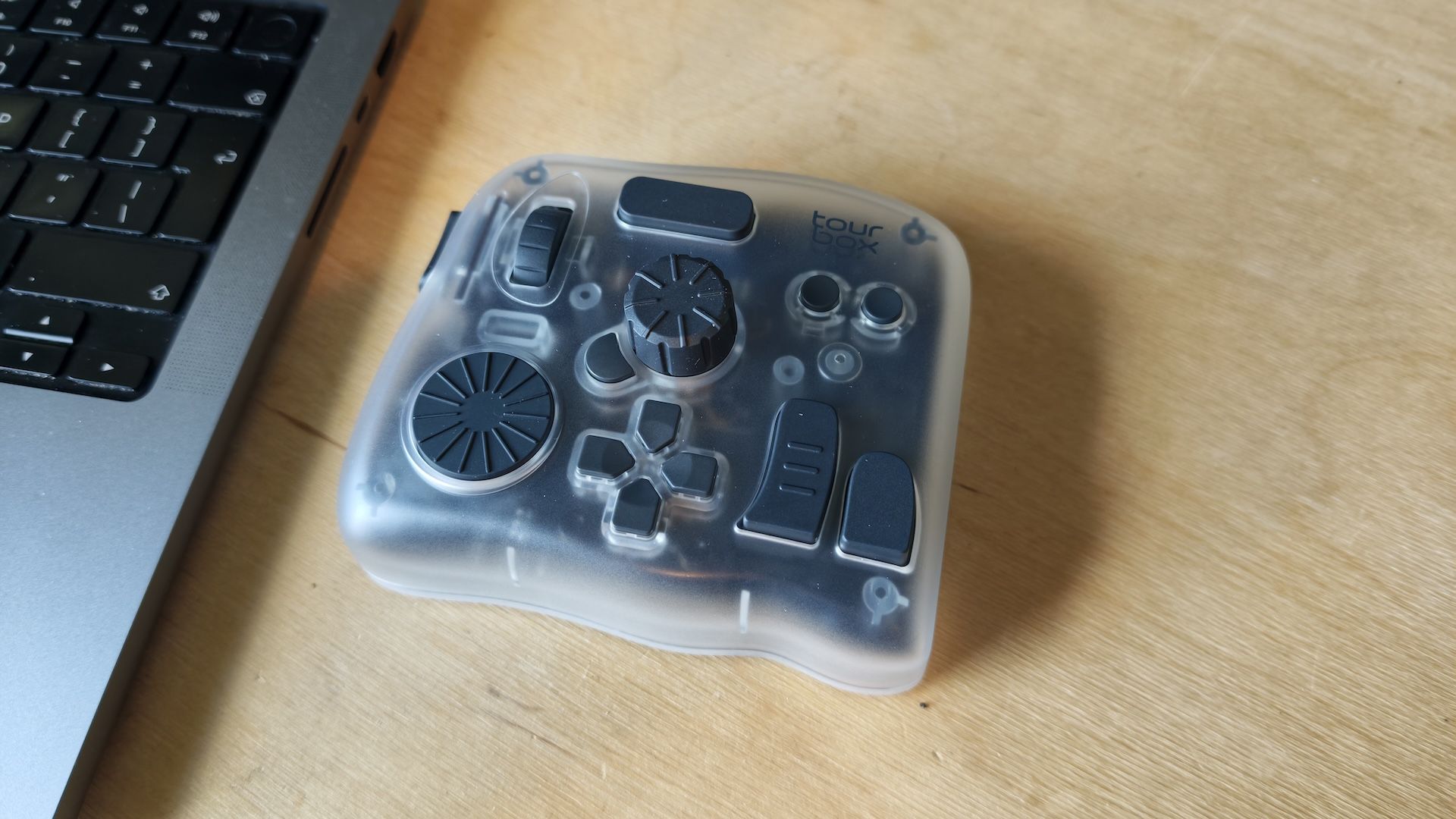
The console is engineered with a diverse array of controls, including a variety of buttons, dials, and scroll wheels, each meticulously designed for tactile feedback and precise operation. This multi-dimensional input system allows for an astonishing level of customization, with the potential to assign over 400 functions per preset. This means that virtually any command within compatible software can be mapped to a physical control, creating a personalized editing experience tailored to individual needs and preferences.
The TourBox Elite Plus is compatible with a wide spectrum of industry-standard creative software, including Adobe Photoshop, Lightroom, Premiere Pro, and DaVinci Resolve, among others. This broad compatibility ensures that the Elite Plus can integrate seamlessly into existing professional workflows, enhancing productivity across a range of applications.
As the flagship product in TourBox’s lineup, the Elite Plus sits at the apex of their console offerings, surpassing the specifications and features of its predecessors like the TourBox Elite, TourBox NEO, and TourBox Lite. This elevated status, however, comes with a commensurate premium price tag, positioning it as an investment for dedicated professionals rather than a casual purchase.
Form Meets Function: A Deep Dive into Design and Ergonomics
The physical design of the TourBox Elite Plus is a testament to thoughtful engineering. Its weight and build quality exude a sense of premium craftsmanship, providing a reassuring solidity on the desk. The transparent casing, while aesthetically pleasing, also serves a functional purpose by showcasing the internal components, a detail that can enhance a user’s appreciation for the technology.
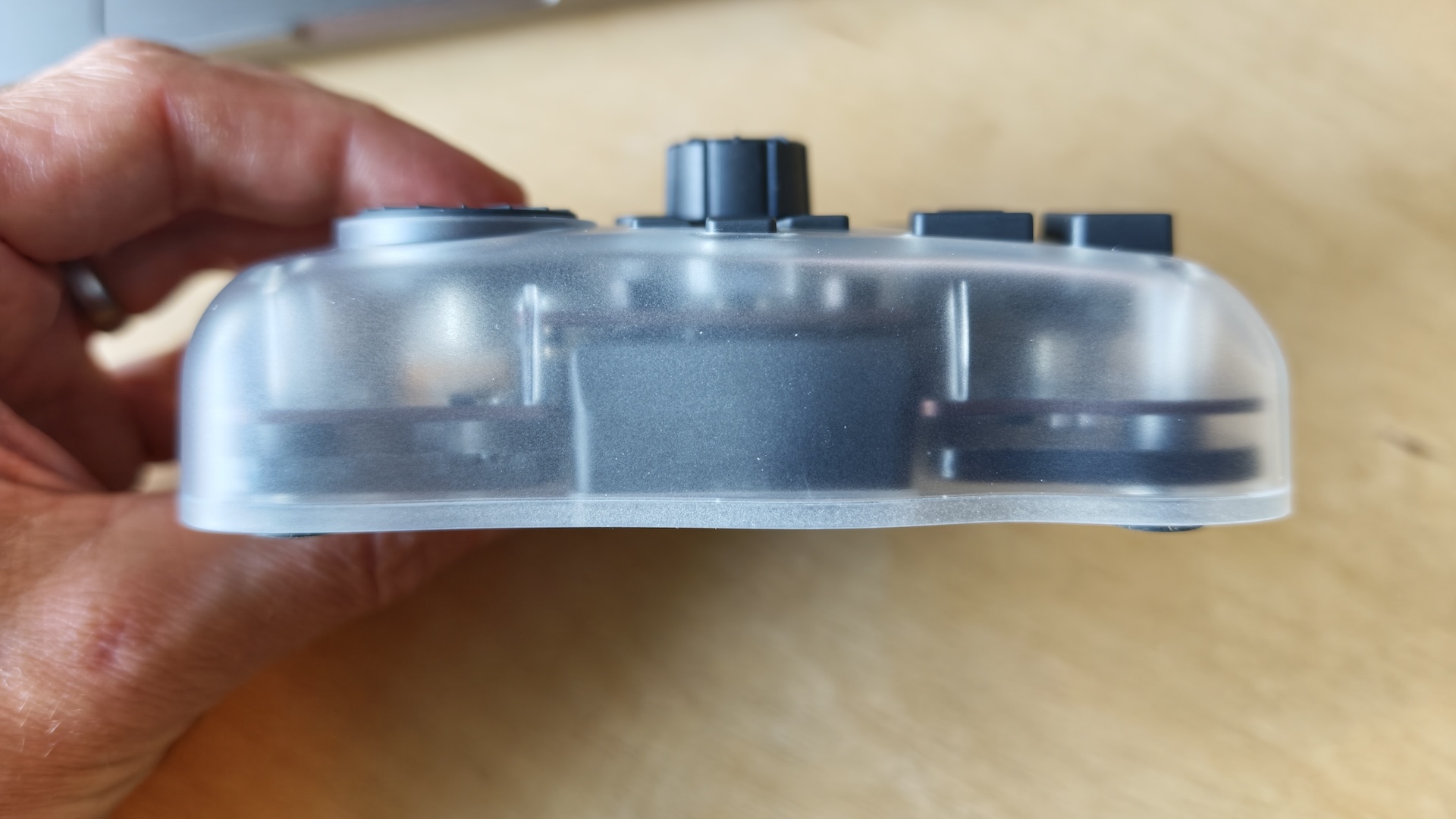
While the plastic construction is robust, a point of constructive criticism arises regarding its potential durability in the event of accidental drops. Unlike the rubberized casing found on the TourBox NEO, the Elite Plus might be more susceptible to damage from significant impacts. The incorporation of a rubberized material would undoubtedly enhance its resilience and offer a more tactile, grippier feel, further improving the user experience.
Setting up the Elite Plus is a straightforward process. Users need to download the dedicated TourBox Console software, which then facilitates either a wired USB connection or a wireless Bluetooth pairing. For those prioritizing portability and flexibility, the wireless option is the clear choice, allowing for effortless transitions between different workstations and even mobile devices like iPads and Android tablets. The Bluetooth connection generally proved reliable during testing, though occasional instances required a system restart to re-establish a stable link.
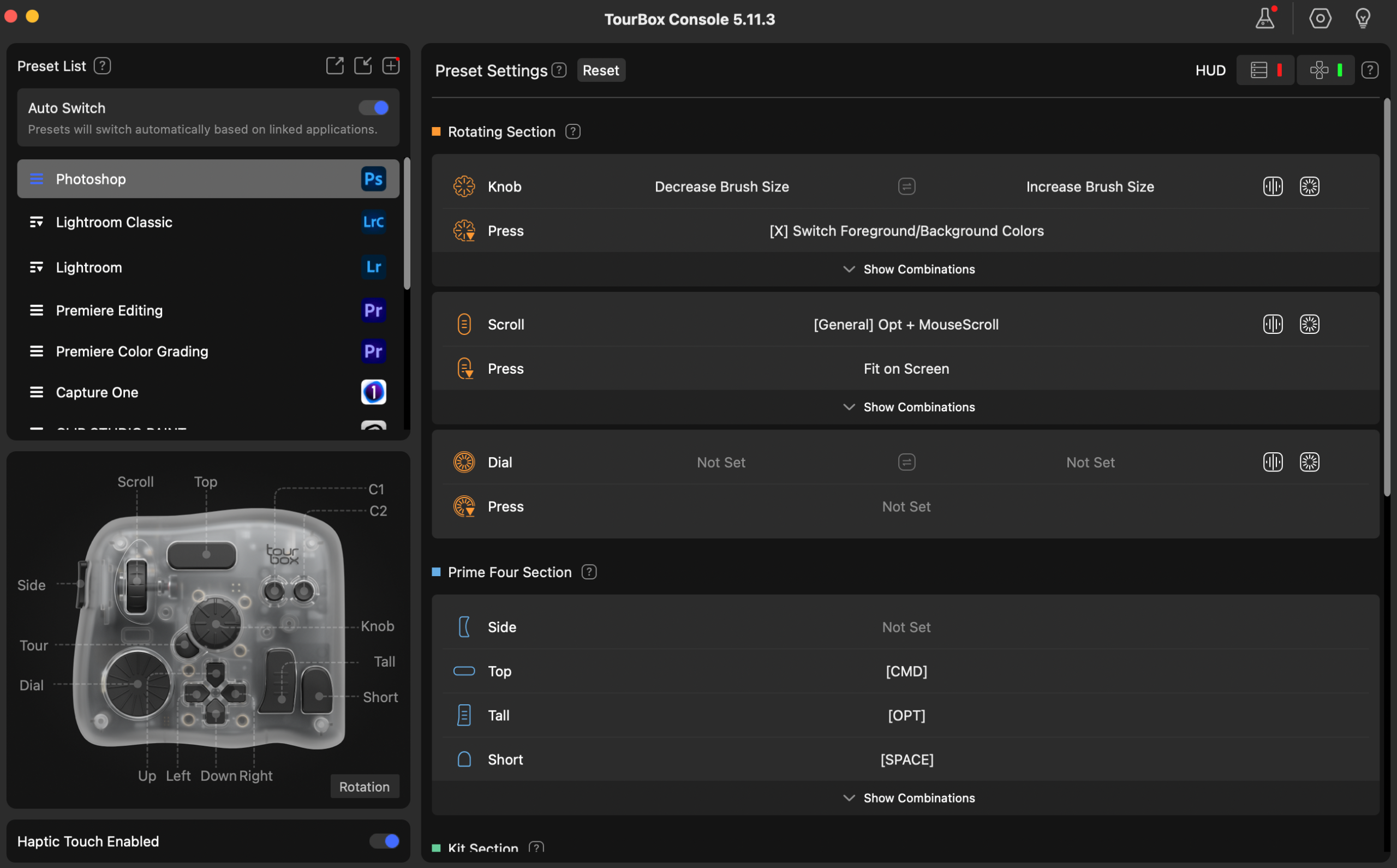
The array of knobs, dials, and buttons is where the Elite Plus truly shines. The precision and responsiveness of these controls are exceptional, allowing for intricate adjustments and rapid command execution. The ability to create over 150 button combinations, coupled with the capacity to assign more than 400 functions per preset, offers an unparalleled level of customization. This granular control empowers users to sculpt their workflow to match their unique editing style, transforming complex sequences of actions into single, effortless inputs.
A standout feature that differentiates the Elite Plus from its more affordable siblings, the TourBox NEO and TourBox Lite, is its integrated haptic feedback. This feature, powered by a wide-band vibration motor, adds a tangible dimension to the editing process, making interactions feel more grounded and immersive. The feedback provides confirmation of button presses and subtle cues during adjustments, enhancing the sense of direct control. However, a minor area for improvement lies in the audible aspect of the haptic feedback; a slight dampening of the vibration sound would contribute to an even more refined user experience.
Navigating the Ecosystem: Price, Value, and Competitive Landscape
The TourBox Elite Plus is positioned at the higher end of the market, retailing at approximately £297 / $297. While this price point places it as the most expensive option within the TourBox range, it’s worth noting that the device is frequently subject to discounts, which can reduce its cost by around £30 / $30. For this investment, users gain access to superior build quality, an extensive suite of controls, and the enhanced user experience provided by haptic feedback.
When considering the competitive landscape, several alternatives emerge, each offering a different balance of features and price. The Logitech MX Creative Console, a highly-rated alternative, offers a compelling proposition at a more accessible price of £189.99 / $189.99. This compact device features two independent consoles, allowing for seamless switching between applications and offering a dial, a scroller, and buttons for accessing shortcuts. While simpler than the Elite Plus, it presents a more budget-friendly option for those seeking streamlined control.
Another noteworthy competitor is the XPPen Pilot Pro. Positioned at a lower price point than both the Elite Plus and the MX Creative Console, the Pilot Pro is specifically tailored for video editors. Its design and functionality are optimized for frequent switching between essential tools like the Razor, Ripple Edit, and Selection tools in applications such as DaVinci Resolve and Premiere Pro, making it an attractive choice for professionals heavily invested in video editing workflows.
The Verdict: Is the TourBox Elite Plus Worth the Investment?
The TourBox Elite Plus is unequivocally a powerful tool designed for dedicated photographers and videographers who spend significant hours engaged in editing. Its ability to accelerate virtually every aspect of the creative workflow—from photo editing and retouching to color grading and video cutting—is undeniable. The sheer abundance of assignable buttons, combined with the intuitive TourBox Console software, allows for a deeply personalized setup that perfectly aligns with individual working methodologies. The automatic switching of mapping profiles between different software applications is a particularly appreciated convenience, eliminating the need for manual adjustments.
The initial setup, while generally straightforward, did present a minor hiccup during testing where the TourBox Console failed to detect the device via Bluetooth, necessitating a system restart. However, once connected, the presence of pre-configured software presets meant that users can be up and running with the console in under ten minutes after unboxing, a testament to the user-friendly nature of the software.
At its current retail price, the TourBox Elite Plus is best suited for editors who utilize professional software like Photoshop and DaVinci Resolve on a regular basis. For those who only engage with these tools occasionally, the workflow benefits derived from such a specialized console might not justify the investment, and traditional keyboard shortcuts may suffice. Similarly, creatives in fields like 3D art, where the demands on input devices differ significantly, may not find the Elite Plus to be the optimal solution for their workflow.
In conclusion, the TourBox Elite Plus stands as a masterfully engineered device that grants users comprehensive control over their creative processes. The inclusion of haptic feedback significantly enhances the tactile experience, making the editing process feel more engaged and interactive. The Elite Plus is a true game-changer for photographers and videographers weary of memorizing keyboard shortcuts and yearning for a more intuitive and efficient way to work. Should TourBox manage to slightly reduce its weight and integrate a rubberized casing for enhanced grip and durability, they would undoubtedly have a five-star product on their hands, solidifying its position as an indispensable tool in the modern creative arsenal.